The best gaming accessories for beginners: Your ultimate guide
best gaming accessories for beginners

The best gaming accessories for beginners: Your ultimate guide

Unlock your gaming potential with essential accessories designed to enhance your experience from day one.

Start Your Gaming Journey

Key Takeaways

  • ✓ A quality headset is crucial for communication and immersive sound.
  • ✓ An ergonomic mouse and keyboard improve comfort and performance.
  • ✓ A comfortable gaming chair prevents fatigue during long sessions.
  • ✓ Budget-friendly options exist for all essential gaming accessories.

How It Works

1
Assess Your Gaming Platform

Determine if you're primarily a PC, console, or mobile gamer. This dictates the type and compatibility of accessories you'll need to consider.

2
Prioritize Core Essentials

Focus on a good headset, an accurate mouse (for PC), a comfortable controller (for console), and a reliable keyboard. These have the biggest impact initially.

3
Set a Realistic Budget

Decide how much you're willing to spend on accessories. Excellent beginner-friendly options are available at various price points, so you don't need to overspend.

4
Research and Read Reviews

Look for products with strong positive feedback from other beginners and reputable tech reviewers. Pay attention to comfort, build quality, and ease of use.

Unlocking Your Potential: Essential Gaming Peripherals for Newbies
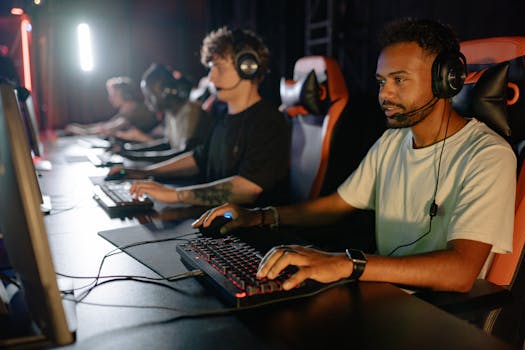
A group of young men immersed in a competitive esports gaming session indoors. Photo: Yan Krukau / Pexels
Stepping into the vast and exhilarating world of gaming can be both thrilling and a little overwhelming, especially when it comes to choosing the right gear. Many beginners often focus solely on the gaming system itself – be it a powerful PC, a cutting-edge console like a PlayStation 5 or Xbox Series X, or even a high-end gaming smartphone. While the core system is undoubtedly vital, the accessories you pair with it can significantly elevate your experience, comfort, and even your performance from the very first level. For those just starting out, understanding which peripherals are truly 'essential' versus those that are 'nice-to-have' can save you money and prevent buyer's remorse. We're here to guide you through the best gaming accessories for beginners, ensuring you make informed choices that enhance your journey without unnecessary expense. The first and arguably most critical accessory for any budding gamer is a high-quality gaming headset. This isn't just about hearing game sounds; it's about immersion, tactical awareness, and communication. A good headset offers clear audio, allowing you to pinpoint enemy footsteps, hear crucial dialogue, and fully appreciate the game's soundtrack. More importantly, it provides a clear microphone, essential for coordinating with teammates in multiplayer games or chatting with friends. For PC gamers, the combination of a responsive gaming mouse and a comfortable, tactile gaming keyboard is paramount. These aren't just glorified office peripherals; they offer precision, programmable buttons, and durability specifically designed for the rigors of gaming. Console gamers, on the other hand, will want to invest in a reliable controller, perhaps an official one or a reputable third-party alternative, ensuring responsive controls and ergonomic comfort for extended play sessions. Neglecting these fundamental tools is like trying to paint a masterpiece with a broken brush – you might get by, but you won't achieve your full potential or enjoy the process as much. Remember, the goal is to enhance your gaming, not complicate it, and these core peripherals form the foundation of a great beginner setup. Discover more about gaming gear and how it can transform your play.

Enhancing Comfort and Control: Beyond the Basics for Beginner Gamers
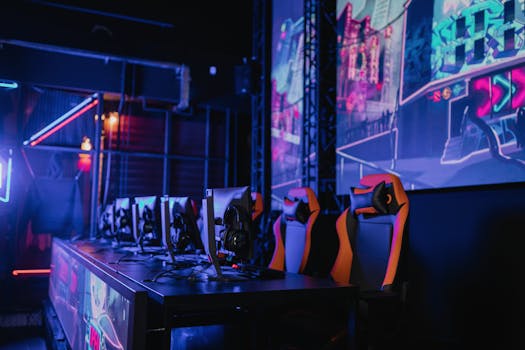
A high-tech gaming setup featuring multiple monitors and ergonomic chairs illuminated by neon lights. Photo: Alena Darmel / Pexels
Once you've secured your essential audio and input devices, it's time to consider accessories that elevate your comfort and overall control, turning long gaming sessions from a chore into a joy. For many, a dedicated gaming chair is a game-changer. While not strictly necessary for every beginner, especially those on a tight budget, a good ergonomic gaming chair provides proper posture support, reducing fatigue and preventing back pain during extended play. Unlike standard office chairs, gaming chairs are often designed with features like lumbar support, adjustable armrests, and recline functions tailored for the dynamic movements and long periods of sitting that gaming entails. Investing in one can significantly improve your endurance and focus, allowing you to enjoy your favorite titles for longer periods without discomfort. For PC gamers, a quality mouse pad is another often-overlooked accessory that can make a substantial difference. It's not just a surface for your mouse; a good gaming mouse pad provides consistent tracking, reduces friction, and offers ample space for broad, sweeping movements, which are crucial in many competitive titles. Different surfaces (cloth, hard, hybrid) cater to different preferences, influencing glide and control. Another valuable addition, particularly for console gamers, is a charging station for controllers. No one wants to be mid-boss fight only to have their controller die. A charging station ensures your controllers are always ready to go, neatly stored, and eliminates the hassle of constantly plugging and unplugging cables. Similarly, for PC gamers, a monitor arm can free up desk space and allow for optimal monitor positioning, reducing neck strain and improving your field of view. While these items might seem secondary, they collectively contribute to a more organized, comfortable, and ultimately more enjoyable gaming environment. They are investments in your long-term gaming health and satisfaction, allowing you to focus on the game itself rather than being distracted by discomfort or technical hiccups. The journey of a beginner gamer is about gradual improvement, and these comfort-focused accessories represent a smart next step after securing your core peripherals.

Optimizing Your Setup: Display, Storage, and Connectivity Solutions
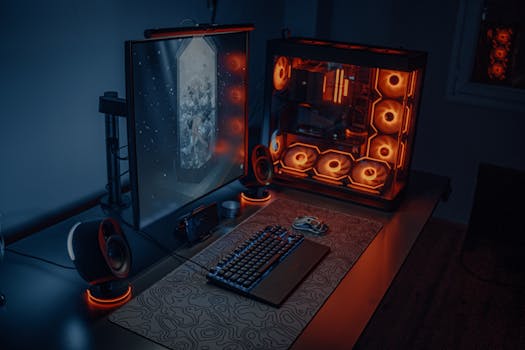
Sleek gaming desk setup featuring RGB lighting, large monitor, and gaming PC with glowing fans. Photo: Atahan Demir / Pexels
As you delve deeper into the gaming world, optimizing your visual experience and ensuring seamless operation becomes increasingly important. For many beginners, especially those upgrading from older monitors or standard TVs, a dedicated gaming monitor can be a transformative upgrade. Gaming monitors boast features like higher refresh rates (e.g., 144Hz, 240Hz) and lower response times (e.g., 1ms), which translate to smoother visuals and reduced input lag. This means movements appear more fluid, and your actions register faster, providing a significant competitive edge in fast-paced games. While a top-tier gaming monitor can be a substantial investment, there are many excellent budget-friendly options available that still offer a noticeable improvement over standard displays. Understanding specifications like resolution (1080p, 1440p, 4K), panel type (IPS, TN, VA), and adaptive sync technologies (G-Sync, FreeSync) will help you choose the right monitor for your needs and budget. It's about finding the sweet spot where performance meets affordability for your beginner setup. Beyond what you see, consider how you store and access your games. External storage solutions, such as external hard drives or SSDs, are invaluable for both PC and console gamers. Modern games are massive, often consuming hundreds of gigabytes of space. An external drive allows you to expand your game library without constantly deleting and reinstalling titles. SSDs (Solid State Drives) offer significantly faster loading times compared to traditional HDDs (Hard Disk Drives), which can drastically improve your gaming experience, especially in open-world games. For connectivity, a reliable internet connection is paramount for online multiplayer and game downloads. While not strictly an accessory, ensuring you have a stable wired connection (Ethernet) rather than relying solely on Wi-Fi can eliminate latency spikes and dropped connections, crucial for a smooth online experience. If Wi-Fi is your only option, consider a high-quality Wi-Fi adapter or a mesh networking system to ensure consistent performance. Finally, a good surge protector or UPS (Uninterruptible Power Supply) is a smart investment to protect your valuable gaming equipment from power fluctuations and outages. These accessories might not directly impact your gameplay, but they create a stable, efficient, and protected environment, allowing you to focus on what truly matters: enjoying your games. Explore more advanced gaming setups as you progress.

Smart Choices: Tips for Beginners and Common Accessory Mistakes to Avoid
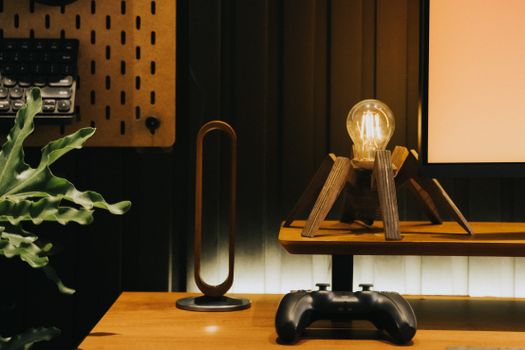
Stylish desk setup featuring a unique lamp, game controller, and plant for a contemporary workspace. Photo: Minh Phuc / Pexels
Navigating the world of gaming accessories as a beginner can be tricky, but with a few smart strategies, you can build an excellent setup without overspending or making common mistakes. Here are some key tips and pitfalls to avoid: **Tips for Smart Accessory Shopping:** * **Start with the Essentials:** As discussed, prioritize a good headset, mouse/keyboard (PC), or controller (console). These offer the biggest immediate impact on your experience. * **Read Reviews, Especially from Beginners:** Look for feedback from other new gamers. They often highlight ease of use, setup complexity, and value for money, which are crucial for someone just starting out. * **Set a Budget and Stick to It:** It's easy to get carried away. Decide what you can realistically spend and research options within that range. You don't need the most expensive gear to have a great time. * **Consider Refurbished or Used (from reputable sources):** For certain items like monitors or controllers, buying refurbished from a trusted retailer can offer significant savings without sacrificing quality. * **Check Compatibility:** Always double-check that accessories are compatible with your specific gaming platform (PC, PlayStation, Xbox, Nintendo Switch, etc.). * **Focus on Ergonomics:** Comfort is key for long gaming sessions. Look for adjustable features and designs that suit your body type and play style. **Common Accessory Mistakes to Avoid:** * **Overspending on RGB:** While flashy lights are cool, they often add to the cost without enhancing performance. Prioritize functionality over aesthetics when starting out. * **Buying the 'Pro' Version Right Away:** High-end, professional-grade accessories are often overkill for beginners and might have features you don't need or won't utilize. * **Neglecting Audio Quality:** A cheap headset can ruin immersion and make communication frustrating. Don't skimp on this essential. * **Ignoring Cable Management:** A tangled mess of wires isn't just unsightly; it can be a hazard and make it difficult to organize your space. Invest in some basic cable ties or sleeves. * **Impulse Buys:** Resist the urge to buy the first cool-looking accessory you see. Take your time, compare options, and make an informed decision. * **Forgetting About Your Desk Space:** Ensure your desk is large enough to comfortably accommodate your monitor, keyboard, mouse, and any other peripherals without feeling cramped. A small desk can hinder your performance and comfort.

Comparison

FeatureBest Option (Beginner)Alternative 1 (Console focus)Alternative 2 (Budget PC)
HeadsetHyperX Cloud Stinger CoreRazer Kaira X (Console Specific)Logitech G335
Mouse (PC)Logitech G203 LIGHTSYNCN/ARazer DeathAdder Essential
Keyboard (PC)Redragon K552 MechanicalN/ASteelSeries Apex 3
Controller (Console)Official Xbox/PS5 ControllerPowerA Enhanced Wired Controller8BitDo Ultimate C (PC/Switch)
Mouse PadSteelSeries QcK MediumN/AHyperX FURY S Pro Speed Edition
Gaming ChairRESPAWN 110Homall Gaming ChairHbada Ergonomic Office Chair (alternative)
Monitor (Optional)Acer Nitro XV240Y (144Hz)Samsung Odyssey G32A (165Hz)HP X24ih (144Hz)

What Readers Say

"As a total newcomer to PC gaming, this guide on the best gaming accessories for beginners was a godsend. I followed the advice for a headset and mouse, and my experience immediately improved. Communication with friends is clear, and my aim feels so much more precise."

Alex P. · Austin, TX

"I used to just use my TV for gaming, but after reading about gaming monitors here, I decided to invest in one. The difference in refresh rate is incredible! Everything is so much smoother, and I actually feel like I'm seeing more in competitive games. Highly recommend this advice."

Maria S. · Orlando, FL

"My back used to ache after an hour of gaming in my old office chair. This article convinced me to try a beginner-friendly gaming chair. Now, I can play for hours comfortably. It's made a huge difference in my overall enjoyment and focus."

David L. · Seattle, WA

"This guide offered solid advice, especially on prioritizing essentials. I appreciated the budget-friendly recommendations. While I didn't get every item listed, the core suggestions helped me build a functional setup without breaking the bank. Just wish there were a few more specific console controller recommendations."

Jessica R. · Boston, MA

"I was overwhelmed by all the options for gaming gear. This article broke down the best gaming accessories for beginners into digestible, actionable steps. It helped me understand what I actually needed versus what was just flashy, saving me money and frustration."

Kevin H. · Denver, CO

Frequently Asked Questions

What are the absolute best gaming accessories for beginners to buy first?

For beginners, the absolute first purchases should be a quality gaming headset for clear audio and communication, and a precise input device: a gaming mouse and keyboard for PC, or a comfortable, responsive controller for consoles. These items have the most immediate and significant impact on your gaming experience and performance.

Do I really need a gaming chair, or is a regular office chair fine?

While a regular office chair can suffice for short sessions, a dedicated gaming chair offers superior ergonomic support tailored for extended sitting, reducing fatigue and preventing pain. For beginners planning on longer playtimes, it's a worthwhile investment for comfort and long-term health, though not immediately essential.

How do I choose a gaming mouse and keyboard for my PC?

When choosing a gaming mouse, look for adjustable DPI, a comfortable grip, and programmable buttons. For keyboards, mechanical switches offer better tactile feedback and durability than membrane keyboards. Focus on responsiveness, comfort, and features relevant to the games you play, rather than just aesthetics.

How much should a beginner expect to spend on gaming accessories?

A beginner can build a solid foundation of essential gaming accessories for anywhere from $150 to $400, depending on the platform and specific items chosen. It's possible to find excellent budget-friendly options for headsets, mice, and keyboards without sacrificing too much quality. More advanced items like gaming monitors or chairs will increase this budget.

Is a gaming monitor really better than my regular TV for console gaming?

Yes, for competitive console gaming, a dedicated gaming monitor is generally superior to a regular TV. Gaming monitors offer higher refresh rates (smoother visuals) and significantly lower input lag (faster response times), which can give you a competitive edge and a more responsive gaming experience, especially in fast-paced genres.

Who should prioritize investing in gaming accessories?

Anyone new to gaming who wants to enhance their experience, improve comfort during play, gain a competitive edge, or simply immerse themselves more fully in their games should prioritize investing in the right accessories. It's about optimizing your setup to match your enthusiasm for gaming, whether casual or competitive.

Are wireless gaming accessories as good as wired ones for beginners?

Modern wireless gaming accessories have significantly improved, often offering performance nearly on par with wired options, especially for headsets and mice. For beginners, wireless offers convenience and a cleaner setup. However, wired accessories usually provide a slight latency advantage and never run out of battery, which can be a deciding factor for competitive play or budget constraints.

What future trends should beginners be aware of in gaming accessories?

Beginners should watch out for advancements in haptic feedback technology for controllers and chairs, more refined wireless connectivity with even lower latency, and increased integration of AI for personalized gaming experiences. Also, expect continued innovation in ergonomic designs and sustainable manufacturing practices in gaming gear.

Ready to dive into the world of gaming with confidence? Equipping yourself with the best gaming accessories for beginners will not only enhance your gameplay but also ensure maximum comfort and longevity. Don't let subpar gear hold you back – upgrade your setup today and experience gaming as it's meant to be.

Topics: best gaming accessories for beginnersessential gaming gearbeginner gaming setupgaming peripheralsaffordable gaming accessories
Leo List
Brampton weed
Adultwork EstrelaBet Vai de Bet R7 Bet Betão Galera Bet Rainbet Bet9ja Shop SportyBet BetKing Sisal Loto Foot Hollywoodbets YesPlay Odibets RushBet Jugabet BetWarrior BetCity MSport betPawa Fortebet