✓ Ergonomics are crucial for long gaming sessions, preventing strain and injury.
✓ Cable management is key to a clean aesthetic and prevents clutter.
✓ Lighting significantly impacts mood, immersion, and eye comfort.
✓ Personalization enhances enjoyment and reflects individual style.
How It Works
1
Assess Your Space & Needs
Measure your available room and consider your primary gaming style (PC, console, streaming). This dictates desk size, monitor count, and peripheral requirements.
2
Prioritize Ergonomics
Invest in an adjustable desk, ergonomic chair, and monitor arms. Proper posture and positioning are vital for comfort and health during extended play.
3
Plan Your Layout
Map out where your PC, monitors, peripherals, and accessories will go. Think about workflow, accessibility, and visual balance before placing items.
4
Execute & Refine
Assemble your setup, manage cables diligently, and add personal touches like lighting or decor. Test different configurations and adjust until it feels perfect.
The Foundation: Choosing the Right Gaming Desk
Photo: Huy Phan / Pexels
The desk is the literal foundation of your ultimate gaming sanctuary, and selecting the right one is paramount to achieving the best gaming desk setup ideas. It's not merely a surface to place your gear; it's a critical component that influences ergonomics, organization, and overall aesthetics. When embarking on this quest, consider several key factors. First, size matters immensely. Measure your available space meticulously. Do you have room for a sprawling L-shaped desk that offers ample surface area for multiple monitors, a dedicated streaming setup, and perhaps a console? Or is a more compact, rectangular desk better suited for a smaller room? Don't forget about depth – a deeper desk provides more viewing distance from your monitors, which can reduce eye strain and allow for better peripheral placement. Second, material and build quality are non-negotiable. A flimsy desk will sag under the weight of heavy monitors and PCs, leading to instability and potential damage. Look for desks made from sturdy materials like solid wood, high-quality MDF, or steel. A robust frame is essential for stability, especially if you plan to use monitor mounts. Third, consider adjustability. Standing desks have become incredibly popular in the gaming community for good reason. The ability to switch between sitting and standing throughout long gaming sessions can significantly improve circulation, reduce back pain, and boost energy levels. Look for electric standing desks with memory presets for easy height adjustments. Even if a standing desk isn't in your budget, ensure your chosen desk is at an appropriate fixed height, or can be supplemented with monitor risers and an ergonomic chair to achieve ideal ergonomic positioning. Fourth, think about integrated features. Some desks come with built-in cable management trays, headphone hooks, or even USB hubs. While not strictly necessary, these can greatly enhance convenience and contribute to a cleaner setup. Finally, aesthetics play a role. Your desk should complement the overall theme and design of your gaming space. Whether you prefer a minimalist look, a futuristic RGB-laden setup, or a more industrial vibe, there's a desk out there for you. Prioritizing these elements will ensure your desk not only supports your gear but also elevates your entire gaming experience. A well-chosen desk is an investment that pays dividends in comfort, performance, and the sheer joy of your personalized gaming haven. For more in-depth advice on selecting the perfect desk, check out our guide on gaming desk buying tips.
Mastering Ergonomics and Comfort for Long Sessions
Photo: Alena Darmel / Pexels
No matter how powerful your PC or how vibrant your monitors, a gaming setup that neglects ergonomics is a recipe for discomfort, fatigue, and potential long-term health issues. Mastering ergonomics is central to creating the best gaming desk setup ideas, ensuring you can game for hours on end without strain. The cornerstone of an ergonomic setup is the gaming chair. This isn't just about flashy designs; it's about proper lumbar support, adjustable armrests, a headrest, and a recline function. A good chair supports the natural curve of your spine, distributes weight evenly, and allows your feet to be flat on the floor (or supported by a footrest). Adjustable armrests are crucial for supporting your forearms, preventing shoulder and neck tension. Next, consider your monitor placement. Ideally, the top of your monitor screen should be at or slightly below eye level. This prevents you from craning your neck up or down. Monitor arms are an excellent investment here. They allow for precise height, tilt, swivel, and depth adjustments, freeing up valuable desk space and providing unparalleled flexibility. Dual monitor arms are particularly useful for multi-monitor setups, ensuring both screens are perfectly aligned. The distance from your eyes to the screen should be about an arm's length (20-40 inches), depending on screen size. Your keyboard and mouse positioning are equally important. Your wrists should be straight, not bent up or down, and your forearms should be roughly parallel to the floor. A comfortable wrist rest for both your keyboard and mouse can mitigate carpal tunnel syndrome and repetitive strain injuries. Ensure your mouse pad provides adequate space for comfortable movement. Finally, don't overlook the importance of regular breaks. Even the most ergonomic setup can't completely negate the effects of prolonged sitting. Incorporate short stretching breaks every hour or so, and consider a standing desk to alternate your posture. Proper lighting also plays a role in eye comfort – avoid glare on your screen and ensure ambient lighting isn't too dim or too bright. By meticulously addressing these ergonomic principles, you'll create a gaming environment that not only maximizes your performance but also safeguards your health and well-being, allowing you to fully immerse yourself in your games without distraction or discomfort.
Aesthetic Appeal & Cable Management: The Clean Setup
Photo: Atahan Demir / Pexels
Beyond performance and ergonomics, the visual appeal of your gaming space significantly contributes to immersion and enjoyment. A clean, well-organized setup is a hallmark of the best gaming desk setup ideas, elevating it from a functional workspace to a personal sanctuary. The secret weapon here is meticulous cable management. Untamed cables are not only an eyesore but also dust magnets and potential tripping hazards. Start by routing all cables neatly. Adhesive cable clips, cable ties, and Velcro straps are your best friends. Under-desk cable trays or management sleeves can hide power strips and excess cable slack, keeping them out of sight and out of mind. Consider a modular power strip that allows you to plug in adapters without blocking adjacent outlets. For a truly seamless look, some gamers drill discreet holes in their desk to route monitor and peripheral cables directly through, or invest in desks with integrated cable pass-throughs. The goal is to make cables disappear as much as possible. Once the cables are tamed, focus on the overall aesthetic. Lighting plays a transformative role. RGB LED strips, smart bulbs, and light bars can create dynamic and customizable ambiance. Position them behind monitors, under the desk, or along shelves to cast indirect light that reduces eye strain and adds a futuristic glow. Consider a cohesive color scheme for your RGB lighting, syncing it with your peripherals and PC components for a unified look. Decor elements, while seemingly minor, contribute significantly to personalization. Think about wall art related to your favorite games, collectibles, or even plants to add a touch of nature. Monitor backlighting, often called bias lighting, reduces eye fatigue by lowering the contrast between your bright screen and a dark wall. Headphone stands, controller charging docks, and dedicated peripheral trays not only keep your desk clutter-free but also add to the organized aesthetic. Remember that less is often more; avoid overcrowding your desk with unnecessary items. A minimalist approach can be incredibly effective, highlighting your core gaming gear. Regularly dusting and cleaning your setup will also maintain its pristine condition. By dedicating time to cable management and thoughtful aesthetic choices, you transform your gaming desk into a visually stunning, distraction-free environment that enhances your focus and allows you to fully appreciate the power and beauty of your gaming rig. Explore more ways to personalize your space with our guide on gaming room decor ideas.
Optimizing Peripherals and Audio for Competitive Play
Photo: Andres Garcia / Pexels
For competitive gamers, a setup is only as good as its peripherals. Optimizing your keyboard, mouse, headset, and audio system is paramount to gaining an edge and achieving peak performance. The best gaming desk setup ideas for competitive play meticulously select and position these crucial components. Start with your gaming mouse. It needs to be comfortable for your grip style (palm, claw, fingertip) and feature a high-precision sensor (DPI/CPI) for accurate tracking. Customizable buttons and adjustable weight systems can further fine-tune your control. Pair it with a high-quality mouse pad – whether you prefer a control-focused fabric surface or a speed-oriented hard surface – that's large enough for unrestricted movement. Your gaming keyboard is equally vital. Mechanical keyboards are often preferred for their tactile feedback and responsiveness. Consider switch types (linear, tactile, clicky) based on your preference for speed, feedback, and noise. Features like anti-ghosting, N-key rollover, and programmable macros can provide a significant advantage in fast-paced games. The placement of both your mouse and keyboard should allow for natural wrist and arm positioning, as discussed in the ergonomics section. Audio is frequently underestimated but profoundly impacts competitive play. A high-quality gaming headset with clear positional audio (7.1 surround sound emulation) allows you to pinpoint enemy footsteps, gunshots, and other critical in-game sounds. Look for comfortable earcups, a clear microphone for team communication, and a robust build. If you're serious about streaming or content creation, consider a dedicated condenser microphone on a boom arm for studio-quality voice capture, separate from your headset. Beyond the headset, a good pair of studio monitors (speakers) can enhance immersion for single-player games and general media consumption. Position them at ear level, equidistant from your listening position, to create an accurate soundstage. For competitive players, minimizing input lag is also critical. Ensure your monitor has a high refresh rate (144Hz+) and a low response time (1ms). Connect your PC to the monitor using DisplayPort or HDMI 2.1 for the best performance. Overlooking these peripheral and audio optimizations is akin to bringing a knife to a gunfight; investing in and properly configuring them is essential for any serious gamer looking to dominate the competition and fully experience their games.
Comparison
Feature
Best Option
Alternative 1
Alternative 2
Desk Type
Electric Standing Desk
L-Shaped Desk
Compact Fixed Desk
Chair Type
Ergonomic Gaming Chair
Office Ergonomic Chair
Racer Style Gaming Chair
Monitor Setup
Dual Monitor Arms (32"+)
Single Ultrawide Monitor
Triple Monitor Stand
Cable Management
Under-Desk Tray + Sleeves
Adhesive Clips + Ties
Desk with Built-in Management
What Readers Say
★★★★★
"Following these best gaming desk setup ideas completely transformed my space. My back pain is gone, and my desk finally looks like something out of a magazine. The cable management tips were a game-changer!"
Alex R. · Seattle, WA
★★★★★
"I used the advice on monitor placement and lighting, and it's made a huge difference in my eye comfort during long gaming sessions. My new setup is both functional and beautiful, thanks to these ideas."
Sarah J. · Austin, TX
★★★★★
"The ergonomic recommendations, especially for the chair and keyboard, have dramatically improved my posture and reduced wrist strain. I can now game for hours without feeling fatigued, achieving better in-game results."
Mark D. · Chicago, IL
★★★★★
"While I couldn't implement every single high-end suggestion, the core principles for cable management and peripheral optimization were incredibly helpful. My setup is much cleaner and more organized now."
Emily P. · Denver, CO
★★★★★
"As a streamer, the advice on microphone placement and room acoustics was invaluable. My audio quality has improved significantly, leading to better viewer engagement and a more professional broadcast."
Chris L. · Miami, FL
Frequently Asked Questions
What is the most important aspect of a gaming desk setup?
While aesthetics are appealing, ergonomics are arguably the most crucial aspect. A comfortable and properly aligned setup prevents strain, fatigue, and potential long-term injuries, allowing you to game longer and perform better without health repercussions.
How can I make my gaming setup look cleaner without spending a lot?
Effective cable management is the most cost-effective way to clean up your setup. Utilize zip ties, Velcro straps, and adhesive cable clips to bundle and route cables neatly. An under-desk cable tray can hide power strips and excess wires, instantly making your desk look tidier.
How do I properly position my monitor(s) for gaming?
For single monitors, the top of your screen should be at or slightly below eye level, and about an arm's length away. For multiple monitors, ensure they are aligned horizontally at the same height, with the primary monitor directly in front of you. Monitor arms offer the best flexibility for precise positioning.
Is an expensive gaming chair really worth it?
A good ergonomic gaming chair is a significant investment in your health and comfort. While not all expensive chairs are created equal, those with excellent lumbar support, adjustability, and quality materials can prevent pain and improve posture during long sessions, making them worthwhile for serious gamers.
Should I choose an L-shaped desk or a rectangular desk for my gaming setup?
The choice depends on your space and needs. An L-shaped desk offers more surface area for multiple monitors, streaming gear, and peripherals, ideal for larger rooms or extensive setups. A rectangular desk is better for smaller spaces or minimalist setups, providing a more focused workspace.
Who should prioritize investing in a standing desk for gaming?
Anyone who spends long hours at their desk should consider a standing desk. Gamers, streamers, and remote workers can benefit greatly from the ability to alternate between sitting and standing, which improves circulation, reduces back pain, and can boost focus and energy levels.
What are common mistakes to avoid when setting up a gaming desk?
Common mistakes include neglecting ergonomics (poor chair, monitor height), ignoring cable management, overcrowding the desk, using inadequate lighting, and placing speakers incorrectly. Addressing these can significantly improve your setup's functionality and aesthetics.
What future trends should I consider for my gaming desk setup?
Future trends include more integrated smart home features (voice control for lighting/PC), advanced haptic feedback peripherals, increasingly immersive ultra-wide and curved displays, and greater emphasis on sustainable and modular desk designs that adapt to evolving tech.
Ready to transform your gaming space? Implement these best gaming desk setup ideas today to create an environment that not only looks incredible but also enhances your comfort, performance, and overall immersion. Your ultimate gaming experience awaits!
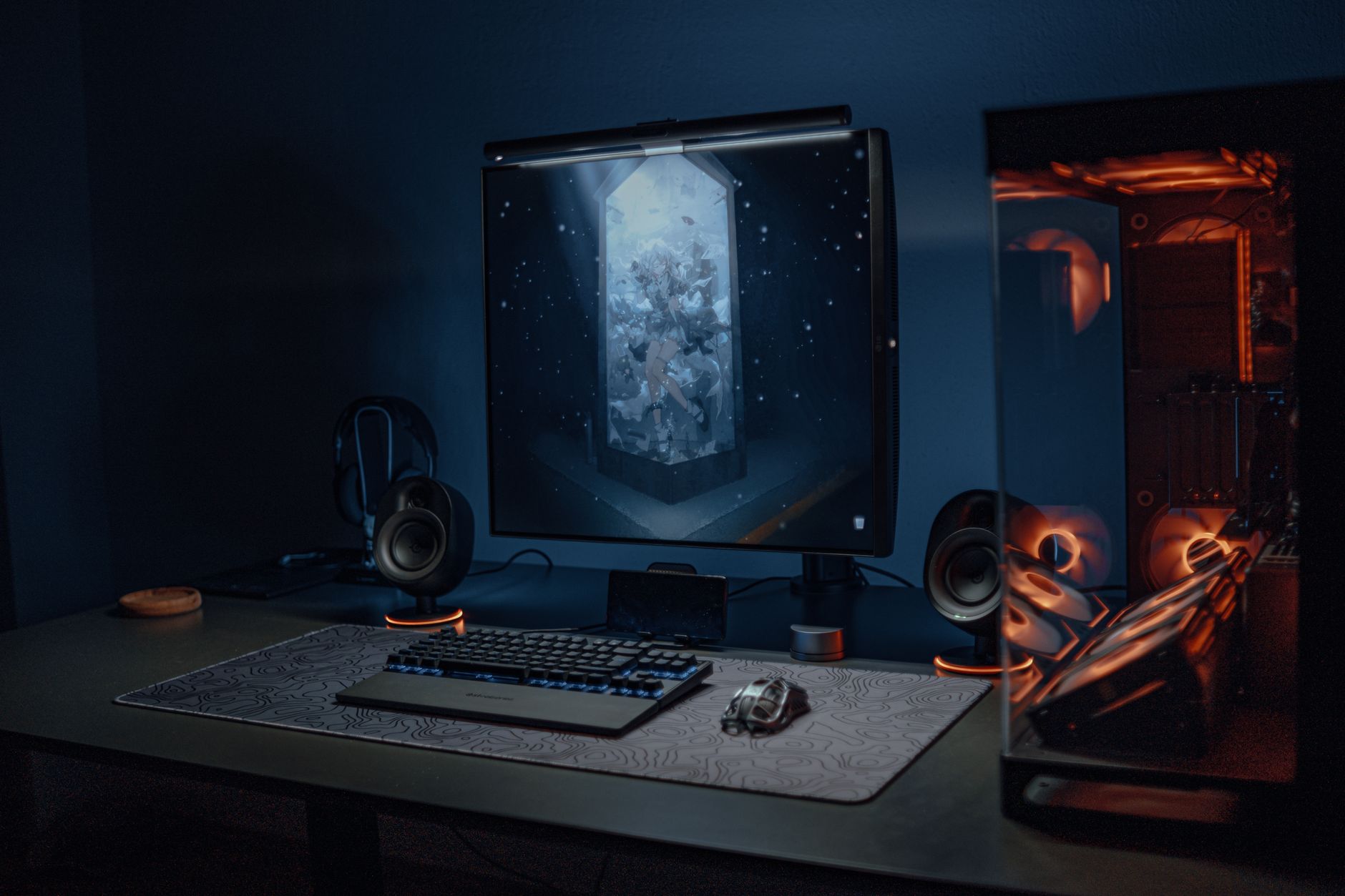
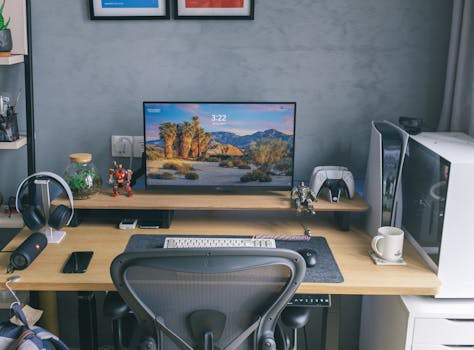 Photo: Huy Phan / Pexels
 Photo: Alena Darmel / Pexels
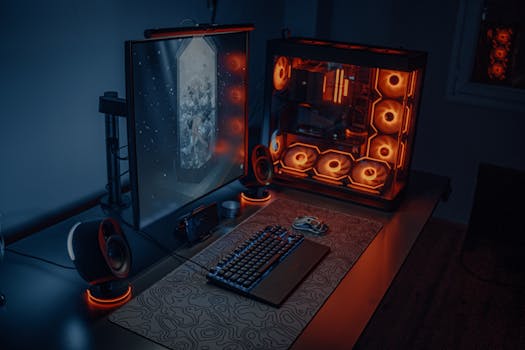 Photo: Atahan Demir / Pexels
 Photo: Andres Garcia / Pexels