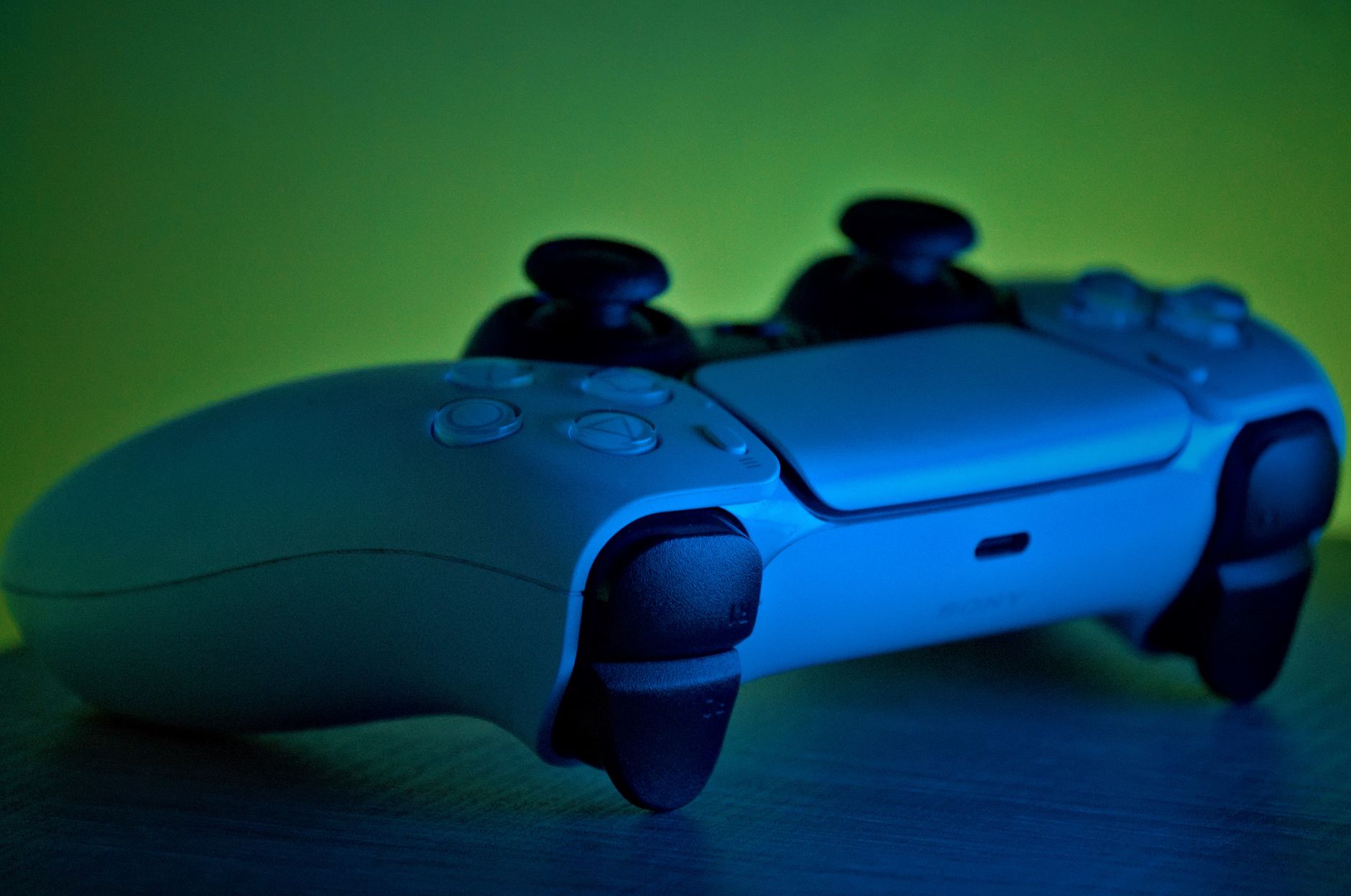
Find the Best Gaming Headset for PS5: Ultimate Audio Edge
best gaming headset for PS5

Find the Best Gaming Headset for PS5: Ultimate Audio Edge

Unleash the full potential of your PlayStation 5's audio capabilities and gain a competitive advantage.

Elevate Your Game Now

Key Takeaways

  • ✓ Sony's Tempest 3D AudioTech is a game-changer for PS5 audio, making headset choice crucial.
  • ✓ Wireless connectivity offers freedom of movement and reduces clutter, but can introduce latency.
  • ✓ Comfort and build quality are paramount for extended gaming sessions.
  • ✓ Microphone quality is vital for clear communication in multiplayer games.

How It Works

1
Identify Your Playstyle

Consider if you're a competitive gamer needing precise audio cues or a casual player prioritizing comfort and immersion. This guides your feature priorities.

2
Prioritize Key Features

Decide on wireless vs. wired, 3D audio compatibility, microphone quality, and battery life. Each plays a role in your overall experience.

3
Set a Budget

Gaming headsets range widely in price. Establishing a budget helps narrow down options and ensures you get the best value for your investment.

4
Test for Comfort & Fit

If possible, try on headsets to assess comfort, weight distribution, and ear cup pressure. A comfortable fit is essential for long gaming sessions.

Unlocking PS5's Tempest 3D AudioTech: Why Your Headset Matters
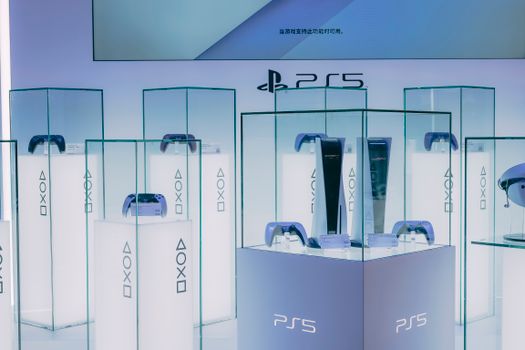
PlayStation 5 consoles and accessories on display in a sleek, futuristic showroom. Photo: Sirius Df / Pexels
The PlayStation 5 introduced a revolutionary audio experience with its Tempest 3D AudioTech, a dedicated hardware unit designed to deliver incredibly immersive and accurate spatial audio. This isn't just a marketing gimmick; it's a fundamental shift in how games sound, allowing for precise object-based audio that places sounds all around you, not just from left and right. Imagine hearing a raindrop land on a leaf directly above you, or pinpointing an enemy's footsteps coming from the floor below, or an explosion echoing realistically from a distant canyon. This level of auditory detail can significantly enhance immersion, heighten your awareness in competitive titles, and even provide a strategic advantage by giving you crucial information about your surroundings. However, to truly benefit from Tempest 3D AudioTech, you need a headset that can accurately reproduce these complex soundscapes. While the PS5 can output 3D audio through any stereo headphones, the quality and accuracy of the reproduction vary greatly depending on the headset's drivers, soundstage, and overall audio engineering. A high-quality gaming headset designed with clarity and detailed sound reproduction in mind will allow you to discern the subtle nuances of 3D audio, making enemies easier to track, environmental cues more impactful, and the game world feel more alive. Cheap or poorly designed headsets might flatten the sound or muddy the details, effectively negating the benefits of the PS5's advanced audio engine. Therefore, investing in one of the best gaming headsets for PS5 isn't just about getting louder sound; it's about unlocking the full potential of your console's audio capabilities and experiencing games as their developers intended. This section will delve into the technical aspects of Tempest 3D AudioTech and explain what specific features in a headset contribute to a superior 3D audio experience. We'll discuss how driver size, frequency response, and even the type of earcups can influence your perception of spatial audio, helping you understand why certain headsets excel in this crucial area. Understanding these elements is key to making an informed decision and ensuring your next PS5 headset truly elevates your gaming experience beyond what standard headphones can offer. The difference between a mediocre headset and a premium one, especially on PS5, can be the difference between merely playing a game and truly inhabiting its world. From the rustle of leaves to the distant roar of a monster, every sound becomes a vital part of the experience when paired with the right audio hardware.

Wired vs. Wireless: Connectivity Choices for Your PS5 Headset
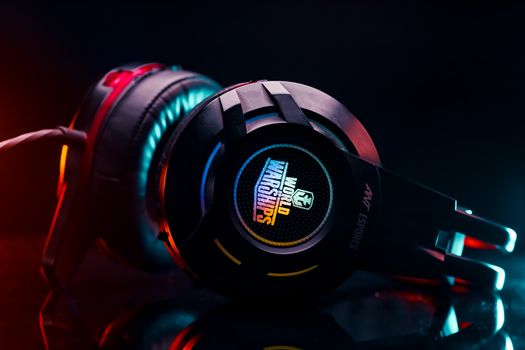
Close-up of a vibrant gaming headset with LED lighting, perfect for gamers. Photo: Arijit Dey / Pexels
When choosing the best gaming headset for PS5, one of the most fundamental decisions you'll face is between wired and wireless connectivity. Both options offer distinct advantages and disadvantages, and the 'best' choice often comes down to your personal preferences, budget, and specific gaming habits. Wired headsets, typically connecting via a 3.5mm jack or USB, are renowned for their reliability and pristine audio quality. Because they have a direct physical connection, they avoid potential issues like signal interference, latency, or battery life concerns that can plague wireless models. For competitive gamers where every millisecond counts and audio precision is paramount, a wired connection often provides peace of mind. They also tend to be more affordable for comparable audio performance, as the cost of wireless transmission technology is removed. However, the obvious drawback is the cable itself. Wires can restrict your movement, get tangled, and limit how far you can sit from your console or controller. This can be inconvenient for players who like to recline on a couch or move around during intense gaming sessions. Wireless headsets, on the other hand, offer unparalleled freedom of movement. Using technologies like 2.4GHz USB dongles (the preferred method for PS5 for low-latency audio) or Bluetooth, they cut the cord, allowing you to move freely without being tethered to your console or controller. This can significantly enhance comfort and immersion, especially during long play sessions. Many wireless headsets also come with convenient on-ear controls for volume, mute, and even chat mix, making adjustments quick and intuitive. The primary downsides of wireless headsets include their higher price point for similar audio quality, the need to regularly charge them (battery life varies significantly between models), and the potential for very slight audio latency or interference in busy wireless environments. While modern 2.4GHz wireless technologies have dramatically reduced latency to near-imperceptible levels for most users, some ultra-competitive players might still prefer the absolute zero-latency of a wired connection. Bluetooth headsets are generally less recommended for serious PS5 gaming due to higher latency and often lower audio bandwidth compared to 2.4GHz, making them better suited for mobile devices or casual listening. Ultimately, if budget is a concern and you prioritize absolute audio fidelity and reliability, a wired headset is an excellent choice. If freedom of movement, convenience, and a clutter-free setup are more important, and you're willing to invest a bit more, a high-quality 2.4GHz wireless headset will be a fantastic companion for your PS5. This section will elaborate on the nuances of each connection type, helping you weigh the pros and cons in the context of your specific gaming environment and preferences.

Comfort, Build Quality, and Microphone Excellence in PS5 Headsets
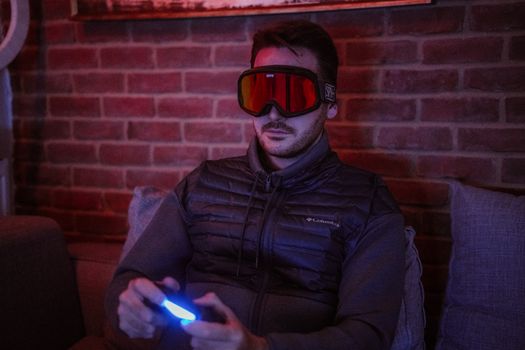
A man wearing futuristic goggles plays video games indoors, focused and intense. Photo: Sami Abdullah / Pexels
Beyond sound quality and connectivity, two critical factors often overlooked by new buyers but deeply appreciated by seasoned gamers are comfort and build quality, closely followed by microphone performance. When you're settling in for a marathon gaming session on your PS5, perhaps exploring the vast world of an RPG or battling through intense multiplayer matches for several hours, comfort becomes paramount. A poorly designed headset can cause discomfort, pressure points, and heat buildup, leading to fatigue and distraction. The best gaming headset for PS5 will feature lightweight designs, adjustable headbands that distribute weight evenly, and plush, breathable earcups. Memory foam ear cushions, often covered in soft fabric or high-quality pleather, conform to the shape of your head, reducing pressure and providing passive noise isolation. Some advanced models even incorporate cooling gel into the earcups to prevent overheating during long playtimes. The clamping force of the headset is also crucial; it needs to be firm enough to stay in place but not so tight that it causes headaches. Build quality goes hand-in-hand with comfort, ensuring durability and longevity. High-quality materials like steel, aluminum, and robust plastics are indicative of a headset built to withstand the rigors of daily use. Swivel earcups, reinforced hinges, and braided cables (for wired models) all contribute to a headset's lifespan. A well-built headset feels solid in your hands, without creaking or wobbling, suggesting it can endure being dropped or tossed aside in moments of gaming frustration. Investing in a durable headset means you won't be replacing it every year, offering better long-term value. Finally, for anyone engaging in multiplayer gaming, the microphone is just as important as the audio output. Clear communication with your teammates is fundamental for coordination and strategy. Many gaming headsets feature noise-canceling or noise-reducing microphones that filter out ambient sounds, ensuring your voice comes through crisp and clear to your party. Features like a flip-to-mute function, a detachable microphone, or an indicator light for mute status add significant convenience. Poor microphone quality can lead to frustration for both you and your teammates, making it difficult to convey crucial information. Some premium headsets even offer sidetone, allowing you to hear your own voice through the headset, preventing you from shouting unintentionally. This section will emphasize how these seemingly secondary features are, in fact, foundational to an enjoyable and effective PS5 gaming experience, ensuring that your headset isn't just a tool for sound, but a comfortable, reliable extension of your gaming setup. Gaming accessories like these are crucial for a complete experience. We'll examine specific design elements and material choices that contribute to superior comfort and durability, as well as the various microphone technologies that deliver crystal-clear voice chat, allowing you to focus on the game without distraction.

Avoiding Common Pitfalls: Tips for Choosing Your PS5 Gaming Headset

Young gamers deeply focused on an intense gaming session in a high-tech esports arena. Photo: Ron Lach / Pexels
Navigating the vast market of gaming headsets can be daunting, and it's easy to fall into common traps that lead to buyer's remorse. Here are some essential tips to help you avoid pitfalls and ensure you pick the best gaming headset for your PS5: * **Don't Overlook Compatibility:** While most headsets with a 3.5mm jack will work with the DualSense controller, not all USB wireless headsets are universally compatible. Always check for explicit 'PS5 compatibility' or 'PlayStation' branding. Some older USB headsets might require firmware updates or may only offer limited functionality on PS5. Ensure the headset supports the PS5's USB-C or USB-A ports directly or via the controller. * **Beware of Excessive Bass:** While impactful bass can enhance explosions and cinematic moments, too much can muddy the overall sound profile, making it difficult to discern subtle audio cues like footsteps or distant gunshots, which are crucial for competitive play and 3D audio immersion. Look for a balanced sound signature or one that allows for EQ adjustments. * **Prioritize 2.4GHz Wireless Over Bluetooth for Gaming:** As discussed, Bluetooth generally introduces more latency than dedicated 2.4GHz wireless connections. For serious gaming, especially where timing is critical, a 2.4GHz USB dongle connection is almost always superior for the PS5. Reserve Bluetooth for mobile devices or casual listening. * **Don't Skip Reviews, But Read Critically:** Product reviews are invaluable, but remember that individual experiences vary. Look for trends in feedback regarding comfort, durability, and specific audio issues. Pay attention to reviews from PS5 owners specifically, as performance can differ across platforms. Be wary of overly enthusiastic or extremely negative single reviews. * **Consider Your Head Size and Ear Shape:** Headsets are not one-size-fits-all. If possible, try on a headset before buying. If not, look for models with highly adjustable headbands and swivel earcups. People with larger ears or who wear glasses often need specific designs to ensure comfort over long periods. * **Microphone Quality Isn't Just About Noise Cancellation:** While noise cancellation is great, also consider the clarity and naturalness of your voice. Some microphones, despite canceling background noise, can make your voice sound compressed or artificial. Look for reviews that specifically praise mic clarity and natural tone. * **Battery Life Expectations (for Wireless):** Be realistic. A wireless headset with 10-15 hours of battery life is good for most, but if you game for exceptionally long stretches without breaks, you might need a model with 20+ hours or one that supports charging while in use. * **Don't Confuse Virtual Surround Sound with PS5's 3D Audio:** Many PC headsets boast 'virtual surround sound' (e.g., 7.1 surround). While these can sound good, the PS5's Tempest 3D AudioTech is a hardware-driven, object-based solution that works with any stereo headset. A headset with its own virtual surround processing might interfere with or simply not enhance the PS5's native 3D audio. Focus on headsets that offer clear, accurate stereo reproduction for the best 3D audio experience from the console itself. By keeping these tips in mind, you can significantly improve your chances of finding a PS5 gaming headset that perfectly suits your needs and enhances your overall gaming experience.

Comparison

FeatureBest OptionAlternative 1Alternative 2
Connectivity2.4GHz WirelessWired (USB/3.5mm)2.4GHz Wireless
3D Audio SupportExcellentVery GoodExcellent
Mic QualityBroadcast-GradeClear & DetachableGood, Flip-to-Mute
Comfort (Long Sessions)SupremeHighExcellent
Battery Life (Wireless)30+ HoursN/A20+ Hours
Price RangePremiumMid-RangeUpper Mid-Range

What Readers Say

"This headset completely transformed my PS5 experience. The 3D audio in 'Spider-Man: Miles Morales' is mind-blowing; I can hear every web-sling and distant siren with incredible precision. Comfort is also top-tier for my long sessions."

Sarah J. · Austin, TX

"Finally, a wireless headset for PS5 with zero discernible lag! The microphone is crystal clear, my friends actually complimented my voice quality. It's a game-changer for competitive multiplayer on PlayStation."

Mark D. · Seattle, WA

"I used to think my old headset was fine, but this one for my PS5 is on another level. The build quality feels premium, and after 4 hours of 'Returnal,' I barely noticed it was on. My K/D ratio in 'Call of Duty' has definitely improved thanks to better audio cues."

Emily R. · Orlando, FL

"Great sound and comfortable for the most part, though I wish the earcups were a tiny bit larger for my big ears. The battery life is phenomenal, and the PS5 integration was seamless. A solid choice, just a minor comfort tweak for me."

David L. · Chicago, IL

"As someone who plays both competitive shooters and immersive single-player games on PS5, this headset excels at both. The precise spatial audio gives me an edge, and the rich soundstage makes story-driven games incredibly engaging. Best investment for my PS5."

Chloe P. · Boston, MA

Frequently Asked Questions

What makes a gaming headset 'best' for PS5 specifically?

The best gaming headset for PS5 leverages the console's Tempest 3D AudioTech, offering excellent spatial audio reproduction. It also provides reliable, low-latency connectivity (preferably 2.4GHz wireless or USB wired), clear microphone quality for communication, and superior comfort for extended gaming sessions. Compatibility with the PS5's unique features and interface is also key.

Do I need a special '3D audio' headset for PS5?

No, you don't need a headset specifically labeled '3D audio.' The PS5's Tempest 3D AudioTech works with any stereo headset. However, a high-quality stereo headset with good frequency response and accurate soundstage will allow you to hear the nuances of the PS5's 3D audio much more effectively than a basic or poorly designed one. Focus on overall audio fidelity.

How do I connect a wireless headset to my PS5?

Most wireless gaming headsets connect to the PS5 via a USB dongle. Simply plug the dongle into an available USB-A or USB-C port on your PS5. The console should automatically detect the headset. You may need to go into the PS5's 'Sound' settings under 'Accessories' to ensure the headset is selected as the input and output device and adjust volume levels.

Are expensive PS5 headsets worth the cost?

For dedicated gamers, an expensive PS5 headset can absolutely be worth the cost. Higher-priced models typically offer superior sound quality, more precise 3D audio, better microphone performance, premium build materials for durability, and enhanced comfort features like cooling gel earcups. The investment often translates to a significantly more immersive and competitive gaming experience.

Can I use my old PS4 gaming headset with the PS5?

Many PS4 gaming headsets are compatible with the PS5, especially those that connect via a 3.5mm jack to the controller or via a USB dongle. However, some older USB wireless headsets might not be fully compatible or may require firmware updates. Check the manufacturer's website for PS5 compatibility information for your specific model. While they may work, they might not fully optimize the PS5's audio features.

Who should prioritize a top-tier PS5 gaming headset?

Anyone who spends significant time gaming on their PS5, especially those who play competitive multiplayer games where audio cues are critical (e.g., FPS titles), or who want to fully immerse themselves in story-driven single-player experiences, should prioritize a top-tier PS5 gaming headset. Streamers and content creators also benefit greatly from excellent microphone quality.

Is there a risk of hearing damage with gaming headsets?

Yes, prolonged exposure to high volume levels from any headset, including gaming headsets, can lead to hearing damage. It's crucial to game responsibly by keeping the volume at a moderate level, taking regular breaks, and using the headset's volume controls to avoid excessively loud audio. Most consoles and headsets have volume limiters or indicators to help prevent this.

What's the future of PS5 gaming headset technology?

The future likely holds even more advanced wireless technologies with even lower latency and broader bandwidth, potentially integrating more sophisticated AI-driven noise cancellation for microphones. We might also see further innovations in haptic feedback directly in earcups, personalized audio profiles based on ear shape, and more eco-friendly manufacturing processes. Tighter integration with PSVR2 is also a strong possibility.

Ready to hear every detail, pinpoint every enemy, and fully immerse yourself in your favorite PlayStation 5 worlds? Choose the best gaming headset for PS5 from our recommendations and elevate your audio experience to the next level today.

Topics: best gaming headset for PS5PS5 audio headsetPlayStation 5 headphones3D audio PS5 headsetwireless PS5 headset
Leo List

IE Escorts NO Escorts US Escorts NZ Escorts AU Escorts
Brampton weed
Adultwork EstrelaBet Vai de Bet R7 Bet Betão Galera Bet Rainbet Bet9ja Shop SportyBet BetKing Sisal Loto Foot Hollywoodbets YesPlay Odibets RushBet Jugabet BetWarrior BetCity MSport betPawa Fortebet