✓ Mechanical switches are paramount for esports due to their tactile feedback and durability.
✓ Actuation distance and force directly impact reaction time and keypress consistency.
✓ Customizable RGB lighting, while aesthetic, can also serve functional purposes for keybinds.
✓ Polling rate and anti-ghosting are critical for ensuring every command registers accurately.
How It Works
1
Understand Your Playstyle
Different games and roles demand varied keyboard characteristics. Are you a rapid-fire DPS or a precise support player?
2
Explore Switch Types
Linear, tactile, and clicky switches offer distinct feels. Test different types to find what suits your preference for speed and feedback.
3
Prioritize Core Features
Focus on anti-ghosting, N-key rollover, high polling rates, and robust build quality. These are non-negotiable for competitive play.
4
Consider Ergonomics & Durability
Long gaming sessions require comfortable designs. A durable keyboard withstands intense use and travel, essential for aspiring pros.
The Unseen Advantage: Why Your Keyboard Matters in Esports
Photo: Yan Krukau / Pexels
In the cutthroat world of esports, where milliseconds separate victory from defeat, every piece of your hardware arsenal is a critical component. While powerful GPUs and high refresh rate monitors often steal the spotlight, the humble keyboard remains one of the most direct interfaces between a player's intent and in-game action. For professional players, a keyboard isn't just a peripheral; it's an extension of their will, a finely tuned instrument that translates lightning-fast thoughts into precise commands. This isn't about flashy RGB or ergonomic wrist rests (though those have their place); it's about raw performance, reliability, and consistency under immense pressure. The best gaming keyboard for esports is engineered from the ground up to minimize input lag, maximize keypress accuracy, and endure the grueling demands of competitive play. It's the difference between landing that game-winning ultimate and misclicking, between a perfectly executed combo and a fumbled sequence. Understanding the profound impact of a high-performance keyboard is the first step toward unlocking your full potential. Imagine a scenario where your keyboard fails to register a crucial keypress due to ghosting, or a switch feels inconsistent, throwing off your rhythm. These seemingly minor issues can have catastrophic consequences in a high-stakes match. Esports professionals don't just pick any mechanical keyboard; they meticulously select devices with specific switch types, build quality, and features that align with their unique playstyle and the demands of their chosen game. They understand that muscle memory, developed over thousands of hours, relies on consistent feedback and predictable actuation. A superior keyboard provides that unwavering foundation, allowing players to focus entirely on strategy, positioning, and execution, rather than battling their own hardware. This deep dive into the world of esports keyboards will explore the core technologies and design philosophies that separate the contenders from the champions, guiding you to make an informed decision that will genuinely elevate your gaming performance. We'll dissect the nuances of mechanical switches, the importance of build materials, and the often-overlooked software features that can provide a decisive edge. Prepare to see your keyboard not just as an input device, but as a strategic asset in your quest for esports glory.
Dissecting the Core: Mechanical Switches and Actuation
Photo: Click Jeth / Pexels
At the heart of every great esports keyboard lies its mechanical switches. Unlike membrane keyboards, which rely on a rubber dome to register a keypress, mechanical switches employ individual springs and physical contacts, offering a distinct and consistent tactile or auditory feedback. This fundamental difference is crucial for competitive gaming. The type of switch you choose will profoundly impact your typing speed, accuracy, and overall gaming experience. There are three primary categories of mechanical switches: linear, tactile, and clicky. Linear switches, such as Cherry MX Red or Gateron Yellow, provide a smooth, consistent keystroke from top to bottom with no tactile bump or audible click. This makes them ideal for rapid, repeated keypresses, as often required in fast-paced FPS or MOBA titles. Their lack of a bump means players can actuate keys with minimal resistance, potentially leading to faster reaction times. Tactile switches, like Cherry MX Brown or Gateron Brown, feature a noticeable bump partway through the keypress, indicating actuation without an audible click. This tactile feedback can be invaluable for players who prefer to 'feel' when a key has registered, allowing for more precise control and fewer accidental presses. They offer a good balance between typing comfort and gaming performance. Clicky switches, epitomized by Cherry MX Blue or Razer Green, combine both a tactile bump and a distinct audible click upon actuation. While some gamers find the sound satisfying and the feedback reassuring, the noise can be distracting in certain environments, and the slightly higher actuation force might not be preferred by all esports pros. Beyond these broad categories, factors like actuation distance (the distance the key needs to travel to register a press) and actuation force (the pressure required to press the key) are paramount. Shorter actuation distances and lower actuation forces, common in 'speed' switches like Cherry MX Speed Silver, can theoretically lead to quicker input registration. However, a balance must be struck, as excessively short travel can also lead to more accidental keypresses. Many professional players spend considerable time experimenting with different switch types to find the perfect match for their personal preference and game of choice. The choice of switch is deeply personal, but understanding these distinctions is vital for selecting the best gaming keyboard for esports.
Beyond Switches: Essential Features for Competitive Edge
Photo: Yan Krukau / Pexels
While mechanical switches are the soul of an esports keyboard, a plethora of other features contribute to its overall performance and reliability. Ignoring these can be a critical mistake for any aspiring pro player. One of the most vital characteristics is N-key rollover (NKRO) and anti-ghosting. Ghosting occurs when multiple keypresses aren't registered because the keyboard's circuitry can't handle the simultaneous signals. NKRO ensures that every single keypress, no matter how many keys are pressed at once, is registered accurately and independently. This is non-negotiable for complex combos and rapid input sequences common in competitive titles. A high polling rate, typically 1000Hz (1ms response time), is another crucial specification. The polling rate dictates how frequently your keyboard reports its status to your computer. A 1000Hz polling rate means your keyboard communicates 1,000 times per second, ensuring minimal input lag and that your actions are reflected on-screen as close to instantaneously as possible. Durability and build quality are also paramount. Esports keyboards endure immense punishment, from frantic key mashing to frequent travel. A robust aluminum top plate, double-shot PBT keycaps (which resist wear and shine), and a braided cable are indicators of a keyboard built to last. Many pro players opt for tenkeyless (TKL) or even smaller 60% layouts. Removing the numpad provides more space for mouse movement, which is critical for low-DPI mouse users in FPS games, preventing accidental bumps and allowing for wider, more precise swipes. While often considered aesthetic, customizable RGB lighting can also be functional. Specific keybinds can be illuminated differently, aiding muscle memory and quick identification in crucial moments. Software suites offering macro programming, remappable keys, and profile management are also incredibly useful. These allow players to tailor their keyboard's functionality to specific games or situations, optimizing workflows and gaining a strategic advantage. For instance, a complex build order in an RTS game could be assigned to a single macro key. Finally, detachable USB-C cables offer convenience for travel and easy replacement if damaged. Investing in these features ensures that your chosen keyboard is not just fast, but also reliable, adaptable, and a true partner in your competitive journey. Don't underestimate the collective power of these elements when selecting the best gaming keyboard for esports.
Optimizing Your Setup: Tips and Mistakes to Avoid
Photo: Yan Krukau / Pexels
Choosing the best gaming keyboard for esports is only half the battle; optimizing its use and avoiding common pitfalls can further enhance your competitive edge. Here are some crucial tips and mistakes to steer clear of:
**Tips for Optimal Performance:**
* **Maintain Cleanliness:** Dust, crumbs, and debris can interfere with switch performance and lead to sticky keys. Regularly clean your keyboard with compressed air and keycap removers. A clean keyboard ensures consistent actuation.
* **Experiment with Keycaps:** While most esports keyboards come with quality keycaps, trying different profiles (e.g., OEM, Cherry, DSA) or materials (e.g., PBT vs. ABS) can improve grip, feel, and even sound, tailoring the experience to your preference.
* **Customize Your Profiles:** Utilize your keyboard's software to create game-specific profiles. Remap unused keys for easier access to crucial commands, set up lighting zones for important abilities, or create simple macros for repetitive tasks (ensure macros are allowed in your competitive league).
* **Ergonomic Positioning:** Proper posture and keyboard placement are vital to prevent fatigue and injury during long sessions. Ensure your wrists are straight, and consider a wrist rest if it improves comfort without hindering movement. Angle your keyboard slightly if it feels more natural for your hand position.
* **Firm Surface:** Always game on a stable, firm surface. A wobbly desk can disrupt your focus and accuracy, especially during intense moments.
**Common Mistakes to Avoid:**
* **Overlooking Polling Rate/Anti-Ghosting:** These aren't 'nice-to-haves'; they are fundamental. A keyboard without full N-key rollover will actively hinder your performance in complex games.
* **Ignoring Cable Management:** A tangled cable can snag, pull your keyboard, or simply create desktop clutter that distracts. Use cable ties or built-in cable routing channels to keep things tidy.
* **Blindly Following Pro Picks:** While pro players' gear choices offer insights, their preferences are highly individual. What works for them might not work for you. Always prioritize what feels best for your hands and playstyle, not just what's popular.
* **Neglecting Firmware Updates:** Manufacturers frequently release firmware updates to improve performance, fix bugs, or add new features. Regularly check for and install these updates to keep your keyboard operating at its peak.
* **Excessive Force:** While gaming can be intense, smashing your keys unnecessarily can reduce switch lifespan and cause discomfort. Focus on precise, controlled keypresses rather than brute force.
Comparison
Feature
Razer Huntsman V2
Corsair K70 RGB TKL
SteelSeries Apex Pro TKL
Switch Type
Razer Optical Linear/Clicky
Cherry MX Speed/Red
OmniPoint Adjustable Mechanical
Actuation Distance
1.2mm (Linear)
1.2mm (Speed)
0.2mm-3.8mm Adjustable
Polling Rate
8000Hz (HyperPolling)
8000Hz (HyperPolling)
1000Hz
Keycaps
PBT Double-shot
PBT Double-shot
ABS
Form Factor
TKL
TKL
TKL
N-Key Rollover
✓
✓
✓
Wrist Rest
Magnetic Plush
✗
✗
What Readers Say
★★★★★
"Switched to the Razer Huntsman V2 and my reaction time in Valorant improved noticeably. The optical switches are ridiculously fast and the 8000Hz polling rate makes every input feel instantaneous. Definitely the best gaming keyboard for esports if you need speed."
Alex 'Phantom' Chen · Los Angeles, CA
★★★★★
"The SteelSeries Apex Pro TKL changed my game. Being able to adjust the actuation point for different games is a game-changer; super shallow for FPS, a bit deeper for RTS. It's incredibly versatile and feels rock-solid during intense matches."
Maria 'Gale' Rodriguez · Dallas, TX
★★★★★
"My KDA in CS:GO went up after getting the Corsair K70 RGB TKL. The Cherry MX Speed switches are perfect for quick peeks and the build quality is top-notch. It's a no-frills, high-performance machine, exactly what a pro needs."
Ben 'Specter' Carter · New York, NY
★★★★★
"I love the responsiveness of my new keyboard, but the software took a little getting used to. Once I dialed in my custom profiles, though, it became an indispensable part of my League of Legends setup. Great key feel for long sessions."
Chloe 'Nimbus' Kim · Seattle, WA
★★★★★
"As a fighting game player, precision and durability are everything. My keyboard has withstood countless hours of rapid inputs and still feels brand new. The short actuation makes complex combos much more consistent."
David 'Raptor' Lee · Chicago, IL
Frequently Asked Questions
What is the single most important feature for a gaming keyboard for esports?
The most critical feature is the type and quality of its mechanical switches, specifically their actuation distance, force, and consistency. These directly impact your reaction time and the reliability of your inputs, which are paramount in competitive play. Paired with N-key rollover and anti-ghosting, excellent switches form the foundation of an esports-ready keyboard.
Are expensive gaming keyboards for esports worth the price?
For dedicated esports players or those serious about competitive gaming, yes, they are generally worth the investment. The higher price typically reflects superior build quality, advanced mechanical switches, faster polling rates, and robust software, all of which contribute to a tangible performance advantage and greater durability under intense use. It's an investment in your competitive edge.
How do I choose between linear, tactile, and clicky switches for esports?
The choice is highly personal but generally, linear switches (e.g., Cherry MX Red, Speed Silver) are favored for raw speed and rapid repeated presses due to their smooth travel. Tactile switches (e.g., Cherry MX Brown) offer a noticeable bump for feedback without excessive noise, providing a balance of speed and precision. Clicky switches (e.g., Cherry MX Blue) are less common in esports due to their audible click, which can be distracting, but some prefer their distinct feedback. Testing different types is highly recommended.
Does keyboard size (full, TKL, 60%) affect esports performance?
Yes, it can significantly. Tenkeyless (TKL) and 60% keyboards are often preferred in esports because they remove the numpad, providing more desk space for wider, more comfortable mouse movements, especially for low-DPI FPS players. This extra space can prevent accidental keyboard bumps and allow for more precise aim. Full-size keyboards are generally less ideal for competitive play unless specific numpad functions are crucial for your game.
What's the difference between a gaming keyboard and a regular mechanical keyboard?
While all gaming keyboards are mechanical, not all mechanical keyboards are optimized for gaming, especially esports. Esports gaming keyboards prioritize features like extremely low actuation points, high polling rates (often 8000Hz), full N-key rollover, anti-ghosting, durable PBT keycaps, and robust build materials. Regular mechanical keyboards might focus more on typing comfort, aesthetics, or general use, without the same emphasis on raw speed and competitive reliability.
Who should invest in the best gaming keyboard for esports?
Anyone serious about competitive gaming, from aspiring amateur players looking to climb the ranks to seasoned professionals, should invest in the best gaming keyboard for esports. It's also beneficial for casual gamers who simply demand the highest level of responsiveness, precision, and durability from their peripherals. If you play fast-paced games where every millisecond counts, this investment will pay dividends.
Can using a gaming keyboard for esports cause repetitive strain injury (RSI)?
While any repetitive motion can contribute to RSI, a well-chosen gaming keyboard itself isn't inherently a cause. However, poor ergonomics, incorrect posture, or excessive force during keypresses can increase the risk. Using a wrist rest, maintaining proper hand and wrist alignment, taking breaks, and choosing a keyboard with comfortable switches and design can help mitigate this risk. Listen to your body and adjust your setup accordingly.
What's the next big trend in gaming keyboards for esports?
The trend is moving towards even faster actuation, often seen in optical or adjustable magnetic switches (like OmniPoint), and higher polling rates (e.g., 8000Hz) for near-zero input lag. Customization at a deeper level, including hot-swappable switches for easy replacement and experimentation, and more compact, ergonomic layouts are also gaining traction. Expect more integration with software for intelligent, adaptive performance.
Elevate your game and achieve your esports dreams with the perfect keyboard. Don't settle for anything less than the best gaming keyboard for esports – your competitive edge starts here. Explore our recommendations and make an informed decision to dominate the arena.
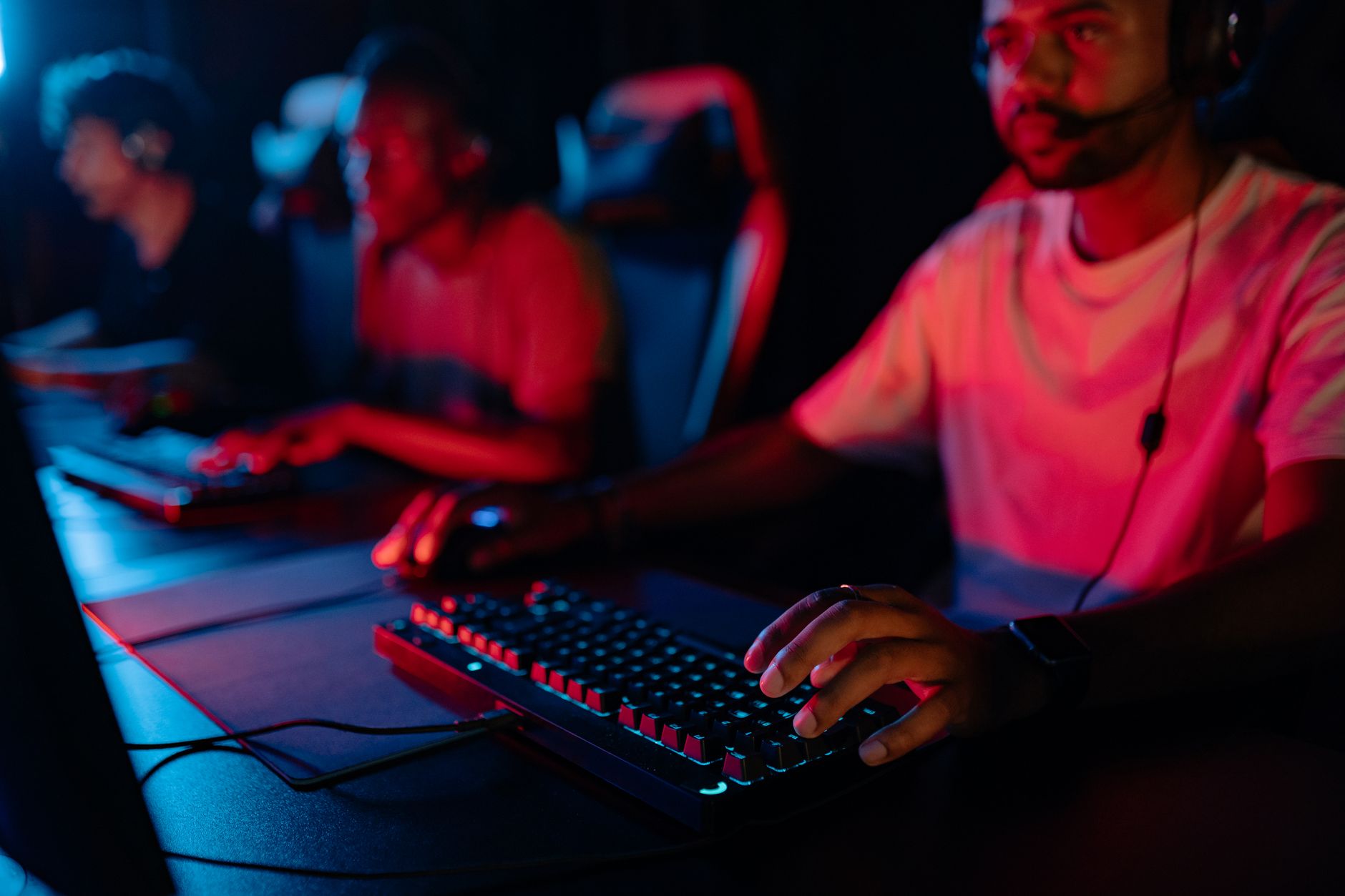
 Photo: Yan Krukau / Pexels
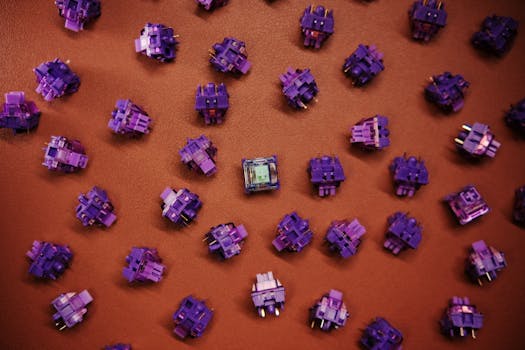 Photo: Click Jeth / Pexels
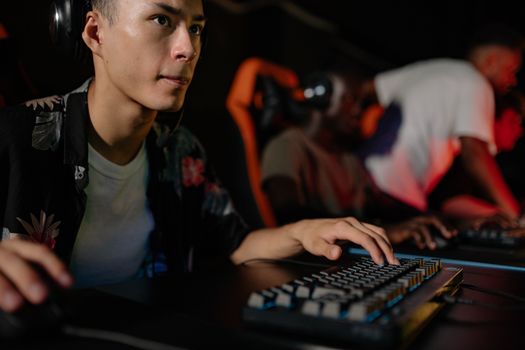 Photo: Yan Krukau / Pexels
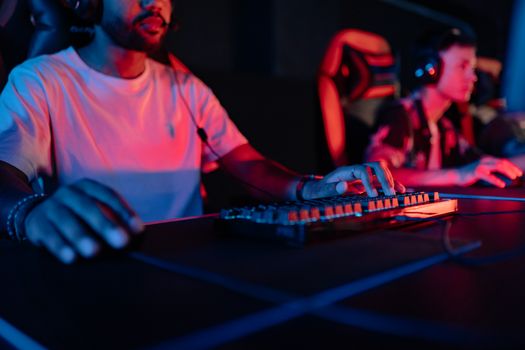 Photo: Yan Krukau / Pexels