Unleash Your Potential: Best Gaming Keyboards Mechanical Switches
best gaming keyboards mechanical switches

Unleash Your Potential: Best Gaming Keyboards Mechanical Switches

Unlock unparalleled precision and speed with the ultimate guide to mechanical gaming keyboards.

Find Your Perfect Switch

Key Takeaways

  • ✓ Mechanical switches offer superior tactile feedback and faster actuation compared to membrane keyboards.
  • ✓ Different switch types (linear, tactile, clicky) cater to various gaming preferences.
  • ✓ Durability is a key advantage, with many mechanical switches rated for millions of keystrokes.
  • ✓ Customization options, including RGB lighting and programmable macros, enhance the gaming experience.

How It Works

1
Identify Your Playstyle

Are you a fast-paced FPS player needing quick actuation, or an MMO enthusiast valuing distinct feedback? Your gaming genre dictates the ideal switch type.

2
Understand Switch Types

Familiarize yourself with linear (smooth, no bump), tactile (with a bump), and clicky (with a bump and audible click) switches to match your preference.

3
Consider Form Factor & Features

Decide between full-size, TKL, or compact. Evaluate features like dedicated macro keys, wrist rests, and software customization for an optimal setup.

4
Test & Invest

If possible, try out different switch types in person. Invest in a quality mechanical keyboard that aligns with your budget and long-term gaming goals.

The Unrivaled Advantage of Mechanical Switches in Gaming
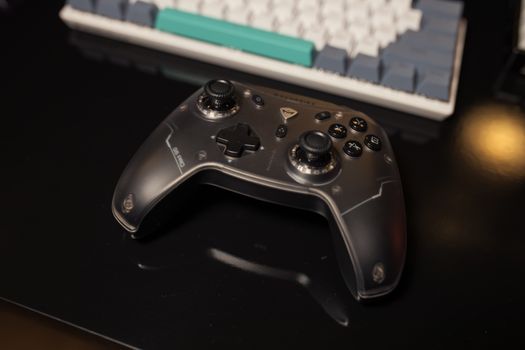
Game controller resting on a desk next to a keyboard, showcasing sleek design in a gaming setup. Photo: Matheus Bertelli / Pexels
For serious gamers, the choice of keyboard is not merely an aesthetic one; it's a critical component that can significantly influence performance, reaction time, and overall enjoyment. In the vast landscape of peripherals, mechanical keyboards stand head and shoulders above their membrane counterparts, particularly when it comes to the demands of competitive gaming. The core of this superiority lies in their individual mechanical switches, each a self-contained unit with its own spring and housing, providing a distinct and consistent keystroke. Unlike membrane keyboards, where a rubber dome registers the press, mechanical switches offer immediate and precise feedback, allowing for faster and more accurate inputs. This precision is paramount in games where fractions of a second can determine victory or defeat. Imagine executing a complex combo in a fighting game or landing a critical headshot in an FPS; the tactile and auditory feedback from a mechanical switch confirms your input instantly, building confidence and reducing misclicks. The durability of mechanical switches is another compelling factor. Rated for tens of millions of keystrokes, they are built to withstand the rigorous demands of intense gaming sessions, far outlasting membrane keyboards that often degrade over time, leading to mushy keys and inconsistent performance. This longevity means a mechanical keyboard is a long-term investment in your gaming setup, providing reliable performance for years. Furthermore, mechanical keyboards often feature N-key rollover (NKRO) or at least 6-key rollover (6KRO), which means every key press is registered independently, no matter how many keys you press simultaneously. This is a game-changer for players who need to execute multiple commands at once, preventing 'ghosting' – the failure of a keyboard to register certain key presses when multiple keys are held down. This level of responsiveness and accuracy is simply unattainable with most standard membrane keyboards. The feel of a mechanical keyboard is also highly customizable. With a myriad of switch types available, from light and linear to heavy and clicky, gamers can choose the exact sensation that best suits their playstyle and preference. This level of personalization contributes to a more comfortable and engaging gaming experience, reducing fatigue during extended play. Understanding the fundamental differences and advantages of mechanical switches is the first step towards unlocking your full gaming potential. It's not just about having a flashy peripheral; it's about optimizing your interface with the game to gain a tangible competitive edge. For more insights on optimizing your gaming setup, check out our guide on essential gaming peripherals.

Decoding the Spectrum: Linear, Tactile, and Clicky Switches
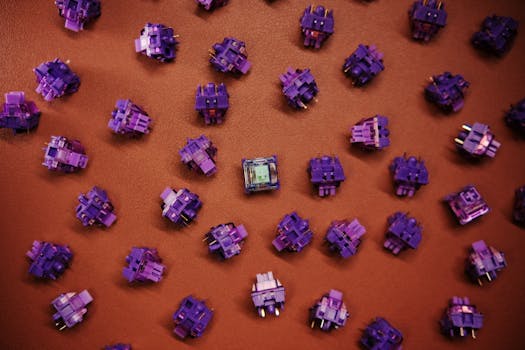
Flat lay of purple mechanical keyboard switches scattered on a brown surface. Photo: Click Jeth / Pexels
The heart of any mechanical gaming keyboard lies in its switches, and understanding the nuances between linear, tactile, and clicky types is crucial for making an informed decision. Each type offers a distinct feel and sound profile, catering to different preferences and gaming styles. **Linear Switches:** These switches, often exemplified by Cherry MX Red or Gateron Red, are characterized by a smooth, uninterrupted keystroke from top to bottom. There's no tactile bump or audible click to interrupt the travel. This makes them incredibly fast and ideal for competitive gamers who prioritize rapid, repeated key presses. FPS players, for instance, often favor linear switches for quick movement inputs and instant weapon swaps. The low actuation force required means less finger fatigue during long gaming sessions, making them a popular choice for fast-paced action. While excellent for speed, the lack of feedback can sometimes lead to accidental key presses if you're not accustomed to their sensitivity. However, for those who master them, linear switches offer unparalleled responsiveness and fluidity. **Tactile Switches:** Switches like Cherry MX Brown or Gateron Brown provide a noticeable 'bump' about halfway through the key's travel, indicating the actuation point without an audible click. This tactile feedback is incredibly useful for gamers who want to know precisely when a key press has registered without bottoming out the key. This can lead to more efficient and accurate typing and gaming, as you don't need to press the key all the way down. RTS players, MOBA enthusiasts, and even typists often find tactile switches to be the perfect balance between speed and feedback. The bump helps prevent accidental presses while still allowing for quick and precise inputs. They offer a good middle ground for those who find linear switches too sensitive and clicky switches too loud. **Clicky Switches:** Best known through Cherry MX Blue or Gateron Blue, clicky switches combine the tactile bump with a distinct, audible 'click' sound at the actuation point. This provides both tactile and auditory confirmation of a key press. For some gamers, especially those who appreciate clear feedback and a satisfying sound, clicky switches are highly engaging. RPG players or those who enjoy strategy games might find the definitive feedback beneficial for deliberate command inputs. However, the audible click can be quite loud, which might be a concern in shared living spaces or for streamers who need to manage microphone audio. While not typically recommended for the fastest competitive gaming due to the slightly higher actuation force and reset point, the satisfying experience they offer is undeniable for many users. Choosing the right switch type is a personal journey, and understanding these core differences is your map to finding the best gaming keyboards mechanical switches for your setup.

Key Features and Considerations for the Ultimate Gaming Experience
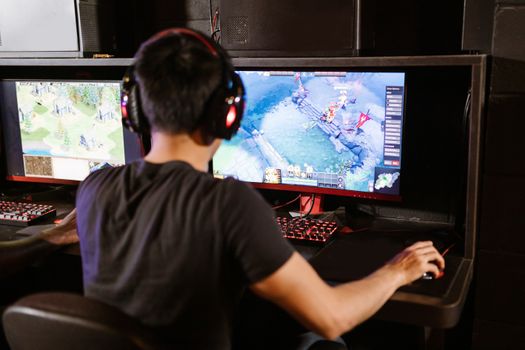
Adult male gamer immersed in PC gaming on dual monitors with headphones indoors. Photo: RDNE Stock project / Pexels
Beyond the fundamental switch type, several other features and considerations play a pivotal role in determining the overall quality and suitability of a mechanical gaming keyboard. Investing in the best gaming keyboards mechanical switches means looking at the complete package, from build quality to software integration. **Build Quality and Materials:** A premium mechanical gaming keyboard will typically feature a robust construction. Aluminum top plates or full metal chassis are common in higher-end models, providing stability, reducing flex, and enhancing durability. This sturdy build ensures the keyboard stays put during intense gaming sessions and can withstand the rigors of competitive play. Keycaps are another important element; PBT keycaps are generally more durable and resistant to shine compared to ABS keycaps, maintaining their texture and legends over time. Double-shot injection molding further ensures legends won't wear off. **Form Factor:** Mechanical keyboards come in various sizes to suit different desk spaces and preferences. Full-size keyboards include a numpad, which is useful for productivity but takes up more space. Tenkeyless (TKL) boards omit the numpad, offering a more compact design that frees up mouse space for low-DPI gamers. Smaller form factors like 60% or 65% are even more compact, often sacrificing dedicated arrow keys or function rows, catering to minimalist setups or those who prioritize portability. The ideal form factor depends on your desk real estate and whether you need the numpad for your daily tasks or specific game genres. **RGB Lighting and Customization:** While often considered aesthetic, RGB lighting can serve functional purposes. Many gaming keyboards allow for per-key RGB customization, enabling users to highlight critical game keys or create immersive lighting effects that react to in-game events. Advanced software suites provided by manufacturers like Razer Synapse, Corsair iCUE, or SteelSeries Engine allow for deep customization, including macro programming, remapping keys, and managing multiple profiles for different games or applications. These features enhance both the visual appeal and the practical utility of the keyboard, giving you a competitive edge and a personalized experience. **Polling Rate and Latency:** For competitive gaming, a high polling rate (e.g., 1000Hz) and low latency are crucial. A 1000Hz polling rate means the keyboard reports its status to the computer 1000 times per second, ensuring that every keystroke is registered almost instantaneously. While the human reaction time might not fully perceive the difference, in high-stakes scenarios, minimizing input lag can be critical. Look for keyboards that explicitly state low latency and high polling rates to ensure your inputs are as responsive as possible. **Additional Features:** Consider features like dedicated media controls, a USB pass-through port for connecting other peripherals, or a comfortable wrist rest. While not strictly necessary for performance, these additions can significantly improve the overall user experience and comfort during long gaming sessions. A detachable cable can also be a convenience for portability and cable management. By carefully evaluating these features alongside switch types, you can confidently select the best gaming keyboards mechanical switches that truly elevate your gaming setup. For further reading on enhancing your gaming experience, consider exploring advanced gaming setup tips.

Optimizing Your Setup: Tips for Choosing and Maintaining Your Mechanical Gaming Keyboard
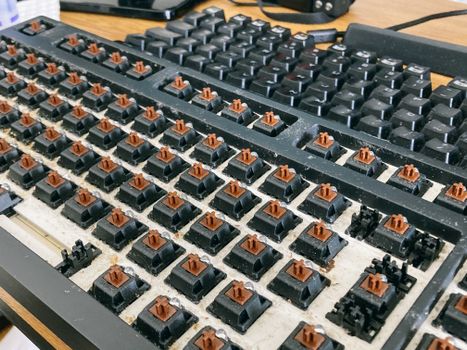
From above of computer keyboard with removed keycaps for cleaning dust and dirt Photo: Athena Sandrini / Pexels
Selecting the best gaming keyboards mechanical switches is just the beginning; optimizing your setup and maintaining your keyboard are equally important for long-term performance and enjoyment. Here are some essential tips to help you get the most out of your investment. **1. Try Before You Buy (If Possible):** The feel of a mechanical switch is highly subjective. If you have the opportunity, visit a local electronics store or a friend's setup to try out different switch types (linear, tactile, clicky). What feels great to one person might not be ideal for another. This hands-on experience is invaluable in making a personalized choice. **2. Don't Neglect Ergonomics:** Long gaming sessions can lead to strain. Look for keyboards with adjustable tilt feet and consider investing in a good wrist rest, especially if your keyboard doesn't include one. Maintaining proper posture and hand positioning is crucial for comfort and preventing repetitive strain injuries. **3. Customize Your Keycaps:** While not strictly performance-related, custom keycaps can significantly enhance your keyboard's aesthetics and even tactile feel. PBT keycaps are generally more durable and provide a different texture than standard ABS. You can also get different profiles (e.g., OEM, Cherry, DSA) that might feel more comfortable for your fingers. **4. Master Your Software:** Most high-end mechanical gaming keyboards come with robust software. Take the time to explore and utilize its features: * **Macro Programming:** Assign complex sequences of actions to a single key press for in-game advantages or productivity boosts. * **Key Remapping:** Reassign keys to optimize your workflow or adapt to specific game controls. * **Profile Switching:** Create different profiles for various games or applications, allowing your keyboard to adapt automatically. * **RGB Customization:** Personalize lighting effects for aesthetics or to highlight important in-game keys. **5. Regular Cleaning is Key:** Dust, crumbs, and hair can accumulate under keycaps, affecting switch performance and longevity. * **Dusting:** Use compressed air to blow out debris regularly. * **Keycap Removal:** Carefully remove keycaps (using a keycap puller) to clean the switches and plate underneath. A soft brush or cotton swab can be used for more stubborn grime. * **Wiping:** Use a slightly damp cloth (ensure it's not dripping wet) with a mild cleaner to wipe down keycaps and the keyboard chassis. **6. Firmware Updates:** Periodically check the manufacturer's website for firmware updates. These updates can improve performance, fix bugs, or add new features to your keyboard. By following these tips, you'll not only choose the best gaming keyboards mechanical switches for your needs but also ensure they continue to perform optimally for years to come, providing a consistent and enjoyable gaming experience.

Comparison

FeatureRazer Huntsman V2 AnalogCorsair K100 RGBSteelSeries Apex Pro TKL
Switch TypeRazer Analog OpticalCherry MX Speed/SilverOmniPoint Adjustable Mechanical
Actuation PointAdjustable (1.5-3.6mm)1.2mmAdjustable (0.4-3.8mm)
Polling Rate8000Hz HyperPolling8000Hz HyperPolling1000Hz
Key RolloverN-Key RolloverN-Key RolloverN-Key Rollover
Wrist RestMagnetic PlushMagnetic Detachable LeatheretteMagnetic Soft Touch
Dedicated Media Keys
USB Passthrough

What Readers Say

"Upgrading to a mechanical keyboard with linear switches was a game-changer for my FPS performance. My reaction time feels noticeably faster, and I'm hitting more precise movements than ever before. Truly one of the best gaming keyboards mechanical switches I've ever owned."

Alex 'Ghost' Ramirez · Los Angeles, CA

"The tactile feedback on my new mechanical keyboard is incredible. It's perfect for my MOBA games, giving me confidence in every ability cast without being overly loud. Highly recommend this for anyone serious about their gaming."

Sarah 'Byte' Chen · Austin, TX

"My old membrane keyboard felt sluggish. After getting one of the best gaming keyboards mechanical switches with clicky blues, my typing speed for in-game chat increased, and the satisfying sound makes every key press feel impactful. It's boosted my overall gaming enjoyment significantly."

Mark 'Drako' Johnson · Miami, FL

"I love the responsiveness of my mechanical keyboard, though I did find the initial learning curve with the linear switches a bit tricky. Now that I'm used to it, my performance in competitive titles has definitely improved. Just wish it came with a better wrist rest."

Emily 'Pixel' White · Seattle, WA

"As a streamer, I needed a reliable and quiet mechanical keyboard. The silent tactile switches on my current board are perfect – great feedback for me, and no annoying clicks for my audience. It's one of the best gaming keyboards mechanical switches for a professional setup."

David 'Forge' Lee · Chicago, IL

Frequently Asked Questions

What makes mechanical switches better for gaming than membrane keyboards?

Mechanical switches offer individual, dedicated mechanisms for each key, providing superior tactile feedback, faster actuation, and consistent performance compared to membrane keyboards. This results in quicker reaction times, more accurate inputs, and greater durability, which are all crucial for competitive gaming.

Are mechanical gaming keyboards too loud for shared spaces?

While some mechanical switches (like clicky switches) can be audibly loud, many options are designed to be quieter. Linear and tactile switches are generally less noisy, and some manufacturers even offer 'silent' versions with dampeners. There's a mechanical switch type for almost any noise preference, making them suitable for various environments.

How do I choose the right mechanical switch type for my gaming style?

Consider your primary game genres. For fast-paced FPS games, linear switches (e.g., Cherry MX Red) offer quick, smooth actuation. For strategy or MOBA games where precise feedback is key, tactile switches (e.g., Cherry MX Brown) provide a noticeable bump. If you enjoy a distinct click and tactile feedback, clicky switches (e.g., Cherry MX Blue) might be for you. Trying different types in person is always recommended.

Are expensive mechanical gaming keyboards truly worth the investment?

For serious gamers, the investment in a high-quality mechanical keyboard is often justified. The enhanced durability, superior responsiveness, customizable features, and improved typing/gaming experience provided by premium models can give a tangible competitive edge and greater comfort over years of use, making the higher upfront cost a worthwhile long-term value.

How do N-key rollover (NKRO) and anti-ghosting benefit gamers?

N-key rollover (NKRO) ensures that every single key press is registered, no matter how many keys you press simultaneously. Anti-ghosting prevents 'ghosting,' where unregistered key presses occur when multiple keys are held down. Both features are critical for gamers who need to execute complex commands or multiple inputs at once, guaranteeing that every action is accurately translated into the game.

Who should use best gaming keyboards mechanical switches?

Anyone serious about gaming, from casual enthusiasts looking to enhance their experience to competitive esports players seeking a performance edge, should consider mechanical gaming keyboards. They are particularly beneficial for those who prioritize speed, precision, durability, and a highly customizable interface with their games.

Can using a mechanical keyboard improve my gaming performance?

Yes, many gamers report a significant improvement in performance after switching to a mechanical keyboard. The faster actuation, precise feedback, and increased responsiveness can lead to quicker reaction times, more accurate inputs, and reduced fatigue, all contributing to a better and more competitive gaming experience. It provides a tactile advantage.

What are the future trends for mechanical gaming keyboards?

Future trends include the continued development of optical and adjustable switches offering even faster actuation and customizable travel distances, further integration of AI for personalized gaming profiles, enhanced wireless technologies with zero latency, and greater emphasis on sustainable materials and modular designs for easier repair and customization.

Elevate your gameplay and unlock your true potential by choosing from the best gaming keyboards mechanical switches. Don't settle for less; invest in precision, durability, and a truly immersive gaming experience today.

Topics: best gaming keyboards mechanical switchesmechanical keyboard for gaminggaming keyboard switches explainedtop mechanical gaming keyboardsresponsive gaming keyboard
Leo List

IE Escorts NO Escorts US Escorts NZ Escorts AU Escorts
Brampton weed
Adultwork EstrelaBet Vai de Bet R7 Bet Betão Galera Bet Rainbet Bet9ja Shop SportyBet BetKing Sisal Loto Foot Hollywoodbets YesPlay Odibets RushBet Jugabet BetWarrior BetCity MSport betPawa Fortebet