Best Gaming Laptops Under $1000: Your Ultimate Guide
August 26, 2026 16 min read 3,287 words
Experience high-performance gaming on a budget with our expert-picked laptops under a grand.
Find Your Perfect Gaming Rig
Unleashing Affordable Power: What to Expect from Gaming Laptops Under $1000
 Photo: FOX ^.ᆽ.^= ∫ / Pexels
For many years, the idea of a 'gaming laptop' immediately conjured images of eye-watering price tags, often stretching well into the multi-thousand dollar range. However, the landscape of portable gaming has dramatically shifted. Today, thanks to advancements in component manufacturing and fierce competition among brands, finding a genuinely capable gaming laptop under $1000 is not just possible, but surprisingly common. This sweet spot in the market offers an incredible balance of performance and value, making high-fidelity gaming accessible to a much broader audience. But what exactly can you expect from these budget-friendly powerhouses?
Firstly, you’re looking at machines that can comfortably run most modern AAA titles at 1080p resolution, often with medium to high settings. While you might not be pushing ultra settings on the most graphically demanding games, the visual experience will still be immersive and fluid. The cornerstone of this performance is the dedicated graphics card (GPU). At this price point, you'll frequently encounter NVIDIA's RTX 3050 or RTX 3050 Ti, and AMD's Radeon RX 6600M or RX 6700M. These GPUs are highly efficient and designed to deliver excellent frame rates in Full HD. They also often include features like ray tracing (though performance might be limited) and DLSS/FSR, which can intelligently upscale resolutions to boost frames without a significant visual penalty.
Beyond the GPU, the CPU is another critical component. You'll typically find capable processors like Intel Core i5 (11th, 12th, or even 13th gen) or AMD Ryzen 5 (5000 or 6000 series). These multi-core processors are more than sufficient for gaming, multitasking, and even some content creation. Paired with at least 8GB of DDR4 RAM (with 16GB being ideal and often upgradeable), these laptops ensure smooth gameplay and quick transitions between applications. Storage is almost exclusively handled by NVMe SSDs, which offer lightning-fast boot times and game loading speeds. While the total capacity might start at 256GB or 512GB, many models offer an additional slot for a second drive, or the primary drive can be upgraded later.
Of course, there are often trade-offs to hit this price point. Screen quality might not always be the absolute best, with some panels offering slightly lower brightness or color accuracy compared to their premium counterparts. However, you should still expect a 1080p IPS display with a high refresh rate (120Hz or 144Hz is common), providing a smooth visual experience crucial for competitive gaming. Build materials might lean towards plastic rather than premium metals, but durability is generally still good. Battery life is another area where budget gaming laptops often fall short compared to ultrabooks, but for gaming on the go, you’ll typically be plugged in anyway. Understanding these potential compromises helps set realistic expectations and appreciate the immense value these machines offer. For more detailed information on maximizing your gaming experience, check out our guide on
optimizing gaming performance.
Key Specifications to Prioritize for Optimal Value
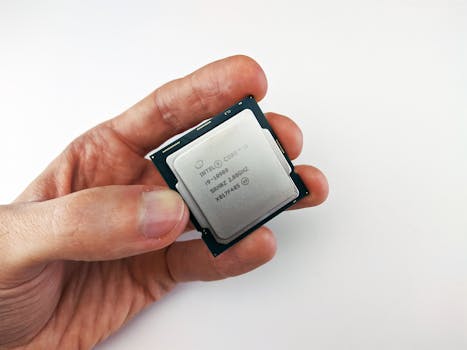 Photo: Andrey Matveev / Pexels
When navigating the vast market of gaming laptops under $1000, understanding which specifications truly matter is paramount to making an informed decision. Not all components are created equal, and prioritizing the right ones will ensure you get the most bang for your buck, avoiding common pitfalls that can lead to disappointment. Let's break down the essential specs you should focus on to secure a high-value machine.
The Graphics Processing Unit (GPU) is, without a doubt, the single most important component for gaming performance. For under $1000, your primary targets should be the NVIDIA GeForce RTX 3050, RTX 3050 Ti, or AMD Radeon RX 6600M, and occasionally the RX 6700M during sales. The RTX 3050/3050 Ti offers excellent 1080p performance for most games at respectable settings and includes NVIDIA's DLSS technology, which can significantly boost frame rates in supported titles. The AMD RX 6600M and 6700M are strong contenders, often offering comparable or even superior raw rasterization performance to the RTX 3050 series, especially in AMD-optimized games, and support AMD's FSR technology. Always check benchmarks for specific games you play to see how these GPUs perform.
Next, consider the Central Processing Unit (CPU). While the GPU handles the heavy lifting for graphics, a capable CPU ensures smooth frame delivery, handles game logic, and prevents bottlenecks. Look for Intel Core i5 processors from the 11th generation or newer (e.g., i5-11400H, i5-12500H, i5-13420H) or AMD Ryzen 5 processors from the 5000 or 6000 series (e.g., Ryzen 5 5600H, Ryzen 5 6600H). These are multi-core, multi-threaded processors that provide excellent performance for gaming and everyday tasks. Avoid older generations unless the price is exceptionally low and the GPU is strong enough to compensate.
Memory (RAM) is crucial for multitasking and ensuring games load assets quickly. While 8GB of RAM is the absolute minimum, 16GB is highly recommended for a smoother gaming experience and to future-proof your purchase. Many budget gaming laptops come with 8GB but offer an empty slot or easily accessible slots for an upgrade. If a laptop comes with 8GB, factor in the cost of an additional 8GB stick if you plan to upgrade. DDR4 RAM is standard at this price point, with speeds typically ranging from 3200MHz.
Storage is another non-negotiable. An NVMe Solid State Drive (SSD) is essential for fast boot times, quick game loading, and overall system responsiveness. Avoid laptops with traditional Hard Disk Drives (HDDs) as the primary drive – they will significantly hamper your experience. Aim for at least 512GB of NVMe SSD storage. If a laptop only offers 256GB, check if it has an additional M.2 slot for expansion or if the primary drive can be easily upgraded. Larger game files mean 512GB fills up quickly, so plan accordingly.
Finally, the Display. While you might not get OLED or QHD at this price, aim for a 1080p (1920x1080) IPS panel with a high refresh rate. 120Hz or 144Hz refresh rates are common and provide a much smoother visual experience compared to standard 60Hz panels, especially in fast-paced games. Look for decent brightness (250-300 nits) and color accuracy, though these might be areas of compromise. A good display significantly enhances the immersion and enjoyment of your gaming sessions, so don't completely overlook it in favor of raw power.
Top Contenders: Our Picks for the Best Gaming Laptops Under $1000
 Photo: Rajat Yadav / Pexels
Navigating the bustling market for an affordable gaming laptop can feel like a quest, but fear not! We've scoured the options, analyzed specifications, and considered user feedback to bring you our top contenders for the best gaming laptops under $1000. These selections represent an excellent blend of performance, features, and value, ensuring you get a robust gaming experience without emptying your wallet. Keep in mind that prices fluctuate, especially with sales, so what might be slightly over $1000 one day could drop into your budget the next.
**Acer Nitro 5:** The Acer Nitro 5 is a perennial favorite in the budget gaming laptop category, and for good reason. It consistently offers strong performance for its price. You'll often find configurations featuring Intel Core i5 (12th or 13th gen) or AMD Ryzen 5 (6000 series) processors paired with NVIDIA RTX 3050 or AMD RX 6600M GPUs. It typically boasts a 15.6-inch 1080p IPS display with a 144Hz refresh rate, providing a smooth visual experience. The cooling system on the Nitro 5 is generally effective, crucial for sustained gaming sessions. While the design might be a bit gamer-centric for some, its solid performance and upgradeability (often with two M.2 slots and an accessible RAM bay) make it an excellent choice. The keyboard is comfortable for gaming, and port selection is usually comprehensive, including USB-C.
**Lenovo IdeaPad Gaming 3/3i:** Lenovo's IdeaPad Gaming series has quietly become a formidable competitor, offering a more subdued aesthetic compared to some of its rivals, which can be appealing for those who prefer a less flashy look. Configurations frequently include Intel Core i5 (12th or 13th gen) or AMD Ryzen 5 (6000 series) CPUs and NVIDIA RTX 3050 GPUs. What often sets the IdeaPad Gaming 3 apart is its display quality, sometimes offering slightly better color accuracy or brightness than direct competitors, alongside the standard 120Hz or 144Hz refresh rate. Cooling performance is respectable, and the keyboard is typically comfortable with good travel. Lenovo also tends to have solid build quality, even with plastic chassis. These laptops are often found with 8GB of RAM and 512GB SSDs, making them ready to game out of the box, with options for future upgrades.
**HP Victus 15/16:** The HP Victus line strikes a great balance between gaming performance and a more professional, understated design. This makes it a versatile choice for students or those who want a laptop that can blend into a work environment but still deliver gaming prowess. Common configurations feature Intel Core i5 (12th gen) or AMD Ryzen 5 (5000/6000 series) processors, often paired with NVIDIA RTX 3050 GPUs. The Victus series typically offers a 15.6-inch or 16.1-inch 1080p 144Hz display. HP often focuses on audio quality, and the Victus usually benefits from decent speakers. While cooling can sometimes be a point of discussion in certain configurations, it generally performs adequately for the components it houses. The keyboard is comfortable for both typing and gaming, and the larger 16-inch model offers more screen real estate, which is a significant plus for immersion. For more general advice on picking the right tech, consider reading our guide on
choosing your next tech gadget.
**MSI GF63 Thin / Katana GF66:** MSI offers several budget-friendly options that frequently dip below the $1000 mark, including the GF63 Thin and Katana GF66. The GF63 Thin is known for its relatively compact and lightweight design, making it more portable than some competitors. It usually features Intel Core i5 processors and NVIDIA GTX 1650 or RTX 3050 GPUs. While the GTX 1650 is a generation older, it can still handle many games at 1080p on medium settings, especially if the price is right. The Katana GF66 often steps up to an RTX 3050 or even 3050 Ti, offering better performance. Both typically come with 1080p 144Hz displays. MSI’s cooling solutions are generally robust, and their gaming heritage means they often include useful software utilities for performance tuning. While battery life might be limited and the chassis can sometimes feel a bit less premium, the raw gaming performance for the price is often compelling. These models are great for users prioritizing performance and a high refresh rate screen above all else within the budget.
Tips for Maximizing Your Budget Gaming Laptop & Avoiding Common Mistakes
 Photo: Castorly Stock / Pexels
Investing in a gaming laptop under $1000 is a smart move, but getting the most out of your purchase requires a bit of savvy. Beyond just buying the right model, there are several tips and tricks to optimize performance and longevity, as well as common mistakes to avoid that can diminish your gaming experience or lead to buyer's remorse. Follow these guidelines to ensure your budget gaming rig punches above its weight.
**Tips for Maximizing Performance and Longevity:**
* **Keep Drivers Updated:** This is perhaps the most crucial tip. Regularly update your graphics drivers (NVIDIA GeForce Experience or AMD Radeon Software) and chipset drivers. New drivers often include performance optimizations for the latest games, bug fixes, and stability improvements. Don't rely solely on Windows Update for this.
* **Optimize Game Settings:** Don't automatically set every game to 'Ultra' or 'High'. Experiment with settings. Often, dropping one or two demanding settings (like shadows, anti-aliasing, or volumetric clouds) from 'Ultra' to 'High' can yield significant frame rate gains with minimal visual impact. Utilize in-game benchmark tools if available.
* **Monitor Temperatures:** Gaming laptops, especially budget ones, can run hot. Use software like HWMonitor or MSI Afterburner to keep an eye on CPU and GPU temperatures. If they consistently hit 90°C+, consider undervolting (if your CPU supports it), cleaning dust from vents, or using a cooling pad.
* **Clean Your Laptop Regularly:** Dust accumulation in fans and heatsinks is a primary cause of overheating. Use compressed air to blow out dust from the vents every few months. If comfortable, opening the back panel to gently clean the fans can make a huge difference.
* **Upgrade RAM and Storage (If Possible):** If your laptop came with 8GB RAM and has an empty slot, adding another 8GB stick for 16GB total will significantly improve multitasking and game performance. Similarly, if you have a smaller SSD, consider upgrading to a larger one or adding a second drive if a slot is available. These are usually the easiest and most impactful upgrades.
* **Use a Cooling Pad:** While not always essential, a good cooling pad can lower temperatures by a few degrees, which can prevent thermal throttling and extend component lifespan, especially during long gaming sessions.
**Common Mistakes to Avoid:**
* **Ignoring Cooling Solutions:** Don't just look at specs; research the laptop's cooling system. A powerful GPU means nothing if it throttles due to poor heat dissipation. Read reviews that specifically mention thermal performance.
* **Prioritizing CPU Over GPU for Gaming:** While a good CPU is important, for gaming, the GPU is king. A powerful CPU paired with a weak GPU will result in poor frame rates in graphically intensive games. Always prioritize the best GPU you can afford within your budget.
* **Settling for an HDD as the Primary Drive:** As mentioned, an SSD is non-negotiable for the primary drive. An HDD will make your entire system feel sluggish, from boot-up to game loading. Avoid this mistake at all costs.
* **Overlooking Display Refresh Rate:** A 60Hz display will feel noticeably less smooth than a 120Hz or 144Hz panel, even if your GPU is pushing high frame rates. For competitive gaming, a high refresh rate is a game-changer.
* **Not Considering Future Upgradability:** Some budget laptops are notoriously difficult to open or lack accessible RAM/storage slots. Check reviews or product descriptions to see if RAM and SSD upgrades are straightforward, as this can extend the laptop's useful life considerably.
* **Buying Without Checking Return Policy:** Always be aware of the retailer's return policy. If the laptop doesn't meet your expectations or has unforeseen issues, you'll want the option to return or exchange it without hassle. This is particularly important for online purchases.