
Best Gaming Laptops Under $1000: Your Ultimate Guide
Unlock powerful gaming experiences without overspending with our expert-curated selection of top-performing budget laptops.
Find Your Perfect Gaming RigKey Takeaways
- ✓ You can get a capable gaming laptop under $1000 with a dedicated GPU.
- ✓ Prioritize GPU, CPU, and RAM for the best gaming performance in this price range.
- ✓ Screen quality (refresh rate, resolution) is crucial for an immersive experience.
- ✓ Storage type (SSD) significantly impacts loading times and overall responsiveness.
How It Works
Consider the types of games you play most frequently and their system requirements. This helps determine the minimum specs you'll need.
Learn about the importance of the GPU, CPU, RAM, and storage. A balanced configuration is essential for optimal performance on a budget.
Explore models from reputable brands like Acer, Lenovo, HP, and Dell known for offering value. Look for sales and discounts to maximize your budget.
Consult expert reviews and user feedback to gauge real-world performance, thermals, and build quality. Compare specifications side-by-side before making a final decision.
Unlocking Value: What to Expect from Gaming Laptops Under $1000
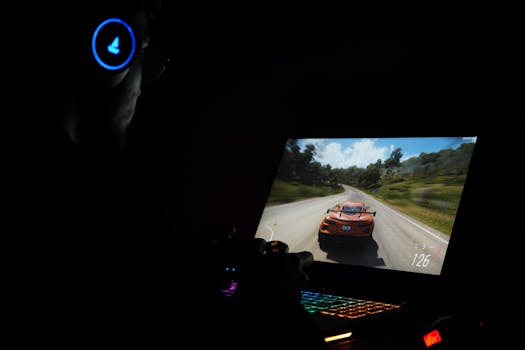 Photo: Rajat Yadav / Pexels
At this price point, you'll generally find laptops equipped with dedicated graphics cards, typically from NVIDIA's GeForce RTX 3050/3050 Ti series or AMD's Radeon RX 6600M/6700S. These GPUs are more than capable of running popular eSports titles like CS:GO, Valorant, and League of Legends at high refresh rates and settings. For more graphically intensive AAA games such as Cyberpunk 2077 or Red Dead Redemption 2, you might need to dial down settings to medium or high to achieve a smooth 60 frames per second (fps) at 1080p resolution. While you won't be pushing 4K gaming or ultra settings on every title, the experience is still remarkably immersive and enjoyable. The CPUs often found are Intel Core i5 (11th, 12th, or even 13th gen) or AMD Ryzen 5 (5000 or 6000 series). These processors provide ample power for gaming and general productivity tasks, ensuring your system doesn't bottleneck the GPU. Memory usually hovers around 8GB or 16GB of DDR4 RAM, with 16GB being the sweet spot for multitasking and future-proofing. Storage is almost exclusively NVMe SSDs, typically ranging from 256GB to 512GB, offering blazing-fast load times and system responsiveness. While 512GB is preferable, 256GB is manageable if you're willing to manage your game library carefully or upgrade later. The display will almost certainly be a 1080p (Full HD) IPS panel, with refresh rates ranging from 60Hz to 144Hz. A 120Hz or 144Hz screen significantly enhances the gaming experience, especially for fast-paced genres. Other features to look for include decent port selection, a backlit keyboard, and reasonable thermal management. While cooling systems in budget laptops might not be as robust as their premium counterparts, many models offer effective solutions to prevent thermal throttling. Understanding these core components will help you navigate the specifications sheets and identify true value. For more insights on general gaming laptop considerations, check out our guide on choosing a gaming laptop.
Key Specifications to Prioritize for Optimal Performance
Next in line is the CPU (Central Processing Unit). While the GPU does the heavy lifting for graphics, a capable CPU ensures smooth gameplay by processing game logic, AI, and other background tasks. For this price range, Intel Core i5 (11th generation or newer) or AMD Ryzen 5 (5000 series or newer) are excellent choices. Aim for processors with at least 6 cores and decent clock speeds to prevent bottlenecks. While a Core i7 or Ryzen 7 would be ideal, the budget typically dictates a focus on the GPU, so a strong i5 or Ryzen 5 is a perfectly viable and common choice. RAM (Random Access Memory) is crucial for multitasking and loading game assets quickly. While 8GB of DDR4 RAM is the minimum, 16GB is highly recommended. Many budget gaming laptops come with 8GB but offer an extra slot for easy expansion. If you can find a model with 16GB pre-installed, that's a significant advantage. If not, factor in the cost of an additional 8GB stick for a future upgrade. Finally, storage: always prioritize an NVMe Solid State Drive (SSD). The speed difference between an SSD and a traditional Hard Disk Drive (HDD) is astronomical, affecting everything from boot times to game loading. A 512GB NVMe SSD is ideal, but a 256GB SSD is acceptable if the laptop allows for easy storage expansion, either with another NVMe slot or a 2.5-inch bay for a SATA SSD/HDD. Don't underestimate the impact of a fast display. A 1080p IPS panel with a high refresh rate (120Hz or 144Hz) provides a much smoother and more responsive gaming experience compared to a standard 60Hz screen. The vibrant colors and wide viewing angles of an IPS panel are also a significant bonus. Other considerations include a robust cooling system, a comfortable keyboard with backlighting, and a decent selection of ports for peripherals. Prioritizing these specifications will ensure you get the most gaming power for your dollar.
Top Contenders: Best Gaming Laptops Under $1000 in 2024
HP's Victus 15 and Omen 16 (on sale) series also offer compelling options. The Victus 15 typically boasts a sleek design, good build quality, and configurations that include RTX 3050 or RX 6600M GPUs, alongside modern Intel or AMD CPUs. It often features a bright 144Hz display, making it an attractive package for both gaming and general use. Dell's G15 series is another strong contender. Known for its durable build and effective cooling, the Dell G15 often includes powerful processors and dedicated graphics cards that punch above their weight class for the price. Keep an eye out for configurations featuring an RTX 3050 or even an occasional RTX 3050 Ti, paired with an Intel Core i5 or AMD Ryzen 5, and a 120Hz or 144Hz display. When evaluating these options, pay close attention to the specific generation of the CPU and GPU. Newer generations, even within the same series (e.g., a 12th gen Core i5 vs. an 11th gen), can offer significant performance improvements and efficiency gains. Also, consider the RAM configuration; while 8GB is common, 16GB provides a much smoother experience, especially for modern AAA titles. If a laptop comes with 8GB, check if it has an empty slot for an easy upgrade. Finally, always compare the display's refresh rate and brightness. A 120Hz/144Hz screen is a game-changer for competitive gaming, and a brighter screen improves visibility in various lighting conditions. By focusing on these specific models and their key configurations, you can confidently identify the best gaming laptops under $1000 that meet your gaming needs. For more general advice on maintaining your gaming gear, you might find our article on optimizing gaming performance helpful.
Maximizing Your Budget: Tips, Tricks, and Common Mistakes to Avoid
Tips for Maximizing Value:
- Shop Sales Events: Black Friday, Cyber Monday, Amazon Prime Day, and seasonal sales are prime opportunities to snag significant discounts on gaming laptops. Patience can save you hundreds.
- Consider Refurbished/Open-Box: Reputable retailers often sell certified refurbished or open-box models with warranties. These can offer substantial savings for a like-new product.
- Prioritize GPU & CPU: These are the hardest components to upgrade. Get the best GPU and CPU you can afford, even if it means compromising slightly on RAM or storage (which are often easier to upgrade later).
- Look for RAM/Storage Upgradability: Many budget laptops come with 8GB RAM and a 256GB SSD. If they have an extra RAM slot or an additional M.2/2.5" drive bay, you can easily upgrade later for relatively low cost.
- Read User Reviews: Beyond specs, real-world user reviews can highlight issues like poor thermal performance, loud fans, or flimsy build quality that specs sheets won't reveal.
- Check for Older Generations on Clearance: Sometimes, a previous generation model (e.g., an 11th gen Intel CPU instead of 12th) will be heavily discounted and still offer excellent performance for the price.
Common Mistakes to Avoid:
- Ignoring Thermals: A powerful laptop that overheats will throttle performance, making your gaming experience miserable. Look for mentions of good cooling in reviews.
- Opting for HDD: Never choose a gaming laptop with only an HDD. The performance hit is too severe. Always ensure it has an SSD, preferably NVMe.
- Settling for 60Hz Display: While not a deal-breaker for all games, a 60Hz display will significantly limit your experience in fast-paced titles compared to a 120Hz or 144Hz panel.
- Overlooking Connectivity: Ensure the laptop has enough USB ports (especially USB-A for peripherals), an HDMI port for external monitors, and good Wi-Fi (Wi-Fi 6 is ideal).
- Buying for Brand Alone: While brand reputation matters, always compare specific models and their configurations. A lesser-known brand might offer better specs for the same price.
- Forgetting About the OS: Ensure the laptop comes with a legitimate copy of Windows 10 or 11. Some budget models might be sold without an OS or with a Linux distro, requiring additional setup and cost.
Comparison
| Feature | Acer Nitro 5 (2023) | Lenovo IdeaPad Gaming 3 | HP Victus 15 |
|---|---|---|---|
| Processor | Intel Core i5-12500H / Ryzen 5 6600H | Intel Core i5-12450H / Ryzen 5 6600H | Intel Core i5-12450H / Ryzen 5 5600H |
| Graphics Card | NVIDIA GeForce RTX 3050 / AMD RX 6600M | NVIDIA GeForce RTX 3050 | NVIDIA GeForce RTX 3050 |
| RAM | 8GB DDR4 (Upgradeable to 32GB) | 8GB DDR4 (Upgradeable to 16GB) | 8GB DDR4 (Upgradeable to 16GB) |
| Storage | 512GB NVMe SSD | 256GB NVMe SSD (Often 512GB on sale) | 512GB NVMe SSD |
| Display | 15.6" FHD 144Hz IPS | 15.6" FHD 120Hz IPS | 15.6" FHD 144Hz IPS |
| Cooling System | Dual Fan, Quad Exhaust | Dual Fan, Rear Vents | Single Fan, Rear Vent |
| Keyboard Backlight | ✓ | ✓ | ✓ |
| Build Quality | Good | Solid | Good |
| Typical Price | $750 - $950 | $650 - $850 | $700 - $900 |
What Readers Say
"I never thought I'd get a decent gaming laptop under $1000, but my Acer Nitro 5 with an RTX 3050 runs Elden Ring at 1080p medium settings flawlessly. It's an absolute beast for the price!"
Alex P. · Austin, TX"The Lenovo IdeaPad Gaming 3 I bought has been fantastic. The 120Hz screen is a game changer for Valorant, and it handles all my school work too. Best purchase this year!"
Sarah L. · Orlando, FL"My HP Victus 15 was on sale for $850 and it's incredible. I upgraded the RAM to 16GB myself, and now I'm getting consistent 70+ FPS in Cyberpunk 2077 on high settings. Huge value!"
Mike R. · Seattle, WA"I got a Dell G15. It's a bit chunky, but the performance is solid. The fans can get loud under load, but it keeps things cool, which is what matters for gaming. Great bang for the buck."
Jessica M. · Denver, CO"As a casual gamer and student, finding the best gaming laptops under $1000 was key. My chosen model handles both my coding projects and occasional gaming sessions with ease. Perfect for my needs."
David K. · New York, NYFrequently Asked Questions
Can I really get a good gaming laptop for under $1000?
Absolutely! While you won't get ultra-high-end performance, the sub-$1000 market offers excellent value. Many models feature dedicated GPUs like the NVIDIA RTX 3050 or AMD RX 6600M, capable CPUs, and high-refresh-rate displays, allowing you to play most modern games at 1080p with medium to high settings.
What are the main compromises when buying a gaming laptop in this price range?
The main compromises typically involve build materials (more plastic, less metal), potentially less robust cooling systems, lower storage capacity (often 256GB-512GB SSD), and sometimes 8GB of RAM instead of 16GB. Battery life might also be shorter compared to premium models. However, these are often manageable trade-offs for the price.
How important is RAM for gaming and should I upgrade it?
RAM is very important for smooth multitasking and loading game assets. While 8GB is often the baseline, 16GB is highly recommended for modern games, especially AAA titles. If your chosen laptop comes with 8GB and has an extra slot, upgrading to 16GB (by adding another 8GB stick) is often a cheap and impactful upgrade.
Is it worth waiting for sales to buy a gaming laptop under $1000?
Yes, absolutely! Sales events like Black Friday, Cyber Monday, Amazon Prime Day, and back-to-school promotions can offer significant discounts, sometimes knocking hundreds off the price. Patience can allow you to get a much better-specced machine for your budget or save money on your preferred model.
How do these budget gaming laptops compare to building a budget gaming PC?
A budget gaming PC often offers better raw performance for the same price, as desktop components generally provide more power per dollar and are easier to upgrade. However, gaming laptops offer portability, an integrated display, and keyboard, making them ideal for gamers who need to game on the go or have limited space. It's a trade-off between power/upgradability and convenience/portability.
Who should consider buying a gaming laptop under $1000?
This price point is perfect for casual gamers, students who need a laptop for both schoolwork and gaming, first-time PC gamers, or those on a strict budget who still want to enjoy modern titles. It's also great for competitive eSports players who prioritize high refresh rates over ultra-settings.
Are there any specific brands known for good value in this price segment?
Yes, brands like Acer (Nitro series), Lenovo (IdeaPad Gaming and sometimes Legion on sale), HP (Victus series), and Dell (G15 series) consistently offer some of the best gaming laptops under $1000. They strike a good balance between performance, features, and affordability.
Will these laptops be future-proof for upcoming games?
While no budget machine is truly 'future-proof' in the long term, a gaming laptop under $1000 purchased today with an RTX 3050/3050 Ti or RX 6600M will likely handle new games for the next 2-3 years at 1080p, albeit possibly requiring lower settings. Upgrading RAM and storage can extend its usability further.
Don't let a tight budget deter your gaming dreams. The market for the best gaming laptops under $1000 is brimming with powerful, value-packed options that deliver fantastic gaming experiences. Use this guide to confidently navigate the choices and find your perfect portable battle station today!