✓ A mouse too large can cause hand strain and reduce accuracy.
✓ Optimal mouse size is crucial for maintaining a healthy grip and preventing repetitive strain injuries.
✓ Many top gaming peripheral brands offer excellent compact options.
✓ Sensor quality, weight, and button placement are as important as size for small hands.
How It Works
1
Measure Your Hand
Measure from the base of your palm to the tip of your middle finger, and the width across your knuckles. This helps determine optimal mouse length and width for your grip.
2
Understand Grip Styles
Different grip styles (palm, claw, fingertip) affect how you interact with the mouse. A smaller mouse often accommodates claw and fingertip grips better for small hands.
3
Prioritize Key Features
Look for lightweight designs, high-quality sensors, accessible side buttons, and comfortable ergonomics. These features significantly impact performance and comfort for smaller hands.
4
Test and Adjust
If possible, try out different mice to feel the fit. Adjust DPI settings and re-map buttons to personalize your experience, ensuring maximum comfort and responsiveness.
Why Size Matters: The Impact of Mouse Ergonomics on Performance
Photo: Atahan Demir / Pexels
For gamers with smaller hands, the seemingly minor detail of mouse size can be the difference between dominating the leaderboard and struggling with discomfort and inaccurate movements. Many mainstream gaming mice are designed with an 'average' hand size in mind, which often translates to a device that is too long, too wide, or too heavy for someone with smaller hands. This mismatch forces players into unnatural grip positions, leading to a host of problems. Firstly, a mouse that's too big can prevent a full, comfortable grip, particularly for claw or fingertip grip users. This means less stability and control, directly impacting aim and reaction time in fast-paced games. Imagine trying to perform precise micro-adjustments with a mouse that feels like a brick in your hand – it's simply not conducive to competitive play.
Secondly, prolonged use of an ill-fitting mouse can lead to significant ergonomic issues. Hand strain, wrist pain, and even more serious conditions like carpal tunnel syndrome can develop over time. When your hand is constantly stretching or contorting to reach buttons or maintain a secure grip, the muscles and tendons are put under undue stress. This isn't just about comfort; it's about long-term health and the sustainability of your gaming hobby. A properly sized mouse allows your hand to rest in a natural, relaxed position, reducing fatigue and enabling longer, more enjoyable gaming sessions.
Furthermore, the placement and accessibility of side buttons are critical. On a larger mouse, side buttons might be out of reach or require awkward thumb movements for smaller hands, hindering quick access to crucial in-game commands. A compact design ensures that all buttons are within comfortable reach, allowing for seamless execution of abilities and macros. The overall weight of the mouse also plays a pivotal role. Lighter mice are generally easier to maneuver and lift, which is particularly beneficial for high-DPI, low-sensitivity players who rely on large, swift arm movements. For smaller hands, a lighter mouse reduces the effort required for these movements, leading to less fatigue and greater precision over extended periods. Therefore, investing in the best gaming mice for small hands isn't just a luxury; it's a strategic decision that directly impacts performance, comfort, and the longevity of your gaming career. Understanding these fundamental ergonomic principles is the first step towards finding your perfect gaming companion. For more insights on optimizing your setup, check out our guide on optimizing your gaming setup.
Top Contenders: The Best Gaming Mice for Small Hands Reviewed
Photo: Sogi . / Pexels
Navigating the vast market of gaming mice to find the perfect fit for small hands can be daunting. Fortunately, several manufacturers recognize this niche and have produced exceptional models that prioritize compact design without sacrificing performance. When evaluating the best gaming mice for small hands, we consider several key factors: overall dimensions (length, width, height), weight, sensor quality, button accessibility, and build quality.
One standout option is the **Glorious Model O- (Minus)**. This ultra-lightweight mouse is specifically designed for smaller hands and claw/fingertip grip users. Its ambidextrous shape, honeycomb shell, and incredibly low weight (around 58-59g) make it exceptionally nimble and easy to maneuver. The PixArt 3360 sensor provides flawless tracking, and its flexible Ascended cable feels almost wireless. The Model O- is a fantastic choice for those who prioritize speed and a featherlight feel.
Another excellent choice is the **Razer Viper Mini**. As its name suggests, it's a scaled-down version of the popular Viper, tailored for smaller hands. Weighing just 61g, it boasts Razer's optical mouse switches for crisp clicks and a high-precision optical sensor. Its ambidextrous design and comfortable, slightly textured finish make it a joy to use. The Viper Mini consistently ranks high for its value, offering top-tier performance at a very competitive price point.
For those who prefer a slightly more ergonomic, right-handed shape, the **Zowie EC3-C** is a compelling option. Zowie is renowned for its focus on competitive esports, and the EC3-C is their smallest ergonomic offering. It features a tried-and-true 3360 sensor, a comfortable hump for palm support, and a lighter weight than its predecessors. While it lacks flashy RGB or extensive software, its plug-and-play simplicity and exceptional performance make it a favorite among purists seeking a reliable, high-performance mouse for smaller hands.
Lastly, the **Logitech G203 LIGHTSYNC** (or its Pro variant, the G PRO X Superlight, if budget allows and you want wireless) offers a classic, ambidextrous shape that many gamers find comfortable. The G203 is an excellent entry-level option, providing solid performance with a good sensor and reliable buttons, all in a compact and affordable package. While not as ultra-light as the Glorious or Razer options, its balanced weight and proven design make it a versatile choice for various grip styles and game genres. Each of these mice brings something unique to the table, but all share the common thread of being ideally suited for gamers with smaller hands, promising improved control and comfort.
Key Features to Look For: Beyond Just Size for Small Hands
Photo: Matheus Bertelli / Pexels
While physical dimensions are paramount when selecting the best gaming mice for small hands, a truly optimized experience goes beyond just length and width. Several other critical features contribute to a mouse's suitability for smaller hands, influencing everything from precision and responsiveness to long-term comfort and durability.
**Weight** is a significant factor. Lighter mice are generally easier to maneuver, especially for those using higher DPI settings or making quick, flick shots. For small hands, a heavier mouse can feel cumbersome and lead to fatigue faster. Aim for mice under 80 grams, with many top contenders now dipping into the 60-70 gram range. This reduced mass allows for effortless glides and lifts, translating to more precise and less strenuous gameplay.
**Sensor Performance** cannot be overstated. A high-quality optical sensor (like PixArt's 3360, 3389, or newer iterations) ensures pixel-perfect tracking without acceleration, deceleration, or jitter. This is crucial for competitive gaming where every millimeter of movement counts. Even the perfect size mouse is useless if its sensor can't accurately translate your movements to the screen. Look for specifications indicating high DPI (dots per inch) and IPS (inches per second) ratings, which denote sensitivity and tracking speed respectively, though actual in-game performance is often more about the sensor's raw fidelity than peak numbers.
**Button Accessibility and Quality** are also vital. For small hands, side buttons need to be positioned strategically so they can be easily pressed without adjusting your grip or straining your thumb. Many compact mice feature slightly smaller or more recessed side buttons to accommodate this. Furthermore, the primary left and right click switches should offer a satisfying, tactile response without being too stiff or too light, ensuring deliberate and consistent inputs. Optical switches, as seen in some Razer mice, offer incredible durability and near-instantaneous actuation, which can be a game-changer for speed-focused players.
**Cable Type or Wireless Performance** contributes to the overall feel. A flexible, paracord-like cable (often called 'Ascended' or 'Speedflex') reduces drag significantly, mimicking a wireless experience. For wireless mice, low-latency, reliable connectivity (like Logitech's LIGHTSPEED or Razer's Hyperspeed) is non-negotiable. Modern wireless technology has largely overcome the latency issues of the past, offering freedom of movement without compromise, which can be particularly liberating for smaller hands that might struggle with cable drag.
Finally, **Build Quality and Materials** ensure longevity. A mouse made from durable plastics with a comfortable, non-slip finish will withstand intense gaming sessions. Some mice feature textured side grips, which can be a boon for maintaining control, especially for fingertip or claw grip users with small hands. Considering these features in conjunction with size will help you pinpoint the truly best gaming mice for small hands that enhance your performance and comfort. For a deeper dive into gaming peripherals, explore our articles on essential gaming gear.
Optimizing Your Setup: Tips for Small Hands Gaming
Beyond selecting the perfect mouse, there are several adjustments you can make to your overall gaming setup and habits to maximize comfort and performance for small hands. These tips are designed to complement your compact gaming mouse, ensuring a holistic approach to ergonomic gaming.
**1. Adjust Your DPI and Sensitivity:** A common mistake is using a mouse with too high a DPI for your hand size and grip. For smaller hands, especially with a lightweight, compact mouse, you might find that a lower DPI setting combined with a slightly higher in-game sensitivity offers more control. Experiment with different combinations to find your sweet spot, allowing for precise movements without overshooting targets. This can reduce the need for large, sweeping arm movements, which can be more tiring for smaller individuals.
**2. Evaluate Your Grip Style:** While a smaller mouse generally favors claw and fingertip grips, understanding your natural grip is crucial.
* **Palm Grip:** The entire palm rests on the mouse. If you use this, ensure the mouse isn't too long, preventing your fingers from overstretching.
* **Claw Grip:** Fingers are arched, and only the fingertips and a small part of the palm (near the wrist) contact the mouse. A shorter, humped mouse works well here.
* **Fingertip Grip:** Only the fingertips contact the mouse, with the palm lifted. An ultra-light, short mouse is ideal for maximum agility.
Knowing your grip helps you choose the best mouse shape and size, but also how you interact with your mouse pad.
**3. Mouse Pad Selection:** Don't underestimate the importance of your mouse pad. For small hands and precise movements, a large, low-friction surface is often preferred. This allows for ample room to maneuver without lifting the mouse constantly. Cloth pads offer a good balance of speed and control, while harder surfaces provide faster glides. Consider a full-desk pad to give you maximum flexibility.
**4. Ergonomic Workspace:** Ensure your desk and chair are set up correctly. Your forearms should be parallel to the floor, and your wrist should be straight, not bent up or down. Your monitor should be at eye level. This foundational ergonomics prevents unnecessary strain on your hand, wrist, and arm, which is even more critical for smaller hands that might be working harder to control a mouse.
**5. Take Regular Breaks:** Even with the most ergonomically sound setup, breaks are essential. Every hour or so, step away from your computer, stretch your hands, wrists, and forearms. Simple exercises like wrist rotations, finger stretches, and gentle hand massages can prevent fatigue and repetitive strain injuries.
**6. Button Mapping and Macros:** Utilize your mouse's software to customize button functions. For small hands, remapping less accessible side buttons to more frequently used commands can significantly improve workflow and reaction time. Consider creating macros for complex actions, reducing the number of individual clicks or key presses required. These small adjustments can collectively make a huge difference in your gaming comfort and performance.
Comparison
Feature
Glorious Model O- (Minus)
Razer Viper Mini
Zowie EC3-C
Logitech G203 LIGHTSYNC
Weight
~58-59g
61g
70g
85g
Sensor
PixArt 3360
Razer Optical (8500 DPI)
PixArt 3360
Mercury (8000 DPI)
Shape
Ambidextrous (Symmetric)
Ambidextrous (Symmetric)
Ergonomic (Right-Handed)
Ambidextrous (Symmetric)
Dimensions (LxWxH)
120x58x36mm
118.3x53.5x38.3mm
119x61x42mm
116.6x62.15x38.2mm
Cable
Ascended (Paracord-like)
Speedflex (Paracord-like)
Paracord-like
Standard Rubber
RGB Lighting
✓
✓
✗
✓
Software Customization
✓
✓
✗ (Driverless)
✓
What Readers Say
★★★★★
"The Razer Viper Mini changed my gaming experience completely. My small hands finally feel comfortable and I can hit flick shots I never could before. It's incredibly light and responsive, a true game-changer!"
Sarah J. · Austin, TX
★★★★★
"After years of hand strain with oversized mice, the Glorious Model O- was a revelation. Its featherlight design and perfect size for my small hands let me play for hours without discomfort. My K/D ratio has definitely improved."
David M. · Seattle, WA
★★★★★
"I used to think all gaming mice were too big for me, but the Zowie EC3-C proved me wrong. The ergonomic shape fits my small right hand like a glove, giving me precise control and reducing my wrist pain significantly during long Overwatch sessions."
Emily R. · Boston, MA
★★★★★
"The Logitech G203 is a great budget option for small hands. While not as premium as some, it's comfortable, reliable, and the sensor is surprisingly good for the price. I wish it was a little lighter, but it's still a solid choice."
Mark T. · Denver, CO
★★★★★
"As a casual gamer with very small hands, I struggled to find a mouse that didn't feel awkward. The Viper Mini was perfect. It's so easy to grip and move, making even simple tasks like browsing much more comfortable, let alone gaming."
Jessica L. · Phoenix, AZ
Frequently Asked Questions
What is considered a small hand for gaming mice?
Generally, a hand length from the base of the palm to the tip of the middle finger under 17cm (6.7 inches) and a width across the knuckles under 9cm (3.5 inches) is considered small. However, personal comfort and grip style also play a significant role in determining the ideal mouse size.
Will a smaller mouse negatively impact my gaming performance?
Quite the opposite. For gamers with small hands, a properly sized, compact mouse will significantly improve performance, precision, and comfort. An oversized mouse leads to strain, reduced control, and potential long-term injury, hindering your capabilities.
How do I measure my hand for a gaming mouse?
To measure your hand, place a ruler at the base of your palm where it meets your wrist. Measure to the tip of your middle finger for length. For width, measure across your knuckles, excluding your thumb. These measurements help in comparing against mouse dimensions.
Are wireless gaming mice suitable for small hands?
Absolutely! Modern wireless gaming mice, especially those with proprietary low-latency technologies (like Logitech LIGHTSPEED or Razer Hyperspeed), offer performance comparable to wired options. The absence of a cable can even enhance freedom of movement, which is beneficial for smaller hands.
Is an ambidextrous or ergonomic shape better for small hands?
It depends on your personal preference and grip style. Ambidextrous (symmetrical) mice are often a good starting point as they suit various grips and hand sizes. Ergonomic mice are shaped specifically for right-handed use (or left-handed, if available) and can offer superior comfort for palm grip users, but ensure it's a smaller ergonomic model.
Who should prioritize buying a gaming mouse for small hands?
Anyone experiencing hand discomfort, fatigue, or a lack of precision with their current mouse, and who identifies with having smaller hands, should prioritize buying a mouse specifically designed for smaller hands. This includes competitive gamers, casual players, and even those who use their computer for extended work periods.
Can using the wrong size mouse cause long-term health issues?
Yes, prolonged use of an ill-fitting mouse can contribute to repetitive strain injuries (RSIs) such as carpal tunnel syndrome, tendinitis, and general wrist or hand pain. Choosing a mouse that fits your hand size and grip style is crucial for long-term ergonomic health.
What are the future trends for gaming mice designed for small hands?
Future trends point towards even lighter mice, often below 50g, with advanced optical switches, improved wireless battery life, and more customizable shapes (e.g., modular components). Manufacturers will likely continue to refine sensors for even greater precision and introduce more models specifically catering to diverse hand sizes and grip preferences.
Don't let an ill-fitting mouse hold back your gaming potential or cause unnecessary discomfort. By choosing from the best gaming mice for small hands, you can unlock greater precision, speed, and comfort, transforming your gaming experience. Invest in your performance and well-being today by finding the perfect compact companion.

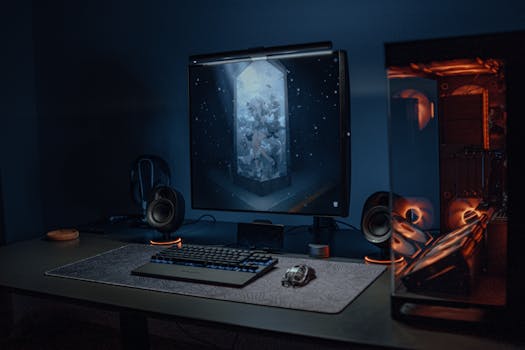 Photo: Atahan Demir / Pexels
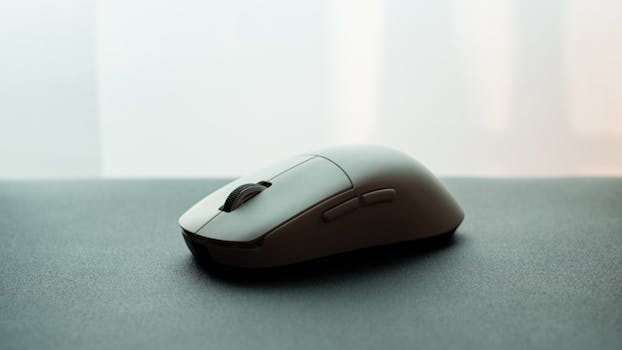 Photo: Sogi . / Pexels
 Photo: Matheus Bertelli / Pexels