How to Buy a Gaming Mouse for Large Hands: The Ultimate Guide
buy gaming mouse for large hands

How to Buy a Gaming Mouse for Large Hands: The Ultimate Guide

Unlock peak gaming performance and unparalleled comfort with our in-depth guide to choosing the perfect large gaming mouse.

Find Your Perfect Mouse Now

Key Takeaways

  • ✓ Hand size significantly impacts gaming mouse comfort and performance.
  • ✓ Ergonomics, weight, sensor type, and button placement are crucial for large hands.
  • ✓ Grip style (palm, claw, fingertip) dictates ideal mouse shape.
  • ✓ DPI/CPI range and polling rate affect precision and responsiveness.

How It Works

1
Measure Your Hand Accurately

Before anything else, measure your hand from the base of your palm to the tip of your middle finger, and across your palm. This data is vital for comparing against mouse dimensions.

2
Understand Your Grip Style

Identify whether you use a palm, claw, or fingertip grip. Each grip style benefits from different mouse shapes and sizes, directly affecting comfort and control.

3
Prioritize Ergonomics and Size

Focus on mice specifically designed for larger hands, paying close attention to length, width, and height. Ergonomic contours are key to preventing strain during long gaming sessions.

4
Evaluate Performance Features

Consider sensor type (optical vs. laser), DPI/CPI range, polling rate, and button customization. These technical specifications ensure the mouse meets your gaming demands.

Understanding the Impact of Hand Size on Gaming Performance

Hands holding a yellow tape measure, perfect for concepts like construction or sewing. Photo: cottonbro studio / Pexels
For gamers with larger hands, the seemingly simple act of choosing a gaming mouse can quickly become a frustrating quest. Standard-sized mice, designed for the average hand, often lead to discomfort, cramping, and a significant decrease in precision and reaction time. This isn't just a minor inconvenience; it's a fundamental barrier to achieving your full potential in competitive and casual gaming alike. When you're forced to contort your hand to fit a mouse that's too small, your grip becomes unnatural, leading to strain on your wrist, fingers, and forearm. This can manifest as anything from minor aches to chronic conditions like Carpal Tunnel Syndrome over time. The problem extends beyond mere comfort. A mouse that doesn't fit properly compromises your control. If your fingers hang off the front, or your palm struggles to make full contact, you lose the fine motor control essential for precise aim in first-person shooters or rapid command execution in real-time strategy games. The ability to make minute adjustments, track targets smoothly, or execute swift flick shots hinges on a secure, comfortable grip. Without it, every movement feels forced, imprecise, and ultimately, slower. This directly translates to missed shots, botched abilities, and a generally less enjoyable and less effective gaming experience. Furthermore, button placement becomes an issue. Buttons that are perfectly accessible for smaller hands might be awkward to reach or even completely out of bounds for larger digits. This can force you to re-grip or stretch, breaking your flow and costing you precious milliseconds in critical moments. The scroll wheel, often a vital tool for weapon switching or zooming, can also become difficult to manipulate smoothly if its position or size isn't accommodating. This guide is dedicated to helping you navigate these challenges. We'll explore what truly makes a gaming mouse suitable for larger hands, moving beyond superficial aesthetics to focus on the core ergonomic and performance factors that matter most. Our goal is to empower you to make an informed decision and finally buy a gaming mouse that feels like an extension of your hand, not a hindrance. By prioritizing proper fit, you're not just buying a peripheral; you're investing in your comfort, your health, and ultimately, your gaming prowess. Don't let an ill-fitting mouse hold you back from dominating your favorite titles. The right mouse can transform your gameplay, reduce fatigue, and allow you to game longer and more effectively. It's about finding that perfect synergy between hand and device, where every movement is natural, precise, and effortless, enabling you to focus entirely on the game itself.

Key Ergonomic and Design Considerations for Large Hands
A stylish gaming setup featuring a screen, keyboard, and PC with ambient lighting. Photo: Atahan Demir / Pexels
When you set out to buy a gaming mouse for large hands, ergonomics isn't just a buzzword; it's the foundation of a superior gaming experience. The design of a mouse must cater specifically to the unique needs of larger hands to ensure comfort, control, and long-term health. The primary dimensions to consider are length, width, and height. A mouse that is too short will leave your fingers dangling off the front, leading to an unnatural claw-like grip even if you prefer palm. A mouse that is too narrow will force your fingers closer together, causing cramping and an unstable grip. Insufficient height means your palm won't be properly supported, leading to fatigue in the arch of your hand. **Grip Style Compatibility:** Understanding your dominant grip style—palm, claw, or fingertip—is paramount. * **Palm Grip:** This is the most common grip for large hands, where the entire palm rests on the mouse body, and fingers lie flat. For this style, you need a longer, wider mouse with a pronounced hump to fill the palm. Symmetrical designs with a more rounded back often work well, as do right-handed ergonomic shapes. * **Claw Grip:** Here, the palm makes partial contact with the back of the mouse, while fingers are arched to make contact with the buttons. Large-handed claw grippers often benefit from mice that are long enough to support the base of the palm but have a slightly less aggressive hump, allowing for more finger articulation. * **Fingertip Grip:** Only the fingertips make contact with the mouse, allowing for maximum wrist and arm movement. While less common for very large hands, those who use it need a lighter, shorter mouse that allows for easy manipulation without palm interference. However, most mice suitable for large hands are designed for palm or claw grips due to the inherent size requirements. Beyond basic dimensions and grip, consider the contouring and materials. Mice with ergonomic curves that naturally fit the hand's shape can distribute pressure more evenly, reducing hot spots and strain. Textured side grips, often made of rubber or a similar material, provide a more secure hold, preventing slippage during intense moments. The placement of side buttons is also critical; they should be easily accessible without requiring excessive thumb movement or an awkward grip adjustment. For large hands, buttons that are too far forward or too small can be problematic. Weight distribution is another subtle yet significant factor. A mouse that is too light might feel flimsy and less stable for large hands, while one that's too heavy could contribute to fatigue. Many premium large gaming mice offer adjustable weights, allowing you to fine-tune the feel. The cable design, if wired, should be flexible and preferably braided to prevent drag and snags, which can be more noticeable with larger, less nimble hand movements. Ultimately, a well-designed large gaming mouse should feel like a natural extension of your arm, allowing for fluid, effortless movements that translate directly into improved in-game performance and lasting comfort. Ignoring these ergonomic principles is a recipe for discomfort and suboptimal play, making the investment in a purpose-built large mouse a wise decision for any serious gamer. Optimizing your entire gaming setup, including your mouse, can drastically improve your experience.

Top Performance Features for Large Gaming Mice
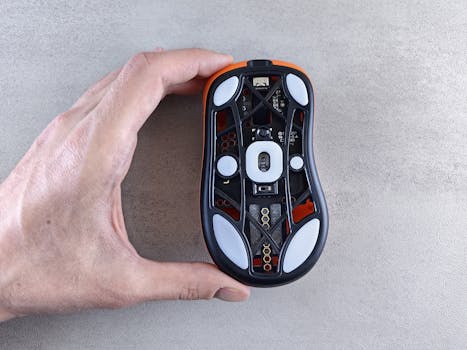
Detailed view of the bottom of an optical computer mouse being held by a hand on a textured surface. Photo: Andrey Matveev / Pexels
Once you've established the ergonomic fit, the next crucial step in your quest to buy a gaming mouse for large hands is to delve into its performance features. Even the most comfortable mouse won't satisfy if it lacks the technical prowess to keep up with your gaming demands. The sensor is arguably the heart of any gaming mouse, and for large hands, precision is paramount. Look for high-quality optical sensors, often branded as PixArt PMW or Hero sensors, which offer superior tracking accuracy, minimal acceleration/deceleration, and a high maximum speed. While laser sensors exist, optical sensors are generally preferred by competitive gamers for their consistent performance across various surfaces and lack of 'spin-out' issues. **DPI/CPI Range and Polling Rate:** These two specifications dictate the mouse's sensitivity and responsiveness. DPI (Dots Per Inch) or CPI (Counts Per Inch) refers to how many pixels the cursor moves on screen for every inch the mouse moves. For large hands, a wide DPI range is beneficial, allowing you to fine-tune sensitivity to your personal preference and game type. While high DPI numbers often get marketing attention, most gamers use a much lower DPI (400-1600) for precision. However, a high maximum DPI indicates a high-quality sensor capable of accurate tracking even at lower settings. Polling rate, measured in Hz, indicates how often the mouse reports its position to the computer. A 1000Hz polling rate (1ms response time) is standard for gaming mice and ensures minimal input lag, which is critical for competitive play. **Programmable Buttons and Customization:** A large gaming mouse should offer ample programmable buttons that are strategically placed for easy access by larger hands. These buttons allow you to bind in-game actions, macros, or even system functions, streamlining your workflow and giving you a competitive edge. Ensure the accompanying software is intuitive and robust, allowing for detailed customization of button assignments, DPI profiles, and RGB lighting. Some mice offer on-board memory, allowing you to save profiles directly to the mouse, so your settings travel with you, regardless of the computer you're using. **Weight and Balance:** While discussed briefly in ergonomics, weight also significantly impacts performance. For large hands, a mouse that is too light can feel uncontrolled, leading to overshooting targets. Conversely, an overly heavy mouse can cause fatigue during long sessions. Many high-end large gaming mice offer adjustable weight systems, allowing you to add or remove small weights to achieve the perfect balance and feel for your grip and play style. This customization is invaluable for fine-tuning the mouse to become a true extension of your arm. **Wired vs. Wireless:** The debate between wired and wireless continues, but for large hands, the benefits of wireless have become increasingly compelling. Modern wireless gaming mice boast near-zero latency, often matching or even exceeding their wired counterparts in responsiveness. The freedom from cable drag is a huge advantage, especially for gamers who make large, sweeping movements, which is common with larger hands and lower DPI settings. Look for wireless mice with proprietary low-latency technologies (e.g., Logitech Lightspeed, Razer HyperSpeed) and long battery life. If you opt for wired, ensure the cable is flexible and lightweight to minimize drag. Ultimately, the best performance features are those that enhance your personal play style and provide a seamless, responsive experience, allowing you to focus purely on the game. Exploring other gaming peripherals can further enhance your setup.

Common Mistakes and Expert Tips When Choosing a Large Gaming Mouse
Two gamers engaged in a heated video game session surrounded by neon lights and computer screens. Photo: Yan Krukau / Pexels
Navigating the market for a gaming mouse when you have larger hands can be tricky, and several common pitfalls can lead to an unsatisfying purchase. Avoiding these mistakes and applying expert tips will ensure you make the best decision. **Common Mistakes to Avoid:** * **Buying Based on Aesthetics Alone:** It's easy to be drawn in by flashy RGB lighting or aggressive designs. However, if the mouse doesn't fit your hand or grip style, no amount of visual appeal will make it comfortable or effective. Prioritize ergonomics and size over looks. * **Ignoring Hand Measurements:** Guessing your hand size or assuming a mouse 'looks big enough' is a recipe for disaster. Always measure your hand accurately (length from base of palm to middle fingertip, and width across the palm) and compare it against the mouse's dimensions. * **Not Considering Your Grip Style:** A mouse optimized for a palm grip will feel terrible for a claw gripper, and vice versa. Understand how you naturally hold the mouse and choose a shape that complements that grip. * **Overemphasizing DPI:** While a high DPI range indicates a good sensor, very few gamers actually use extreme DPI settings. Don't let marketing hype around astronomical DPI numbers distract you from more practical features like sensor accuracy, polling rate, and comfort. * **Neglecting Weight and Balance:** A mouse that's too light can feel uncontrolled, especially for larger hands, while one that's too heavy can cause fatigue. Pay attention to the mouse's weight and, if possible, look for models with adjustable weight systems. * **Skipping Reviews from Users with Large Hands:** Product reviews are invaluable. Specifically seek out reviews from other gamers who identify as having large hands to get real-world feedback on comfort and fit. **Expert Tips for a Successful Purchase:** * **Measure, Measure, Measure:** Use a ruler or tape measure. For palm grip, aim for a mouse length that is roughly 60-70% of your hand length. For width, ensure there's enough space for your thumb and pinky/ring finger to rest comfortably without cramping. * **Research Specific Models Known for Large Hands:** Certain brands and models have a reputation for catering to larger hands. Start your search with these known entities instead of sifting through every mouse on the market. * **Look for Ergonomic Shapes (Right-Handed Bias):** Many mice designed for large hands feature a pronounced right-hand ergonomic curve, which provides superior palm support and natural button placement. Ambidextrous mice can work, but often lack the full palm support needed for larger hands. * **Prioritize Sensor Quality and Polling Rate:** A good optical sensor (like PixArt 3360, 3389, or Logitech HERO) and a 1000Hz polling rate are non-negotiable for competitive gaming, ensuring precise and lag-free tracking. * **Consider Adjustable Weight Systems:** If available, this feature allows you to fine-tune the mouse's feel to your exact preference, which can make a significant difference in comfort and control over long sessions. * **Test in Store (If Possible):** Nothing beats holding a mouse in your own hand. If you have the opportunity, visit a local electronics store to physically try out different models. Even if you don't buy there, it helps narrow down options. * **Read In-Depth Reviews and Watch Video Reviews:** Beyond user reviews, professional reviews often provide detailed measurements, grip style analysis, and sensor performance data that can be incredibly helpful. * **Check Return Policies:** If testing isn't an option, ensure the retailer has a flexible return policy. This allows you to try the mouse at home and return it if it doesn't meet your ergonomic needs. Making an informed decision by combining these tips will drastically improve your chances of finding the perfect gaming mouse for your large hands, leading to enhanced performance and comfort.

Comparison

FeatureLogitech G502 HERORazer DeathAdder V2Corsair Ironclaw RGB
Hand Size SuitabilityLarge (Palm/Claw)Large (Palm/Claw)Very Large (Palm)
SensorHERO 25K OpticalFocus+ OpticalPMW3391 Optical
Max DPI25,60020,00018,000
Programmable Buttons11810
Adjustable Weight
Wired/Wireless OptionsWired/Wireless (Lightspeed)Wired/Wireless (Pro)Wired/Wireless (Wireless RGB)
Length (mm)132127130
Width (mm)7561.780
Height (mm)4042.745

What Readers Say

"Finally, a mouse that actually fits my hands! The Logitech G502 HERO is incredibly comfortable for my large palm grip, and the adjustable weights made a huge difference in control. My aiming in FPS games has noticeably improved since I bought this gaming mouse for large hands."

Alex P. · Dallas, TX

"I used to get hand cramps after an hour of gaming, but the Razer DeathAdder V2 changed everything. Its ergonomic shape is perfect for my larger hands, and the sensor is super precise. Long gaming sessions are now a joy, not a pain."

Brenda K. · Seattle, WA

"The Corsair Ironclaw RGB feels like it was custom-made for my very large hands. The width and height are just right, providing full palm support. I've seen a significant boost in my RTS game performance due to the improved control and comfort."

Chris M. · Orlando, FL

"While the G502 HERO is excellent for my large hands, I wish it were a tad lighter even without weights. Still, the button placement and sensor performance are top-notch, making it a solid choice for anyone looking to buy a gaming mouse for large hands."

Sarah L. · Denver, CO

"As a graphic designer who also games, finding a mouse that's comfortable for extended periods was crucial. The DeathAdder V2's ergonomic design prevents fatigue, and its precision is fantastic for both work and play, making it a versatile choice for my large hands."

David R. · Boston, MA

Frequently Asked Questions

What is the most important factor when choosing a gaming mouse for large hands?

The most important factor is the mouse's physical dimensions and ergonomic shape, ensuring it properly fits your hand size and preferred grip style (palm, claw, or fingertip). An ill-fitting mouse, regardless of its features, will lead to discomfort and reduced performance during extended gaming sessions. Always measure your hand and compare it to mouse specifications.

Will a large gaming mouse negatively impact my precision in games?

Quite the opposite. A gaming mouse that correctly fits your large hand will *improve* your precision and control. When your hand is comfortably supported, you gain better fine motor control over the mouse, reducing fatigue and allowing for more accurate and consistent movements, especially in games requiring precise aim or rapid actions.

How do I accurately measure my hand for mouse selection?

To measure your hand, place it flat on a surface with fingers together. Measure the length from the crease at the base of your palm to the tip of your middle finger. Then, measure the width across the widest part of your palm, usually at the knuckles. Use these measurements to compare against a mouse's length, width, and height specifications, often found on manufacturer websites.

Are wireless large gaming mice as good as wired ones for performance?

Yes, modern wireless large gaming mice have advanced significantly. High-end models from brands like Logitech and Razer utilize proprietary low-latency wireless technologies (e.g., Lightspeed, HyperSpeed) that offer performance virtually indistinguishable from wired mice. They provide the added benefit of freedom from cable drag, which can be particularly advantageous for gamers with large hands who make sweeping movements.

What's the difference between DPI and CPI, and which is more important for large hands?

DPI (Dots Per Inch) and CPI (Counts Per Inch) are often used interchangeably and refer to the same thing: how many steps the mouse sensor reports per inch of physical movement. For large hands, a mouse with a wide and consistent DPI/CPI range is important, allowing you to fine-tune sensitivity to your preference. While high numbers are marketed, sensor accuracy and consistent tracking at your preferred lower DPI are more crucial than the maximum achievable DPI.

Who should prioritize buying a gaming mouse for large hands?

Anyone experiencing discomfort, hand cramping, or a feeling of lacking control with standard-sized mice should prioritize buying a gaming mouse for large hands. This typically applies to individuals whose hand length (base of palm to middle fingertip) is 7.5 inches (19 cm) or more, or whose hand width (across knuckles) is 3.5 inches (9 cm) or more, especially if they use a palm or relaxed claw grip.

Could using a small mouse with large hands lead to health issues?

Yes, prolonged use of a mouse that is too small for your hand can contribute to various health issues. It can lead to repetitive strain injuries (RSIs) such as carpal tunnel syndrome, tendonitis, and general wrist or hand pain. The constant tension and unnatural grip required to operate a small mouse can put undue stress on muscles, tendons, and nerves, making a properly sized ergonomic mouse a wise investment in your long-term health.

What future trends might impact gaming mice for large hands?

Future trends for large gaming mice may include even more personalized ergonomic designs based on AI-driven hand scans, advanced haptic feedback for immersion, lighter yet more durable materials, and ultra-low-latency wireless charging solutions. We might also see more modular designs allowing users to swap out components for custom sizing and grip adjustments, further enhancing the personalized fit for larger hands.

Don't let an ill-fitting mouse compromise your gaming performance or comfort any longer. Take the time to measure, research, and invest in a gaming mouse specifically designed for large hands. You'll not only enhance your in-game precision and reaction time but also protect your hands from strain and fatigue, ensuring countless hours of comfortable, competitive play. Make the smart choice today and buy the gaming mouse for large hands that truly fits you.

Topics: buy gaming mouse for large handsergonomic gaming mouse big handsbest gaming mouse for big handslarge gaming mouse reviewgaming mouse comfort large hands
Leo List

IE Escorts NO Escorts US Escorts NZ Escorts AU Escorts
Brampton weed
Adultwork EstrelaBet Vai de Bet R7 Bet Betão Galera Bet Rainbet Bet9ja Shop SportyBet BetKing Sisal Loto Foot Hollywoodbets YesPlay Odibets RushBet Jugabet BetWarrior BetCity MSport betPawa Fortebet