Difference Between Gaming Console and PC: Ultimate Guide
difference between gaming console and PC

Difference Between Gaming Console and PC: Ultimate Guide

Dive deep into performance, cost, and experience to choose your perfect gaming platform.

Find Your Gaming Match

Key Takeaways

  • ✓ Gaming PCs offer superior customization and upgradeability compared to consoles.
  • ✓ Consoles generally provide a more budget-friendly entry point into gaming.
  • ✓ Exclusive game titles are a significant factor differentiating both platforms.
  • ✓ PCs often boast higher graphical fidelity and frame rates, depending on hardware.
  • ✓ Consoles excel in ease of use and plug-and-play simplicity.

How It Works

1
Understand Your Priorities

Before choosing, assess what matters most to you: graphical fidelity, exclusive games, ease of use, or budget. This self-reflection is crucial.

2
Evaluate Performance & Upgradability

Consider if you value the ability to upgrade components over time for cutting-edge performance (PC) or prefer a fixed, optimized hardware cycle (console).

3
Compare Game Libraries & Exclusives

Research the exclusive titles available on each platform. Some flagship series are console-only, while many PC games offer unparalleled modding communities.

4
Factor in Cost & Ecosystem

Weigh the initial purchase price against the long-term costs of games, subscriptions, and accessories. Consider the overall ecosystem you wish to be a part of.

The Core Architecture: Unpacking the Hardware Differences
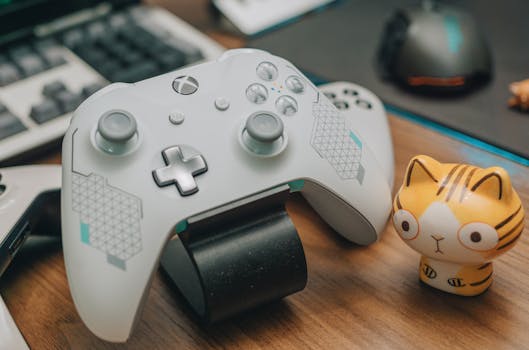
Close-up of an Xbox game controller with a toy, mouse, and keyboard on a desk, showcasing a gaming setup. Photo: FOX ^.ᆽ.^= ∫ / Pexels
At the heart of the difference between gaming console and PC lies their fundamental hardware architecture and design philosophy. Gaming consoles, such as the PlayStation 5, Xbox Series X, and Nintendo Switch, are essentially closed systems. They are designed with a specific set of components – a custom CPU, GPU, RAM, and storage – optimized to work seamlessly together for a predetermined lifecycle, typically 5-7 years. This 'fixed' hardware approach allows developers to optimize their games meticulously for a known specification, often leading to excellent performance and stability for the console's lifespan. The components are chosen for cost-effectiveness and mass production, aiming for a competitive retail price. While powerful, these consoles offer virtually no user-level customization or upgradeability. Once you buy a PS5, its internal components remain the same throughout its generation. Conversely, a gaming PC is an open, modular system. It comprises a central processing unit (CPU), graphics processing unit (GPU), random access memory (RAM), motherboard, storage drives (SSD/HDD), power supply unit (PSU), and a case, all chosen independently and assembled. This modularity is a double-edged sword. On one hand, it grants unparalleled flexibility and upgradeability. A PC gamer can choose to invest in a top-tier GPU for ultimate graphical fidelity, upgrade their RAM for better multitasking, or swap out their CPU for a performance boost years down the line. This means a gaming PC can theoretically always stay at the bleeding edge of technology, provided the user is willing to invest. However, this flexibility also translates to a higher initial cost for comparable performance to a console, and requires a certain level of technical knowledge for assembly, maintenance, and troubleshooting. The sheer variety of PC hardware configurations also presents a challenge for game developers, who must optimize their titles to run across a vast spectrum of systems, which can sometimes lead to less consistent performance or more bugs compared to console releases. Understanding these architectural variances is the first crucial step in appreciating the distinct gaming experiences each platform offers. For more on optimizing your setup, consider exploring advanced gaming PC builds.

Performance, Graphics, and Frame Rates: A Deep Dive
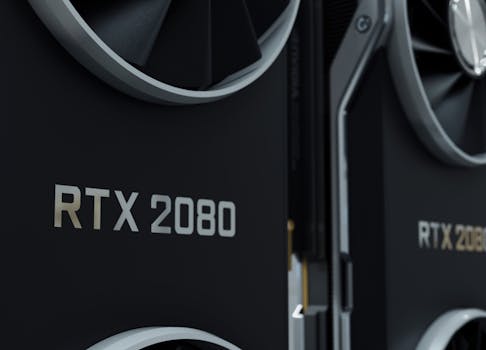
Close-up image of an RTX 2080 GPU, highlighting modern and sleek design. Photo: Nana Dua / Pexels
When discussing the difference between gaming console and PC, performance and graphical fidelity are often the most debated points. Modern consoles like the PS5 and Xbox Series X are incredibly powerful machines, capable of rendering games at 4K resolution, often targeting 60 frames per second (fps), and sometimes even offering modes for 120fps at lower resolutions. They feature custom AMD Zen 2 CPUs and RDNA 2 GPUs, enabling advanced graphical features like ray tracing. For their price point, consoles deliver exceptional performance straight out of the box, offering a highly optimized and consistent experience across all games designed for that platform. The 'plug and play' nature means gamers don't need to worry about driver updates, system configurations, or hardware compatibility – it just works. Gaming PCs, however, hold the potential for significantly higher performance ceilings. A high-end gaming PC equipped with the latest NVIDIA RTX or AMD Radeon GPUs and powerful Intel or AMD CPUs can push games beyond what current-generation consoles are capable of. This includes native 4K resolution at consistently higher frame rates (e.g., 100fps+), more detailed graphics settings (ultra settings), and more robust implementations of ray tracing. PCs also support a wider array of display technologies, such as ultrawide monitors, G-Sync/FreeSync variable refresh rate displays, and higher refresh rate monitors (144Hz, 240Hz, or even 360Hz), which provide a smoother and more immersive visual experience, especially in fast-paced competitive games. The downside is that achieving this level of performance on a PC comes at a premium. A PC that significantly outperforms a current-gen console can easily cost two to three times as much, if not more, for just the core components. Furthermore, maintaining optimal PC performance requires regular driver updates, system optimization, and an understanding of graphical settings to balance visual quality with frame rate. While consoles offer a standardized high-quality experience, PCs offer the ultimate customizable performance, limited only by budget and technical know-how.

Game Libraries, Exclusives, and Ecosystems: Where to Play What
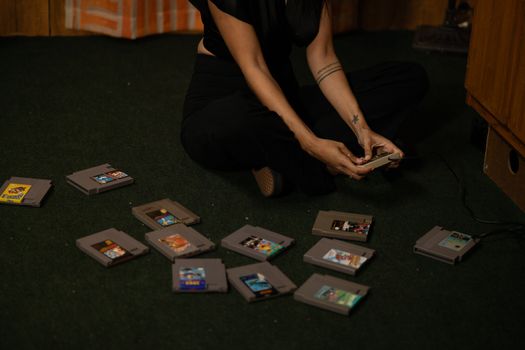
Adult woman sitting cross-legged, holding a vintage game controller, surrounded by retro game cartridges. Photo: Ryleigh Gordon / Pexels
The game library and platform exclusives represent another significant difference between gaming console and PC. Consoles thrive on their exclusive titles, which often serve as major selling points for their respective platforms. PlayStation boasts critically acclaimed single-player cinematic experiences like 'God of War,' 'The Last of Us,' and 'Spider-Man.' Xbox offers its own suite of exclusives, including 'Halo,' 'Forza Motorsport,' and 'Gears of War,' often available day one on their Game Pass subscription service. Nintendo, a unique player in the console space, has an unparalleled roster of beloved franchises like 'Mario,' 'Zelda,' and 'Pokémon,' which are exclusively available on their Switch console. These exclusives can heavily influence a gamer's choice, as the only way to experience these titles is by owning the specific console. PC gaming, on the other hand, boasts an arguably broader and more diverse game library. While it misses out on some console exclusives (though many PlayStation exclusives are now making their way to PC after a period of console exclusivity), it has its own set of PC-only titles, particularly in genres like real-time strategy (RTS), massively multiplayer online (MMO) games, and simulation games. The PC platform is also the undeniable home of indie gaming, with countless innovative titles launching first or exclusively on PC platforms like Steam, Epic Games Store, and GOG.com. Furthermore, the PC gaming ecosystem is characterized by its openness and flexibility. Modding communities thrive on PC, allowing players to extensively customize and enhance their games with user-created content, from graphical overhauls to entirely new gameplay mechanics. PC also offers backward compatibility that often spans decades, allowing players to enjoy classic titles that might be unavailable or require emulation on consoles. The availability of multiple storefronts often leads to competitive pricing and frequent sales, making games more accessible. The subscription model also differs; while consoles have services like PlayStation Plus and Xbox Game Pass, PC has its own variations, often integrated with storefronts or offering larger libraries of older titles. Understanding these distinct ecosystems and their respective game offerings is paramount when deciding on your primary gaming platform. For those looking to dive deeper into the world of digital distribution and game ownership, exploring various digital game storefronts can be insightful.

Cost, Customization, and User Experience: Choosing Your Path
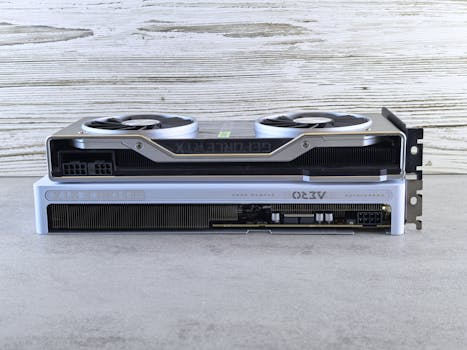
Two modern graphics cards stacked on a wooden surface, showcasing sleek design and advanced technology. Photo: Andrey Matveev / Pexels
The final major difference between gaming console and PC revolves around initial and ongoing costs, the degree of customization offered, and the overall user experience. Consoles generally represent a more affordable entry point into gaming. A new console typically costs between $300-$500, offering a complete gaming system ready to play out of the box. While there are ongoing costs for online subscriptions (e.g., PlayStation Plus, Xbox Live Gold/Game Pass Ultimate) and new games, the initial investment is significantly lower than a comparable gaming PC. The user experience on consoles is streamlined and user-friendly; simply plug it in, update, and start playing. The interface is designed for controllers, and troubleshooting is minimal. It's a curated, hassle-free experience. Gaming PCs, however, come with a much higher upfront cost. A decent entry-level gaming PC might start around $800-$1000, while a high-end rig can easily exceed $2000-$3000, not including peripherals like a monitor, keyboard, and mouse. The long-term cost can be mitigated by the ability to upgrade individual components over time, rather than buying an entirely new system every few years. The customization aspect is where PCs truly shine. Gamers can choose every component, from the case aesthetics to the cooling solution, allowing for a personalized build that reflects their style and performance needs. Peripherals are also highly customizable, with a vast array of keyboards, mice, and controllers available. The user experience, while more complex than a console, offers unparalleled control. PC gamers can tweak graphics settings, install mods, use voice chat, stream, and even perform productivity tasks on the same machine. This versatility comes with a learning curve and requires more active management from the user, including driver updates and system maintenance. For competitive gamers, the precision offered by a mouse and keyboard is often preferred over a controller. Ultimately, the choice often comes down to budget, technical comfort, and whether a 'set it and forget it' console experience or a highly customizable, versatile PC experience aligns better with your gaming philosophy. Tips for Choosing: * **Budget First:** Determine your absolute maximum spend. This will immediately narrow down options. * **Game Preference:** List your must-play games. Are they exclusive to one platform? * **Technical Comfort:** Are you comfortable with PC building, troubleshooting, and maintenance, or do you prefer simplicity? * **Future-Proofing:** Consider if you want to upgrade components over time (PC) or buy a new system every generation (console). * **Multi-Purpose Use:** Do you need a machine for work, school, and gaming (PC), or just gaming (console)? Mistakes to Avoid: * **Overspending on a PC:** Don't buy the most expensive components if your budget doesn't allow or your needs don't justify it. * **Ignoring Exclusives:** Don't choose a platform without checking its exclusive game library if specific titles are important to you. * **Underestimating Console Value:** Don't dismiss consoles as 'lesser' without considering their optimized performance-to-price ratio and ease of use. * **Neglecting Peripherals:** Remember to factor in the cost of a good monitor, keyboard, and mouse for PC gaming, which can add hundreds of dollars.

Comparison

FeatureGaming PCGaming Console (e.g., PS5/Xbox Series X)Nintendo Switch (Hybrid)
Initial Cost$800 - $3000+$400 - $500$300 - $350
UpgradeabilityHigh (modular components)None (fixed hardware)None (fixed hardware)
Graphical FidelityPotentially Highest (Ultra settings, 4K@120Hz+)High (4K@60Hz, some 120Hz)Moderate (1080p docked, 720p handheld)
Game LibraryVast (incl. indie, MMO, RTS, many console ports)Platform Exclusives, Major AAA titlesNintendo Exclusives, some AAA/indie
Ease of UseModerate (setup, drivers, troubleshooting)High (plug-and-play)Very High (plug-and-play, portable)
VersatilityHigh (gaming, work, streaming, content creation)Low (dedicated gaming)Moderate (gaming, some media apps, portable)
Input MethodsKeyboard & Mouse, ControllersControllersJoy-Cons, Pro Controller
Online SubscriptionOptional (for specific games/services)Required for most online multiplayerRequired for most online multiplayer
Modding SupportExtensive (user-created content)Limited to NoneLimited to None

What Readers Say

"Understanding the difference between gaming console and PC was a game-changer for my setup. I chose PC for the modding and higher frame rates, and I haven't looked back. The flexibility is incredible."

Alex P. · Austin, TX

"I always preferred consoles for their simplicity. This guide really clarified why, and it solidified my decision to stick with my PS5 for its amazing exclusives and easy plug-and-play experience."

Sarah L. · Orlando, FL

"After reading this, I built my first gaming PC. The initial cost was higher, but the ability to upgrade components and play games at ultra settings with a high refresh rate monitor is a concrete result I'm thrilled with."

Mike R. · Seattle, WA

"While I love the idea of a gaming PC, the article highlighted the ongoing maintenance. I appreciate the honesty, and it helped me realize a console is still the better fit for my busy schedule, even if I miss out on some graphical fidelity."

Jessica M. · Denver, CO

"As a parent, the difference between gaming console and PC was crucial for deciding what to get my kids. The console's ease of use and family-friendly exclusives made it the clear winner for our household."

Chris T. · Chicago, IL

Frequently Asked Questions

What is the primary difference between gaming console and PC in terms of hardware?

The primary hardware difference lies in their architecture: consoles are closed, fixed systems optimized for a specific lifecycle, offering no user upgradeability. PCs are open, modular systems, allowing for extensive customization and component upgrades over time to maintain cutting-edge performance.

Is a gaming PC always more expensive than a console?

While the initial upfront cost of a gaming PC that offers comparable or superior performance to a current-gen console is almost always higher, the long-term cost can be nuanced. PCs offer upgradeability, potentially saving money on full system replacements, and PC games often go on deeper sales.

Which platform has better exclusive games?

Neither platform universally has 'better' exclusives; it depends entirely on personal preference. Consoles like PlayStation and Nintendo are known for their strong first-party narrative-driven or family-friendly titles, while PC boasts exclusives in genres like RTS, MMOs, and a vast indie library, alongside many console ports.

Do I need technical knowledge to own a gaming PC?

To build a gaming PC from scratch, some technical knowledge is beneficial. However, pre-built gaming PCs are readily available, requiring minimal setup similar to a console. Ongoing maintenance like driver updates and troubleshooting may require a basic understanding, but many resources exist to help.

How does graphical performance compare between consoles and PCs?

Current-gen consoles offer excellent graphical performance at 4K resolution and 60fps for their price. High-end gaming PCs can surpass this, achieving higher frame rates, ultra settings, and more advanced ray tracing implementations, but at a significantly higher cost.

Who should choose a gaming console over a PC?

A gaming console is ideal for gamers who prioritize ease of use, a lower initial investment, a 'plug-and-play' experience, and access to specific console-exclusive titles. It's also great for casual gamers or those who prefer gaming on a large TV in the living room.

Are there any security risks specific to PC gaming that consoles avoid?

PC gaming, due to its open nature, can be more susceptible to malware and viruses if users are not careful with downloads or browsing. Consoles, being closed systems, have a much lower risk of these types of security threats, offering a more secure digital environment for gaming.

What future trends might impact the difference between gaming console and PC?

Cloud gaming services (like Xbox Cloud Gaming, GeForce Now) are blurring the lines, allowing high-fidelity gaming on less powerful hardware. Cross-play and cross-progression are also becoming more common, reducing the impact of platform choice on playing with friends and retaining game progress.

Armed with a comprehensive understanding of the difference between gaming console and PC, you are now equipped to make the best decision for your personal gaming journey. Whether you value raw power, exclusive titles, or sheer convenience, your perfect platform awaits. Dive into the world of gaming with confidence!

Topics: difference between gaming console and PCconsole vs PC gamingPC gaming advantagesgaming console benefitsbest gaming platform
Leo List

IE Escorts NO Escorts US Escorts NZ Escorts AU Escorts
Brampton weed
Adultwork EstrelaBet Vai de Bet R7 Bet Betão Galera Bet Rainbet Bet9ja Shop SportyBet BetKing Sisal Loto Foot Hollywoodbets YesPlay Odibets RushBet Jugabet BetWarrior BetCity MSport betPawa Fortebet