✓ Ping measures the time it takes for data to travel from your computer to the game server and back.
✓ A high ping (latency) causes noticeable delays, often called 'lag', making games unplayable.
✓ Many factors, from your internet connection to server location, can contribute to high ping.
✓ Optimizing your network, hardware, and game settings can significantly reduce ping.
How It Works
1
Understand Your Ping
Before fixing, understand what ping is and what's considered 'high'. Use in-game meters or online speed tests to measure your current latency.
2
Identify the Root Cause
Determine if the issue stems from your local network, your Internet Service Provider (ISP), the game server, or other software conflicts. This diagnosis is crucial for targeted solutions.
3
Implement Network Optimizations
Apply a series of network-level fixes, such as using an Ethernet connection, optimizing router settings, and managing bandwidth usage. These steps directly impact data transmission efficiency.
4
Fine-Tune Software & Hardware
Adjust in-game settings, update drivers, and consider hardware upgrades or software solutions like VPNs or game-boosting apps. These refinements can provide a final push towards lower latency.
Understanding Ping and Its Impact on Gaming Performance
Photo: RDNE Stock project / Pexels
In the world of online gaming, 'ping' is a term you'll encounter frequently, and understanding it is the first crucial step to resolving any latency issues. Ping, often expressed in milliseconds (ms), measures the round-trip time for a small data packet to travel from your computer to a server and then back again. Think of it as the time it takes for your command (like clicking to shoot) to reach the game server and for the server's response (like the enemy taking damage) to return to your screen.
What constitutes 'high ping'? Generally, anything below 20ms is considered excellent, offering a near real-time experience. 20-50ms is very good, and most players won't notice significant issues. 50-100ms is acceptable for many games, though competitive players might feel a slight disadvantage. Once your ping consistently exceeds 100ms, you're entering the territory of noticeable lag, where actions become delayed, teleporting (rubber-banding) occurs, and the game feels unresponsive. At 200ms and above, most online games become virtually unplayable, leading to immense frustration.
The impact of high ping on your gaming performance is profound. In fast-paced competitive games like first-person shooters (FPS) or fighting games, even a small delay can mean the difference between a headshot and being eliminated. Your opponent might see you before you see them, or your abilities might trigger too late. In real-time strategy (RTS) or massively multiplayer online (MMO) games, high ping can disrupt spell rotations, make dodging attacks impossible, and generally degrade the strategic experience. It directly affects your reaction time, precision, and overall enjoyment.
Identifying that high ping is your core issue is paramount. Many games include an in-game ping display, often in the corner of the screen or accessible via a console command. If not, external tools like speedtest.net or specific ping checkers can give you a general idea of your connection's latency to various servers. However, remember that your ping to a speed test server might differ from your ping to a specific game server, as they are located in different geographical areas. The goal is always to achieve the lowest possible ping to the game server you're playing on. Understanding this fundamental concept empowers you to effectively diagnose and address the problem of high ping, setting the stage for a smoother, more competitive online gaming experience. You can find more general advice on improving your overall gaming setup on our gaming optimization hub.
Diagnosing the Root Causes of High Latency
Photo: Brett Sayles / Pexels
Before you can effectively fix high ping, you need to become a detective and pinpoint the underlying cause. High latency isn't a single problem; it's a symptom of various potential issues, and a shotgun approach to fixing it often leads to frustration and wasted effort. The causes can broadly be categorized into local network problems, Internet Service Provider (ISP) issues, server-side factors, and software conflicts.
**Your Local Network:** This is often the most common culprit and the easiest to control. Are you using Wi-Fi? Wireless connections are inherently more susceptible to interference, signal degradation, and packet loss compared to a wired Ethernet connection. The distance to your router, obstacles like walls, and other wireless devices can all contribute to higher ping. Is your router outdated or poorly configured? An old router might struggle to handle modern bandwidth demands or lack features like Quality of Service (QoS). Are other devices on your network hogging bandwidth? Streaming 4K video, large downloads, or multiple users simultaneously can saturate your connection, leaving little room for your game data.
**Internet Service Provider (ISP) Issues:** Sometimes, the problem lies beyond your home network. Your ISP might be experiencing network congestion, especially during peak hours. There could be issues with their infrastructure, such as damaged lines or overloaded nodes. The route your data takes from your home to the game server, known as the 'routing path,' can also be inefficient, adding unnecessary hops and increasing latency. You can use tools like `tracert` (Windows) or `traceroute` (macOS/Linux) in your command prompt to visualize this path and identify potential bottlenecks along the way.
**Game Server Factors:** It's not always your fault! The game server itself might be overloaded, under maintenance, or simply located very far from you. Playing on a server across the country or even on a different continent will naturally result in higher ping due to the physical distance data has to travel. Sometimes, the game's netcode or the specific server instance you're connected to might be performing poorly. While you have less control over this, understanding it helps you determine if you should switch servers or wait for the game developers to address the issue.
**Software Conflicts and Hardware Limitations:** Background applications consuming network resources, outdated network drivers, or even malware can silently increase your ping. Your computer's hardware, while less directly impactful on ping than network, can also play a role. An underpowered CPU or insufficient RAM might struggle to process game data quickly, leading to perceived lag. Firewalls or antivirus software, if not configured correctly, can also interfere with game traffic. By systematically evaluating each of these potential areas, you can narrow down the problem and apply the most effective solutions, getting you closer to a lag-free gaming experience.
Optimizing Your Network Configuration for Lower Ping
Photo: https://kaboompics.com/ / Pexels
Once you've identified potential causes, it's time to take action, starting with your network configuration. This is where you have the most direct control and can often achieve the most significant improvements in reducing high ping.
**1. Go Wired: Ethernet is King.** This is arguably the most impactful step. If you're currently using Wi-Fi, switch to a direct Ethernet connection. Wi-Fi is convenient, but it's prone to interference, signal drops, and higher latency due to the wireless overhead. An Ethernet cable provides a stable, consistent, and significantly faster connection, minimizing packet loss and reducing ping. Use a Cat5e or Cat6 cable for optimal performance.
**2. Optimize Your Router Settings:** Your router is the gateway to the internet. Access your router's administration page (usually by typing its IP address, like 192.168.1.1, into your browser) and explore these options:
* **Quality of Service (QoS):** If your router supports QoS, enable it and prioritize your gaming device or specific game traffic. This tells your router to send game data ahead of other traffic, even if someone else is streaming Netflix.
* **Firmware Update:** Ensure your router's firmware is up to date. Manufacturers often release updates that improve performance, stability, and security.
* **Channel Optimization (for Wi-Fi users):** If going wired isn't an option, try changing your Wi-Fi channel. Wireless channels can become congested, especially in densely populated areas. Use a Wi-Fi analyzer app to find the least used channel and switch to it for less interference.
* **Disable UPnP (Universal Plug and Play):** While convenient, UPnP can sometimes be a security risk and lead to network instability. Manually forwarding ports for your games is a more secure and often more stable alternative.
**3. Manage Bandwidth Hogs:** Other devices and applications on your network can easily consume precious bandwidth, leading to higher ping for your game. Ask family members to pause downloads, stop streaming, or avoid large uploads while you're gaming. On your own computer, close unnecessary background applications, cloud syncing services, and even browser tabs that are constantly refreshing. Task Manager (Windows) or Activity Monitor (macOS) can help you identify bandwidth-intensive processes. Consider setting limits on data usage for non-essential devices if your router allows it.
**4. Restart Your Network Hardware:** It sounds simple, but a quick power cycle of your modem and router can often resolve temporary network glitches that cause high ping. Unplug both devices from power, wait 30 seconds, then plug the modem back in. Once the modem is fully online (all lights stable), plug in the router. This refreshes their connections and clears any temporary errors. This fundamental step is often overlooked but can be surprisingly effective. For more advanced troubleshooting, explore our guides on advanced network settings for gamers.
Advanced Tweaks and Troubleshooting for Persistent Lag
Photo: Matheus Bertelli / Pexels
Even after optimizing your core network, some stubborn high ping issues might persist. This section delves into more advanced tweaks, software solutions, and troubleshooting steps that can further reduce latency and provide a smoother online gaming experience.
**1. Update Drivers and System Software:** Outdated network drivers can be a significant bottleneck. Visit your motherboard manufacturer's website or the website of your network adapter's manufacturer to download and install the latest drivers. Also, ensure your operating system (Windows, macOS) is fully updated, as these updates often include network stack improvements. Graphics drivers should also be up-to-date, as they impact overall system performance, which can indirectly affect how smoothly your game runs and processes network data.
**2. Adjust In-Game Settings:** Believe it or not, some in-game settings can influence perceived lag or even actual network performance. While graphical settings primarily affect FPS, reducing them can free up system resources that might otherwise be strained, ensuring your system can process network packets more efficiently. Look for specific network-related options within games, such as 'network buffering' or 'connection type.' Experiment with these settings, as they can sometimes help stabilize your connection, though they rarely directly lower raw ping.
**3. Consider a Gaming VPN or Ping Reducer:** For some players, especially those connecting to servers far away or experiencing inefficient routing from their ISP, a Gaming VPN (Virtual Private Network) or a dedicated ping reducer service can be a game-changer. These services route your internet traffic through optimized networks, potentially bypassing congested ISP routes and connecting you more directly to the game server. While a VPN adds an extra 'hop,' a good gaming VPN is specifically designed to minimize this overhead and can sometimes result in lower overall ping by taking a more efficient path. Research reputable services like ExitLag, WTFast, or certain VPN providers known for gaming performance.
**4. DNS Server Optimization:** Your Domain Name System (DNS) server translates website names into IP addresses. While it doesn't directly affect ping to a game server, a slow or unreliable DNS can cause delays in connecting to game servers or fetching game updates. Switching to a faster, public DNS server like Google DNS (8.8.8.8, 8.8.4.4) or Cloudflare DNS (1.1.1.1, 1.0.0.1) can sometimes improve the initial connection speed and overall browsing experience, which might indirectly benefit gaming.
**5. Check for Background Processes and Malware:** Use Task Manager (Windows) or Activity Monitor (macOS) to identify any applications consuming excessive CPU, RAM, or network bandwidth in the background. Close anything unnecessary before launching your game. Also, perform a thorough scan for malware and viruses. Malicious software can secretly use your internet connection, leading to increased ping and decreased performance. Regularly running antivirus software is crucial for maintaining a clean and optimized system for gaming.
Comparison
Feature
Ethernet Connection
Optimized Wi-Fi
Gaming VPN
Latency Stability
Excellent
Good
Variable (can be excellent)
Setup Difficulty
Easy
Moderate
Moderate
Cost
Low (cable)
Dependent on router
Subscription
Interference Resistance
High
Low
N/A
Portability
Low
High
High
What Readers Say
★★★★★
"My Valorant ping was consistently 80ms, making competitive play frustrating. After following the guide's advice to switch to Ethernet and update my router firmware, it's now a stable 25ms. Game changer!"
Sarah J. · Austin, TX
★★★★★
"I thought my ISP was the problem, but it turned out to be background downloads. This article helped me identify and stop the bandwidth hogs, dropping my ping in Warzone from 120ms to 40ms."
Mike R. · Chicago, IL
★★★★★
"The section on QoS settings was a lifesaver. My family streams a lot, but now my FFXIV raids are lag-free thanks to prioritizing my PC's traffic. Highly recommend these steps!"
Jessica L. · Miami, FL
★★★★★
"Most tips were helpful, especially the driver updates. I still get occasional spikes, but my average ping in Apex Legends dropped from 70ms to 35ms. The VPN suggestion is next on my list to try."
David K. · Seattle, WA
★★★★★
"As a casual gamer, I didn't realize how much difference a stable connection makes. Simply rebooting my router and modem, as suggested, fixed intermittent lag in my online co-op games. So simple, so effective!"
Emily P. · Denver, CO
Frequently Asked Questions
What is considered a good ping for online gaming?
Generally, a ping below 50ms is considered very good for online gaming, with anything under 20ms being excellent. Pings between 50-100ms are acceptable for most games, but competitive players will notice a disadvantage. Above 100ms, lag becomes very noticeable and detrimental to gameplay.
Can my internet speed affect ping, or are they different things?
While related, internet speed (bandwidth) and ping (latency) are distinct. Speed refers to how much data can be transferred per second, while ping is the time it takes for a data packet to travel. You can have high speed but also high ping if the connection path is inefficient or congested. However, extremely low bandwidth can indirectly cause higher ping if your connection is saturated.
How do I check my current ping to a game server?
Many online games have an in-game display for ping, often found in the settings or by pressing a specific key. Alternatively, you can use the `ping` command in your computer's command prompt (e.g., `ping google.com` or `ping [game_server_IP]`). Online speed test websites also provide a general ping measurement to their nearest server.
Is buying a new router worth it to fix high ping?
If your current router is old, outdated, or doesn't support features like QoS, upgrading to a modern gaming router can definitely be worth it. Newer routers offer better processing power, more stable connections, and advanced features that can significantly help in reducing ping and managing network traffic effectively. However, it's not always the first step; try other optimizations first.
Will a Gaming VPN always lower my ping?
A Gaming VPN or ping reducer can sometimes lower ping by routing your traffic through a more optimized path, bypassing ISP congestion. However, it's not a guaranteed fix. In some cases, adding an extra 'hop' through a VPN server can actually increase ping. It's best to try reputable services that offer trials and see if it improves your specific connection.
Who should prioritize fixing high ping?
Anyone who plays online multiplayer games, especially competitive titles like FPS, MOBA, or fighting games, should prioritize fixing high ping. Casual players who experience noticeable lag that impacts their enjoyment will also benefit greatly. Essentially, if your online gaming experience is hampered by delays or unresponsiveness, addressing high ping is crucial.
Is it safe to change my router settings or DNS server?
Yes, changing router settings (like QoS, Wi-Fi channels) and DNS servers is generally safe, provided you follow reliable guides. Always note down your original settings before making changes, so you can revert if needed. For DNS, using public servers like Google DNS or Cloudflare DNS is very common and secure.
What are future trends for reducing game latency?
Future trends include the wider adoption of 5G networks offering ultra-low latency, advancements in edge computing to bring game servers physically closer to players, and continued improvements in game netcode and server optimization. Technologies like Wi-Fi 7 will also offer better local network performance, further reducing potential bottlenecks.
Don't let high ping ruin your gaming experience any longer. By implementing the strategies outlined in this guide, you can significantly reduce lag and enjoy a smoother, more responsive online gaming session. Take control of your connection and dominate the digital battlefield!

 Photo: RDNE Stock project / Pexels
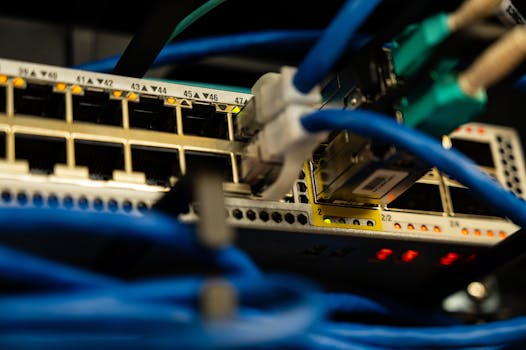 Photo: Brett Sayles / Pexels
 Photo: https://kaboompics.com/ / Pexels
 Photo: Matheus Bertelli / Pexels