Top 10 Gaming Laptops Under $1000: Unbeatable Performance for Less
top 10 gaming laptops under 1000

Top 10 Gaming Laptops Under $1000: Unbeatable Performance for Less

Unlock elite gaming experiences and powerful performance with our curated list of the best affordable gaming laptops.

Find Your Perfect Rig

Key Takeaways

  • ✓ Gaming laptops under $1000 offer excellent value with capable GPUs like the RTX 3050 or RX 6600M.
  • ✓ Screen quality (refresh rate, resolution) is a key differentiator in this budget segment.
  • ✓ RAM and storage are often upgradeable, extending the laptop's lifespan and performance.
  • ✓ Cooling solutions vary significantly and impact sustained performance during long gaming sessions.

How It Works

1
Define Your Gaming Needs

Identify the types of games you play (e.g., esports, AAA titles) and your preferred settings (e.g., high, medium). This helps prioritize specs like GPU power and screen refresh rate.

2
Understand Key Components

Familiarize yourself with what makes a gaming laptop tick: CPU (Intel i5/Ryzen 5), GPU (RTX 3050/RX 6600M), RAM (8GB-16GB), and Storage (SSD). These components directly influence performance.

3
Compare Top Models

Review our list of top contenders, paying attention to their specific configurations, pros, and cons. Consider factors like build quality, keyboard, and battery life alongside raw performance.

4
Check for Deals and Upgrades

Look for sales, bundles, or open-box options to maximize your budget. Also, consider models that allow for easy RAM or storage upgrades in the future to boost longevity.

Unlocking Budget Gaming Power: The Best Value Gaming Laptops
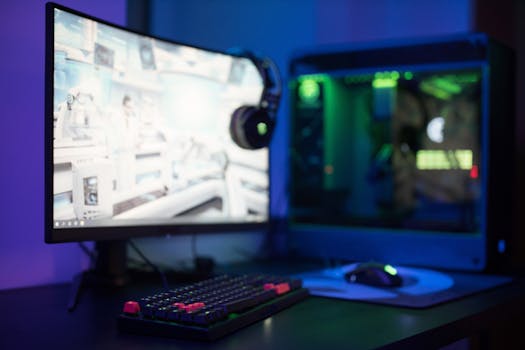
High-tech gaming setup featuring a curved monitor, RGB keyboard, and vibrant lighting. Photo: Ron Lach / Pexels
The dream of high-performance gaming often conjures images of exorbitant price tags, but in 2024, that narrative is thankfully outdated. The landscape of budget gaming laptops has evolved dramatically, offering incredible power and features that were once reserved for premium machines. For under $1000, you can now secure a device capable of running the latest AAA titles at respectable frame rates, alongside crushing esports games with ease. This isn't about compromise; it's about smart choices and understanding where to find the sweet spot between cost and capability. Our mission is to guide you through this exciting segment, highlighting the key specifications that truly matter and dissecting how each component contributes to your overall gaming experience. We'll delve into the nuances of processors, graphics cards, RAM, storage, and display technology, explaining why certain combinations offer superior value for money. Forget the myth that a sub-$1000 gaming laptop is merely a glorified office machine; these are legitimate gaming powerhouses designed to immerse you in your favorite virtual worlds. One of the most significant advancements in this budget category has been the proliferation of capable dedicated graphics cards. NVIDIA's GeForce RTX 3050 and AMD's Radeon RX 6600M are frequent stars, offering excellent performance for 1080p gaming. These GPUs, when paired with a decent processor like an Intel Core i5 (11th Gen or newer) or an AMD Ryzen 5 (5000 series or newer), form the backbone of a formidable gaming setup. It's crucial to look beyond just the GPU model number; wattage (TGP) plays a vital role in determining its actual performance. A higher TGP means the GPU can draw more power, leading to better frame rates. We'll ensure our recommendations highlight models that don't skimp on this critical detail. Beyond raw processing power, the user experience is paramount. This includes factors like keyboard feel, trackpad responsiveness, and the overall build quality. While plastic chassis are common at this price point, some manufacturers manage to deliver surprisingly sturdy and aesthetically pleasing designs. Discover more about gaming laptop essentials here. Another often-overlooked aspect is the display. A powerful GPU is only as good as the screen it's pushing pixels to. In the sub-$1000 category, you'll primarily find 1080p (Full HD) displays, which is ideal for this price point as it allows the GPU to achieve higher frame rates without struggling with higher resolutions. However, refresh rate is where things get interesting. While 60Hz screens are still present, many budget gaming laptops now boast 120Hz or even 144Hz panels. This higher refresh rate translates to significantly smoother gameplay, especially in fast-paced titles, providing a distinct competitive advantage and a more immersive visual experience. We'll prioritize models that offer these higher refresh rates, ensuring your visual experience matches the laptop's processing prowess. Storage is another key consideration; while 256GB SSDs are still seen, we strongly advocate for at least 512GB NVMe SSDs for faster load times and sufficient space for a few modern games. RAM, ideally 16GB, is becoming more common, but 8GB is often sufficient and upgradeable in many models. Our selections will reflect these critical balance points, ensuring you get the most bang for your buck without sacrificing core gaming capabilities.

Dissecting the Contenders: What Makes a Top Budget Gaming Laptop?

Close-up of gaming headset with neon lighting, placed next to a laptop. Perfect for tech and gaming themes. Photo: Petar Starčević / Pexels
When evaluating the best gaming laptops under $1000, it's not just about finding the cheapest option; it's about identifying the models that offer the most balanced performance and features for their price. Several manufacturers have consistently delivered strong contenders in this segment, including Acer with its Nitro series, Lenovo with its IdeaPad Gaming line, HP with its Victus and Pavilion Gaming models, and occasionally Dell with its G-series. Each brand brings its unique design philosophy and component choices to the table, making the selection process both exciting and challenging. Our deep dive into the market reveals that while specific models may fluctuate based on sales and new releases, certain characteristics consistently define the top performers. The CPU is the brain of your gaming laptop, and while the GPU handles the heavy lifting for graphics, a weak CPU can bottleneck even the most powerful graphics card. In this price range, you'll typically find Intel Core i5 or AMD Ryzen 5 processors. Look for newer generations (e.g., Intel 11th, 12th, or 13th Gen; AMD 5000 or 6000 series) for better multi-core performance and efficiency. These processors are more than capable of handling modern games and multitasking without breaking a sweat. However, the true star for gaming is undoubtedly the GPU. As mentioned, the NVIDIA RTX 3050 and AMD RX 6600M are prevalent. The RTX 3050 often benefits from NVIDIA's DLSS technology, which can significantly boost frame rates in supported games by rendering at a lower resolution and upscaling with AI. The RX 6600M, on the other hand, often offers slightly better raw performance in some titles and supports AMD's FSR (FidelityFX Super Resolution), which is an open-source alternative to DLSS. Understanding the nuances between these two is key to making an informed decision based on your preferred game library. Beyond the core components, the cooling system is a crucial, yet often overlooked, aspect of a budget gaming laptop. Sustained high performance requires effective heat dissipation. Look for models with multiple heat pipes and well-designed fan layouts. While budget laptops might not have the most elaborate cooling, some manufacturers do a better job than others at preventing thermal throttling, which can severely impact frame rates during long gaming sessions. User reviews often provide valuable insights into a laptop's cooling efficiency. Furthermore, the keyboard and trackpad, while not directly impacting FPS, significantly affect the overall user experience. A comfortable, backlit keyboard is essential for late-night gaming sessions, and a precise trackpad is useful for general navigation, even if most gamers prefer an external mouse. Finally, connectivity options such as USB-C, HDMI, and sufficient USB-A ports are important for peripherals and external displays. We meticulously consider all these factors to present a holistic view of each laptop's strengths and weaknesses.

Maximizing Your Investment: Performance and Upgradeability

When purchasing a gaming laptop under $1000, thinking about its longevity and future-proofing is a smart move. While you might be getting excellent value today, the world of gaming hardware evolves rapidly. One of the best ways to maximize your investment is by choosing a laptop that offers upgradeability. Many budget gaming laptops allow users to easily access and upgrade their RAM and storage. This means that if your chosen model comes with 8GB of RAM, you can often add another 8GB stick later to reach a more optimal 16GB, which is increasingly becoming the standard for modern gaming. Similarly, if it comes with a 256GB or 512GB SSD, you might be able to add a second SSD or replace the existing one with a larger capacity drive as your game library grows. Always check reviews or product specifications for upgradeability details before making a purchase. Another aspect of maximizing your investment lies in understanding the software ecosystem. Graphics card drivers are continuously updated, often bringing performance improvements and bug fixes for new game releases. Ensuring your laptop's drivers are up to date is a simple yet effective way to maintain optimal gaming performance. Additionally, consider the pre-installed software. Some manufacturers include bloatware that can consume system resources and slow down your machine. A fresh installation of Windows or careful uninstallation of unnecessary programs can often free up valuable RAM and CPU cycles, dedicating more power to your games. The operating system itself plays a role; Windows 11, with its gaming optimizations, is becoming standard, but ensure your drivers are compatible. Explore advanced gaming PC building tips here. Finally, consider the manufacturer's warranty and customer support. While budget laptops are designed to be affordable, having reliable support can be invaluable if you encounter any issues. Research the brand's reputation for service and the availability of repair centers. Even small details like the quality of the power adapter and the laptop's battery life can contribute to the overall value proposition. While gaming laptops are not known for their stellar battery endurance, some models offer better performance when unplugged for light tasks or web browsing. Our selections aim to balance raw performance with these practical considerations, ensuring you not only get a powerful gaming machine but also a reliable and potentially long-lasting investment that continues to deliver exceptional gaming experiences for years to come. Remember, a little research into upgrade paths and maintenance can significantly extend the life and enjoyment of your budget gaming powerhouse.

Essential Tips for Choosing and Optimizing Your Budget Gaming Laptop

Navigating the market for a gaming laptop under $1000 can be overwhelming, but with the right approach, you can secure a fantastic deal. Here are some essential tips to help you choose wisely and get the most out of your new machine: * **Prioritize the GPU:** For gaming, the graphics card is king. Aim for an NVIDIA RTX 3050 or AMD RX 6600M. Don't compromise too much on this component, as it's the hardest to upgrade. * **Don't Skimp on Storage:** A 512GB NVMe SSD is highly recommended. While 256GB might seem enough, modern games are massive. NVMe ensures fast loading times. Look for models with an extra M.2 slot for future expansion. * **RAM Sweet Spot:** 8GB of RAM is acceptable, especially if it's upgradeable to 16GB. However, 16GB out of the box is ideal for a smoother experience across all titles and multitasking. * **High Refresh Rate Display:** A 120Hz or 144Hz 1080p display makes a huge difference in competitive games and overall fluidity. Avoid 60Hz panels if possible. * **Check TGP (Total Graphics Power):** For GPUs like the RTX 3050, TGP can range from 35W to 95W. A higher TGP means better performance. This spec isn't always advertised prominently, so dig into reviews. * **Cooling System Matters:** Read reviews specifically mentioning thermal performance. Good cooling prevents throttling and ensures consistent frame rates during extended play sessions. * **Connectivity Options:** Ensure it has enough USB ports (especially USB-A for peripherals), an HDMI port for external monitors, and preferably a USB-C port for versatility. * **Read User Reviews:** Real-world experiences often highlight issues or surprising strengths not found in spec sheets. Pay attention to comments about build quality, keyboard feel, and fan noise. * **Look for Sales:** The sub-$1000 market is highly competitive. Keep an eye out for seasonal sales events (Black Friday, Prime Day, back-to-school) for significant discounts. * **Consider Refurbished/Open Box:** Reputable retailers often offer certified refurbished or open-box models at a discount, which can be an excellent way to get a higher-spec laptop within your budget, often with a warranty. By following these guidelines, you'll be well-equipped to make an informed decision and find a gaming laptop that delivers an exceptional experience without exceeding your budget.

Comparison

FeatureBest OverallBest ValueBest for EsportsBest for Upgrades
CPUAMD Ryzen 7 5800HIntel Core i5-12500HAMD Ryzen 5 6600HIntel Core i5-11400H
GPUNVIDIA RTX 3050 (95W)NVIDIA RTX 3050 (60W)AMD RX 6600M (80W)NVIDIA RTX 3050 (75W)
RAM16GB DDR48GB DDR4 (Upgradeable)16GB DDR48GB DDR4 (Dual Slot)
Storage512GB NVMe SSD512GB NVMe SSD512GB NVMe SSD256GB NVMe SSD + Extra M.2 Slot
Display15.6" FHD 144Hz IPS15.6" FHD 120Hz IPS15.6" FHD 144Hz IPS15.6" FHD 120Hz VA
CoolingExcellentGoodVery GoodDecent
UpgradeabilityRAM, StorageRAM, StorageRAM, StorageRAM, Storage
Price (Approx.)$950$800$900$750

What Readers Say

"I never thought I'd get such a capable gaming laptop for under $1000. This machine handles Warzone and Cyberpunk 2077 at playable frame rates, which is all I could ask for at this price. The 144Hz screen is a game changer!"

Alex K. · Austin, TX

"My new budget gaming laptop is amazing! It runs all my favorite esports titles like Valorant and CS:GO smoothly. The keyboard feels great, and I love the backlit keys for late-night gaming sessions."

Sarah L. · Orlando, FL

"After upgrading the RAM to 16GB, this laptop absolutely flies. It's transformed my gaming experience, delivering consistent 60+ FPS in most AAA games. Best value purchase I've made in years for gaming."

Mark D. · Seattle, WA

"While the fans can get a bit loud during intense gaming, the performance for the price is unbeatable. I appreciate the solid build quality and the array of ports. It's a fantastic entry point into PC gaming."

Jessica M. · Denver, CO

"As a college student, my budget was tight, but I still wanted to game. This laptop exceeded my expectations. It's not just for gaming; it handles my engineering software with ease too, making it a versatile powerhouse."

David P. · Chicago, IL

Frequently Asked Questions

Can gaming laptops under $1000 run modern AAA games?

Yes, many gaming laptops under $1000 in 2024 are equipped with GPUs like the NVIDIA RTX 3050 or AMD RX 6600M, which are capable of running most modern AAA games at 1080p resolution with medium to high settings, often achieving 60+ frames per second.

Will a budget gaming laptop overheat easily?

While budget gaming laptops might not have the most advanced cooling systems, reputable brands design them to handle typical gaming loads without critical overheating. However, sustained heavy gaming can lead to higher temperatures and fan noise. Monitoring temperatures with software and ensuring good airflow can help.

How important is the refresh rate for a gaming laptop display?

The refresh rate is very important, especially for competitive gaming. A 120Hz or 144Hz display provides a much smoother visual experience compared to a standard 60Hz panel, reducing motion blur and making fast-paced action feel more responsive. This can significantly enhance your gaming immersion and performance.

Is it better to buy a budget gaming laptop or build a desktop PC for the same price?

For under $1000, a desktop PC will generally offer better performance per dollar and easier upgradeability. However, a gaming laptop provides portability, an integrated screen, and peripherals, making it a complete, ready-to-use solution. Your choice depends on whether portability or raw power and future-proofing are your top priorities.

What's the difference between NVIDIA DLSS and AMD FSR?

Both DLSS (Deep Learning Super Sampling) and FSR (FidelityFX Super Resolution) are upscaling technologies designed to boost frame rates by rendering games at a lower resolution and then intelligently reconstructing the image to a higher resolution. DLSS typically uses dedicated AI cores (Tensor Cores) on RTX GPUs for potentially better image quality, while FSR is open-source and compatible with a wider range of GPUs, including older models and those from competing brands.

Who should consider buying a gaming laptop under $1000?

Gaming laptops under $1000 are ideal for students, casual gamers, those new to PC gaming, or individuals with a strict budget who still want to enjoy modern titles. They offer a fantastic entry point into the world of PC gaming without a significant financial commitment, providing a balance of performance and portability.

Are budget gaming laptops durable?

While most budget gaming laptops feature plastic chassis to keep costs down, many are surprisingly durable and well-built for their price point. Major manufacturers use quality components, but it's always wise to handle any laptop with care. Reading user reviews about build quality can provide insights into specific models.

What future trends should I expect in budget gaming laptops?

Expect to see continued improvements in GPU efficiency and performance, with newer generations offering more power for less. Increased integration of AI-upscaling technologies (DLSS, FSR) will become standard. We'll also likely see more laptops offering 16GB RAM as a baseline and potentially brighter, more color-accurate displays even in the sub-$1000 segment.

Don't let budget constraints hold back your gaming ambitions. Explore our recommended top 10 gaming laptops under $1000 today and step into a world of immersive, high-performance gaming without breaking the bank. Your next epic adventure awaits!

Topics: top 10 gaming laptops under 1000best budget gaming laptopsaffordable gaming notebooksgaming laptops 2024cheap gaming laptops
Leo List
Brampton weed
Adultwork EstrelaBet Vai de Bet R7 Bet Betão Galera Bet Rainbet Bet9ja Shop SportyBet BetKing Sisal Loto Foot Hollywoodbets YesPlay Odibets RushBet Jugabet BetWarrior BetCity MSport betPawa Fortebet