What Are Gaming Peripherals? Your Ultimate Performance Edge
July 31, 2026 15 min read 2,912 words
Unlock superior gameplay and comfort with the right specialized gaming peripherals designed for victory.
Discover Your Edge
Understanding the Core: What Defines a Gaming Peripheral?
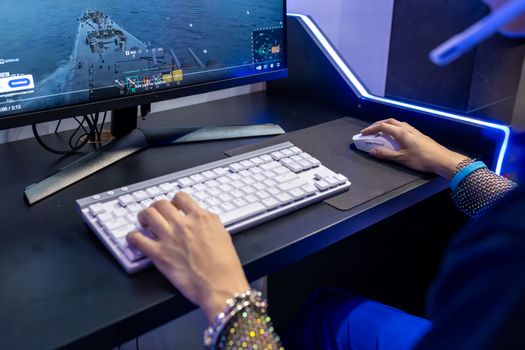 Photo: Matheus Bertelli / Pexels
At its heart, a gaming peripheral is any external hardware device that enhances a player's interaction with a video game, going beyond the capabilities of standard, general-purpose computer accessories. While a basic mouse and keyboard might get you by for everyday tasks, the world of gaming demands precision, speed, responsiveness, and comfort that only purpose-built equipment can provide. These devices are meticulously engineered with features specifically tailored to the unique demands of competitive and immersive gaming environments. Think of it this way: you wouldn't use a regular sedan for a Formula 1 race, just as serious gamers wouldn't rely on office-grade gear for an esports tournament. The distinction lies in several key areas. Firstly, performance. Gaming peripherals boast advanced sensors, faster response times, and higher polling rates, ensuring every input is registered almost instantaneously and with pinpoint accuracy. This can be the difference between a headshot and a miss, or a perfectly timed ability and a costly delay. Secondly, ergonomics and comfort are paramount. Gamers often spend hours in front of their screens, and standard equipment can lead to fatigue, discomfort, or even repetitive strain injuries. Gaming peripherals are designed with ergonomic shapes, adjustable components, and premium materials to provide sustained comfort and reduce strain, allowing players to focus on the game, not their aching wrists or neck. Thirdly, customization and programmability are hallmarks of gaming gear. From remappable buttons and custom macros on keyboards and mice to personalized sound profiles on headsets, these devices offer an unparalleled level of personalization. This allows players to tailor their controls precisely to their playstyle, game genre, and even specific in-game situations, giving them a significant competitive edge. Finally, durability and build quality are often superior. Gaming peripherals are subjected to intense use, and manufacturers understand the need for robust construction that can withstand rapid clicks, forceful key presses, and accidental drops. They frequently incorporate high-quality switches, braided cables, and reinforced chassis to ensure longevity. Understanding these fundamental differences is the first step in appreciating the value and necessity of investing in dedicated gaming equipment. It's not just about aesthetics, though many feature striking designs and customizable RGB lighting; it's about a tangible improvement in control, comfort, and ultimately, performance. For those looking to dive deeper into optimizing their setup, exploring specific categories like
different types of gaming keyboards can be incredibly insightful.
The Arsenal of a Gamer: Essential Peripheral Categories Explored
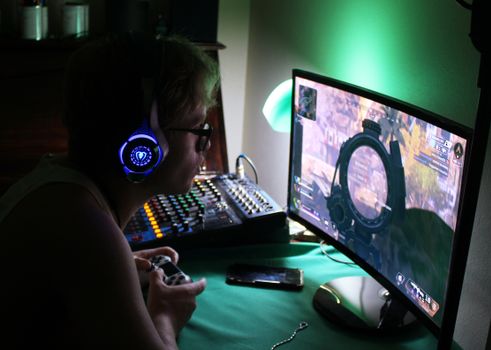 Photo: Ian van der Linde / Pexels
The landscape of gaming peripherals is vast and ever-evolving, but several categories stand out as absolutely essential for any serious gamer. Each plays a crucial role in the overall gaming experience, contributing to everything from precise aim to crystal-clear communication. Let's break down the core components:
**Gaming Mice:** Far from your standard office pointer, gaming mice are engineered for speed, accuracy, and customizability. They feature high Dots Per Inch (DPI) sensors, allowing for extremely precise tracking, and often boast adjustable weights, ergonomic designs for various grip styles (palm, claw, fingertip), and programmable buttons for executing complex commands with a single click. Optical and laser sensors offer different tracking characteristics, with optical generally preferred by competitive players for its consistent performance. Wireless gaming mice have also advanced significantly, now offering virtually lag-free performance comparable to their wired counterparts, providing freedom of movement without compromise. Features like adjustable polling rates, on-the-fly DPI switching, and durable mechanical switches for primary clicks are standard.
**Gaming Keyboards:** The primary interface for most PC games, gaming keyboards are a world apart from typical membrane keyboards. Mechanical keyboards, in particular, are favored for their tactile feedback, audible clicks (or silent linear presses), and superior durability. Different switch types (Cherry MX, Gateron, Kailh, etc.) offer varying actuation forces and travel distances, catering to personal preference and game genres. Features like anti-ghosting and N-key rollover ensure every key press is registered, even during rapid, simultaneous inputs. Programmable macro keys allow for complex command sequences to be executed with a single press, while customizable RGB backlighting not only looks impressive but can also highlight important keys for specific games. Some gaming keyboards also include dedicated media controls, USB passthrough ports, and comfortable wrist rests.
**Gaming Headsets:** Communication and immersive audio are critical in modern gaming. Gaming headsets combine high-fidelity audio drivers with clear microphones, often featuring noise cancellation. They are designed to deliver precise directional audio cues, allowing players to pinpoint enemy footsteps or gunshots in competitive titles. Comfort is key, with plush earcups, adjustable headbands, and lightweight designs ensuring long-session wearability. Surround sound technologies (virtual 7.1 or true 5.1/7.1) enhance spatial awareness, while retractable or detachable microphones offer convenience. Wireless options provide freedom of movement, though wired headsets often guarantee zero latency and higher audio fidelity.
**Gaming Monitors:** While technically a display device, a gaming monitor is undeniably a peripheral that directly impacts performance. Key features include high refresh rates (144Hz, 240Hz, or even 360Hz) for smoother visuals and reduced input lag, low response times (1ms GtG) to eliminate ghosting, and adaptive sync technologies like NVIDIA G-Sync or AMD FreeSync to prevent screen tearing. Panel types (IPS, VA, TN) offer different trade-offs in color accuracy, viewing angles, and response times. Resolution (1080p, 1440p, 4K) also plays a significant role, though it must be balanced with your graphics card's capabilities. Curved monitors and ultrawide aspect ratios offer a more immersive experience, particularly for single-player adventure games or simulators.
**Gaming Controllers (Gamepads):** While PC gaming often revolves around keyboard and mouse, many genres, particularly fighting games, racing simulators, and platformers, are best experienced with a dedicated gamepad. These controllers offer intuitive analog input for movement and camera control, haptic feedback for immersion, and a familiar, comfortable layout. Specialized controllers might include additional programmable paddles, customizable triggers, and interchangeable components to suit individual preferences. The choice between wired and wireless often comes down to latency concerns versus freedom of movement, though modern wireless controllers are highly reliable. Beyond these core categories, there are numerous specialized peripherals designed to enhance specific gaming experiences, from racing wheels and flight sticks to capture cards and streaming equipment, demonstrating the depth and breadth of the gaming peripheral market. Each component, when chosen wisely, contributes to a more fluid, responsive, and enjoyable gaming session, pushing the boundaries of what's possible in digital entertainment.
Beyond the Basics: Advanced Peripherals and Setup Optimization
 Photo: Ron Lach / Pexels
Once the foundational gaming peripherals are in place, savvy gamers often look to advanced accessories and meticulous setup optimization to squeeze every last drop of performance and comfort from their system. This tier of peripherals and practices moves beyond mere functionality, aiming for a truly personalized, high-performance environment. One significant area is **specialized input devices**. For simulation enthusiasts, a high-quality racing wheel and pedal set can transform a driving game into an incredibly realistic experience, offering force feedback that mimics road conditions and precise analog control. Similarly, flight sticks and HOTAS (Hands On Throttle And Stick) systems provide unparalleled immersion and control for flight simulators. For fighting game aficionados, arcade fight sticks or specialized controllers with microswitches offer the tactile response and button layout crucial for competitive play. These niche peripherals cater to very specific genres, demonstrating the depth of customization available. Another key area for advanced users is **streaming and content creation gear**. As gaming increasingly merges with content creation, peripherals like high-quality webcams, dedicated microphones (often condenser mics with pop filters), green screens, and stream decks become essential. Stream decks, for instance, offer programmable buttons for triggering scenes, launching applications, or interacting with chat, streamlining the live streaming process. These tools allow gamers to share their experiences with a wider audience, turning a hobby into a potential career. Furthermore, **ergonomic enhancements** are crucial for long-term gaming health. Beyond the ergonomic design of the peripherals themselves, items like adjustable standing desks, monitor arms, ergonomic chairs, and even specialized wrist rests or footrests can dramatically improve posture, reduce strain, and prevent repetitive stress injuries. Investing in a truly supportive gaming chair, for example, can make a significant difference in comfort and focus during marathon sessions. It's not just about what you use, but how you use it. **Cable management solutions** are often overlooked but contribute significantly to a clean, organized, and stress-free gaming space. Cable ties, sleeves, and routing channels prevent tangled messes, improve airflow, and make it easier to access ports or troubleshoot issues. A tidy desk contributes to a tidy mind, allowing for better focus on the game. Finally, **software optimization** is the invisible peripheral. Utilizing companion software for mice, keyboards, and headsets allows for deep customization: creating macros, adjusting DPI profiles, tuning audio equalizers, and synchronizing RGB lighting across devices. Keeping drivers updated and regularly cleaning up your system ensures your peripherals perform at their peak. Tools for monitoring system performance and network latency can also be considered 'invisible' peripherals, providing crucial data for optimizing your gaming experience. By combining these advanced peripherals with thoughtful setup optimization, gamers can craft an environment that not only looks impressive but genuinely elevates their performance and long-term enjoyment. For a deeper dive into enhancing your setup, consider exploring
comprehensive gaming setup guides.
Top Tips for Choosing and Maintaining Your Gaming Peripherals
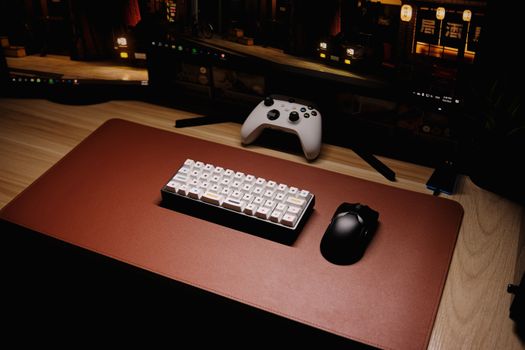 Photo: Click Jeth / Pexels
Selecting the right gaming peripherals can be overwhelming, but with a strategic approach, you can build a setup that perfectly complements your gaming style and budget. Here are essential tips for choosing and maintaining your gear:
**Choosing Your Peripherals:**
* **Prioritize Game Genres:** If you primarily play FPS games, invest in a high-DPI, lightweight mouse and a responsive mechanical keyboard. For MMOs, a mouse with many programmable side buttons and a keyboard with macro capabilities might be more beneficial. RPGs and strategy games might value comfort and immersive audio over raw speed.
* **Set a Budget (and Stick to It):** High-end peripherals can be expensive. Determine how much you're willing to spend on each category. Remember, a mid-range, well-chosen peripheral often outperforms a cheap, poorly designed premium one.
* **Read Reviews and Watch Demos:** Don't just rely on marketing. Look for independent reviews, unboxing videos, and performance tests from reputable sources. Pay attention to user feedback regarding durability and long-term comfort.
* **Consider Wired vs. Wireless:** Wireless technology has come a long way, offering near-zero latency. However, wired options are generally more affordable, never need charging, and eliminate potential interference. Evaluate your need for cable-free freedom against budget and reliability.
* **Ergonomics are Non-Negotiable:** If possible, try out mice and keyboards in person to ensure they fit your hand size and grip style. For headsets, check for comfortable earcups and headband adjustments. Long gaming sessions demand comfort to prevent fatigue and injury.
* **Don't Overlook Software:** The customization software that comes with peripherals is crucial. Ensure it's user-friendly, feature-rich, and compatible with your operating system. Good software allows for deep personalization of macros, lighting, and performance settings.
**Maintaining Your Peripherals:**
* **Regular Cleaning:** Dust, crumbs, and oils can build up quickly. Use compressed air for keyboards, microfiber cloths for monitors, and isopropyl alcohol for mouse and headset surfaces. Keep your desk clean to minimize debris.
* **Cable Management:** Prevent tangles and strain on cables by using cable ties or sleeves. This not only keeps your setup tidy but also extends the life of your cables.
* **Software and Driver Updates:** Manufacturers frequently release driver updates that improve performance, add features, or fix bugs. Keep your peripheral software and drivers up to date for optimal functionality.
* **Store Properly:** When not in use, especially for portable peripherals, store them safely to prevent damage. Avoid extreme temperatures or humidity.
* **Handle with Care:** Gaming gear, especially mechanical keyboards and high-precision mice, can be delicate. Avoid dropping them or applying excessive force during use. Proper handling ensures longevity.
By following these guidelines, you can make informed decisions when purchasing your gaming peripherals and ensure they serve you well for years to come, providing a consistent edge in your gaming endeavors.
