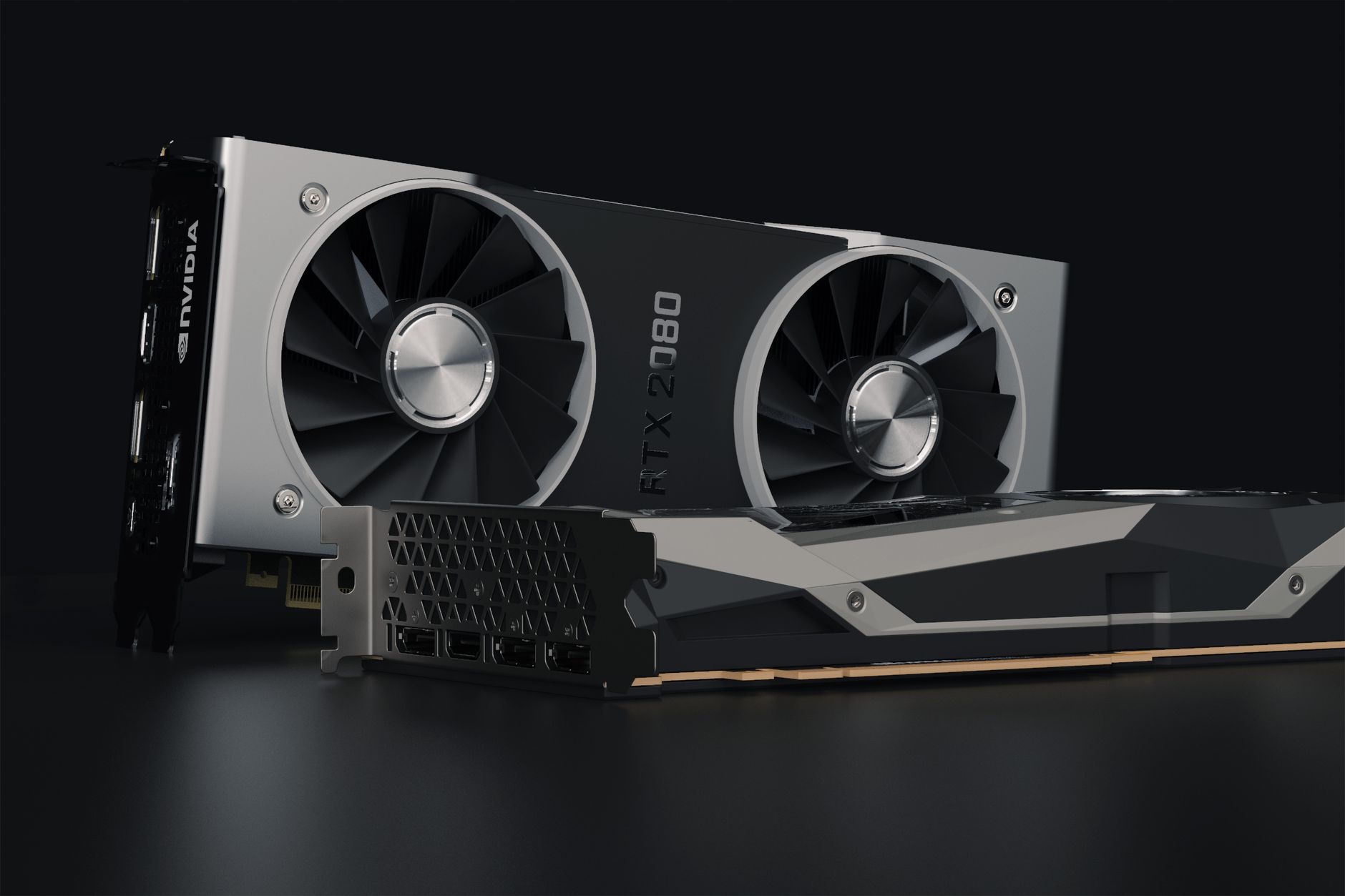
What is Ray Tracing in Gaming? Unveiling Hyper-Realistic Graphics
ray tracing in gaming

What is Ray Tracing in Gaming? Unveiling Hyper-Realistic Graphics

Experience games like never before with stunningly accurate lighting, reflections, and shadows.

Explore Ray Tracing Now

Key Takeaways

  • ✓ Ray tracing simulates light's physical behavior for hyper-realistic graphics.
  • ✓ It enhances reflections, shadows, and global illumination in real-time.
  • ✓ Requires powerful GPUs like NVIDIA RTX or AMD Radeon RX 6000 series.
  • ✓ Significantly improves visual fidelity but can impact performance.

How It Works

1
Light Ray Generation

Rays of light are cast from the virtual camera (your viewpoint) into the game scene. These rays essentially act as probes, gathering information about the environment.

2
Intersection Detection

Each ray travels until it intersects with an object in the scene. The point of intersection is crucial for determining how light interacts with surfaces.

3
Light Interaction & Bouncing

Upon intersection, the ray's behavior is calculated based on the object's material properties (e.g., reflective, refractive, diffuse). The ray can then bounce, reflect, or refract, creating secondary rays.

4
Color & Lighting Calculation

These secondary rays continue to interact with the environment, gathering information about light sources and other objects. This accumulated data is then used to accurately color and illuminate the original pixel on your screen, creating a realistic image.

Understanding the Fundamentals of Real-Time Ray Tracing

Two friends immersed in playing video games together in a cozy living room. Photo: Yan Krukau / Pexels
For years, video game graphics have relied on a technique called 'rasterization' to render scenes. While incredibly efficient and capable of producing beautiful visuals, rasterization has inherent limitations when it comes to accurately simulating how light behaves in the real world. This is where ray tracing steps in, offering a fundamental shift in how light is rendered in games, pushing the boundaries of visual fidelity to unprecedented levels. But what exactly is ray tracing in gaming, and how does it achieve such stunning realism? At its core, ray tracing is a rendering technique that simulates the physical behavior of light. Instead of approximating light, as rasterization does, ray tracing literally traces the path of individual light rays as they interact with objects in a virtual scene. Think of it like this: in the real world, light emanates from a source, bounces off surfaces, and eventually enters your eyes, allowing you to perceive the world around you. Ray tracing attempts to replicate this process within a digital environment. While the concept of ray tracing has been around for decades in computer graphics, its real-time implementation in video games is a relatively recent breakthrough, made possible by significant advancements in GPU technology. The magic of ray tracing lies in its ability to accurately render complex lighting phenomena that are incredibly difficult, if not impossible, to achieve convincingly with traditional rasterization. This includes highly realistic reflections, accurate soft shadows, and global illumination that mimics how light bounces indirectly around a scene, illuminating areas that aren't directly lit. Imagine a polished floor reflecting the entire environment, or the subtle way light from a window softly illuminates a distant corner of a room – these are the kinds of details ray tracing excels at. This level of realism adds immense depth and immersion to game worlds, making them feel more tangible and believable. It’s not just about making things look prettier; it’s about making them feel more real, enhancing the player’s connection to the virtual space. Historically, ray tracing was computationally intensive, reserved for pre-rendered cinematic effects in movies and animations where rendering time wasn't a constraint. The leap to real-time ray tracing in interactive gaming required specialized hardware, primarily the RT Cores found in NVIDIA's RTX GPUs and the Ray Accelerators in AMD's RDNA 2 architecture. These dedicated hardware units are designed to accelerate the complex calculations involved in tracing millions of light rays per second, enabling developers to integrate these advanced lighting effects into their games without completely crippling performance. Without this specialized hardware, running ray tracing in real-time would be prohibitively slow, making it impractical for the fast-paced demands of modern gaming. Understanding this fundamental shift is key to appreciating the power of modern gaming graphics and what ray tracing brings to the table.

The Visual Impact: Reflections, Shadows, and Global Illumination
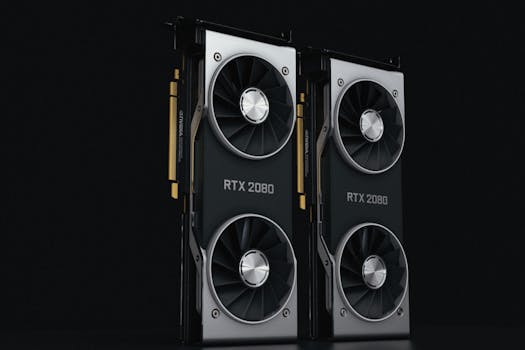
Close-up of two NVIDIA RTX 2080 graphics cards with dual fans, high-performance hardware. Photo: Nana Dua / Pexels
The most immediately noticeable improvements offered by ray tracing are in three key areas: reflections, shadows, and global illumination. These elements, when rendered with ray tracing, undergo a transformation that elevates the visual quality of games from impressive to truly breathtaking. Let's delve into each of these to understand their individual contributions to the overall realism. **Reflections:** In traditional rasterized games, reflections are often achieved using screen-space reflections (SSR) or cube maps. SSR only reflects what is currently visible on the screen, leading to reflections that disappear or look incomplete when the reflected object moves out of view. Cube maps, while better, are static images, meaning reflections don't dynamically update with changes in the environment or character movement. Ray-traced reflections, however, are pixel-perfect. They accurately reflect anything in the scene, regardless of whether it's on-screen or not, and they dynamically update in real-time. Imagine walking through a futuristic city with towering glass buildings; with ray tracing, you'll see accurate, dynamic reflections of every car, pedestrian, and light source, creating a sense of depth and vibrancy that was previously impossible. Water surfaces, polished metals, and even wet ground textures come alive with stunning fidelity, mirroring the environment with perfect accuracy. **Shadows:** Shadows are crucial for grounding objects in a scene and conveying depth. Rasterized shadows often rely on shadow maps, which can suffer from aliasing (jagged edges) and a lack of realistic softness, especially as objects move further from the light source. Ray-traced shadows, by contrast, are generated by tracing rays from the light source to every point on a surface. This allows for incredibly accurate and physically correct soft shadows, where the edges become softer and more diffused as the distance from the object to the surface increases. This subtle detail makes a huge difference, making objects feel more integrated into their environment and enhancing the overall realism. The way light is occluded and diffused creates a natural look, eliminating the harsh, often artificial appearance of traditional shadow mapping techniques. **Global Illumination (GI):** Perhaps the most significant, yet often subtle, enhancement provided by ray tracing is global illumination. This refers to the simulation of indirect light – light that bounces off surfaces and illuminates other parts of the scene, rather than coming directly from a light source. In rasterized games, GI is usually faked using various ambient occlusion techniques or pre-baked lighting solutions, which can look static and unnatural. Ray-traced global illumination is a game-changer. It accurately calculates how light bounces, creating a more realistic and naturally lit environment. For example, if you have a red wall in a room, the ray-traced light bouncing off that wall will subtly tint nearby white walls with a faint red hue. This indirect lighting adds incredible depth, realism, and atmosphere to game worlds, making them feel more cohesive and alive. It's the difference between a scene that's merely lit and one that feels truly illuminated, breathing life into every corner of the virtual world. This advanced lighting model contributes significantly to the overall immersive experience, making the virtual world feel much more like a real one.

The Technology Behind the Magic: Hardware and Software Integration
Close-up of an open vintage hard disk drive showcasing its internal components. Photo: Nicolas Foster / Pexels
The transition from traditional rasterization to ray tracing in gaming wasn't just a matter of software; it required a significant leap in hardware capabilities and clever software integration. Understanding this interplay is crucial to grasping why ray tracing is now a viable option for real-time interactive experiences. The primary drivers behind this revolution are the specialized processing units found in modern graphics cards. NVIDIA pioneered real-time ray tracing in gaming with its GeForce RTX series GPUs, introducing dedicated **RT Cores**. These aren't just faster general-purpose processing units; they are specifically designed to accelerate the complex calculations involved in ray-surface intersection tests, which are the most computationally intensive part of the ray tracing pipeline. Without these specialized cores, a conventional GPU would spend an inordinate amount of time on these calculations, making real-time ray tracing impossible at playable frame rates. AMD followed suit with its RDNA 2 architecture, found in the Radeon RX 6000 series and next-generation consoles like the PlayStation 5 and Xbox Series X|S, which includes dedicated **Ray Accelerators**. While the nomenclature differs, their function is fundamentally the same: to offload and speed up ray tracing computations. Beyond the raw hardware, the integration of ray tracing into game engines and APIs is equally vital. DirectX Raytracing (DXR) from Microsoft and Vulkan Ray Tracing are the primary APIs that game developers use to implement ray tracing effects. These APIs provide a standardized way for games to communicate with the GPU's ray tracing hardware, abstracting away the low-level complexities. This standardization has been critical for widespread adoption, allowing developers to target a broad range of hardware with their ray-traced titles. Game engines like Unreal Engine, Unity, and Frostbite have also integrated DXR and Vulkan Ray Tracing support, providing developers with powerful tools to easily implement these advanced lighting techniques into their projects. This ecosystem of hardware, APIs, and engine support forms the backbone of the ray tracing revolution. However, implementing ray tracing isn't simply a toggle switch. Developers often use a hybrid rendering approach, combining ray tracing for specific, visually impactful effects (like reflections, shadows, and global illumination) with traditional rasterization for the bulk of the scene. This hybrid approach allows them to leverage the strengths of both techniques, achieving stunning visuals without completely sacrificing performance. For instance, a game might use ray tracing for primary reflections and shadows, while still relying on rasterization for the overall geometry and textures. Furthermore, techniques like NVIDIA's DLSS (Deep Learning Super Sampling) and AMD's FSR (FidelityFX Super Resolution) are often paired with ray tracing. These upscaling technologies render the game at a lower internal resolution and then use AI or advanced algorithms to upscale it to a higher output resolution, effectively recovering performance lost to ray tracing. This synergy between advanced rendering, specialized hardware, and intelligent upscaling is what makes the demanding graphical fidelity of ray tracing a practical reality for high-performance gaming today.

Optimizing Your Experience: Performance, Settings, and Future Trends
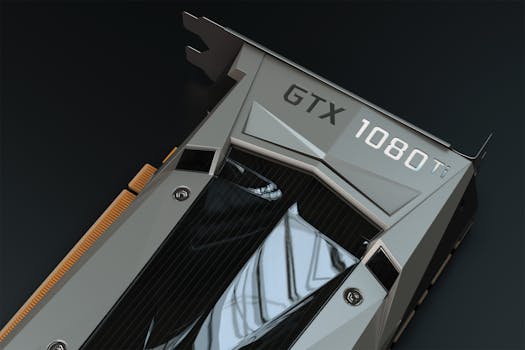
Detailed close-up of a GTX 1080 Ti graphics card, perfect for tech enthusiasts. Photo: Nana Dua / Pexels
While ray tracing offers unparalleled visual fidelity, it comes at a performance cost. Understanding how to optimize your settings and what to expect in the future is key to enjoying the best possible ray-traced gaming experience. The computational demands of tracing millions of light rays per second are significant, and even with dedicated hardware, it can lead to a noticeable drop in frame rates compared to playing with ray tracing disabled. **Performance Considerations:** The primary factor affecting ray tracing performance is your GPU. More powerful GPUs with more RT Cores or Ray Accelerators will handle ray tracing effects more efficiently. However, CPU speed, RAM, and even SSD performance can also play a role, as they feed data to the GPU. When enabling ray tracing, you'll often find a range of settings, from 'Low' to 'Ultra,' which dictate the number of rays traced, the bounce count for indirect lighting, and the resolution of effects. Higher settings will naturally look better but will also demand more from your hardware. It's a balance between visual splendor and smooth gameplay. **Optimizing Settings for Your Rig:** * **Start with Presets:** Most games offer preset ray tracing options. Begin with a 'Medium' or 'High' setting and monitor your frame rate. * **Utilize Upscaling Technologies:** As mentioned, NVIDIA DLSS and AMD FSR are your best friends when it comes to ray tracing. Enabling these technologies can often recover a significant portion of lost frames, allowing you to enjoy higher ray tracing settings without a crippling performance hit. Ensure your GPU supports these features and that they are enabled in the game settings. * **Adjust Individual Effects:** If performance is still an issue, try selectively lowering settings for specific ray-traced effects. For example, reducing ray-traced reflections from 'Ultra' to 'High' might have a smaller visual impact than turning off global illumination entirely. * **Monitor Your FPS:** Use in-game FPS counters or external tools like MSI Afterburner to keep an eye on your frame rate. Aim for a consistent and comfortable frame rate (e.g., 60 FPS for most single-player games, higher for competitive titles). **Future Trends:** Ray tracing is still a relatively young technology in the gaming space, and it's continuously evolving. We can expect future iterations of GPUs to feature even more powerful and efficient ray tracing hardware, further reducing the performance overhead. Developers are also becoming more adept at integrating ray tracing in clever ways, optimizing its use to maximize visual impact while minimizing performance penalties. Furthermore, advancements in rendering techniques, potentially combining ray tracing with machine learning even more deeply, could lead to even more photorealistic and immersive game worlds in the coming years. The ongoing push for more realistic graphics means ray tracing will only become more prevalent and refined, establishing itself as a standard feature in high-end gaming. The journey of what is ray tracing in gaming is far from over, promising an exciting future for visual fidelity.

Comparison

FeatureRay TracingTraditional RasterizationBenefit
ReflectionsPhysically accurate, dynamic, full sceneScreen-space, cube maps, often limitedUnparalleled realism and immersion
ShadowsSoft, physically correct, dynamic penumbraHard-edged, often aliased, staticNatural depth and object grounding
Global IlluminationRealistic indirect light bounce, color bleedPre-baked, faked ambient occlusionCohesive, naturally lit environments
Performance CostHigherLowerVisual fidelity vs. frame rate balance
Hardware RequirementDedicated RT Cores/Ray AcceleratorsStandard GPU shadersRequires modern, powerful GPUs

What Readers Say

"Understanding what is ray tracing in gaming has completely changed how I appreciate game visuals. The reflections in Cyberpunk 2077 are mind-blowing with it enabled, making the city feel so much more alive."

Alex P. · Seattle, WA

"I was skeptical about ray tracing, but after upgrading my GPU, the difference in games like Control is astonishing. The lighting and shadows create an atmosphere you just can't get otherwise."

Sarah L. · Austin, TX

"My new setup with ray tracing makes games feel truly next-gen. The level of detail in reflections and the natural light bounce has genuinely enhanced my immersion by a huge margin."

Mark D. · Miami, FL

"Ray tracing is incredible for visuals, but you definitely need a powerful card to run it smoothly. I had to tweak some settings, but the enhanced realism is worth the effort, especially with DLSS."

Jessica R. · Denver, CO

"As a developer, seeing what is ray tracing in gaming achieve in real-time is revolutionary. It opens up so many possibilities for environmental storytelling and visual fidelity that were once impossible."

Chris B. · Chicago, IL

Frequently Asked Questions

What is ray tracing in gaming, really?

Ray tracing in gaming is an advanced rendering technique that simulates the physical behavior of light rays in a virtual environment. It accurately calculates how light bounces, reflects, and refracts off surfaces, creating hyper-realistic lighting, reflections, and shadows that significantly enhance visual fidelity and immersion.

Do I need a special GPU for ray tracing?

Yes, to experience real-time ray tracing in games, you need a modern graphics card with dedicated ray tracing hardware. This includes NVIDIA's RTX series GPUs (with RT Cores) or AMD's Radeon RX 6000 series and newer (with Ray Accelerators).

How do I enable ray tracing in my games?

To enable ray tracing, first ensure your GPU supports it and your drivers are up to date. Then, launch a game that supports ray tracing and navigate to its graphics settings menu. You should find a dedicated 'Ray Tracing' option or section where you can toggle it on and adjust its quality settings.

Is ray tracing worth the performance hit?

Whether ray tracing is 'worth it' depends on your personal preference and hardware. It offers a significant visual upgrade, especially for reflections and global illumination. However, it does come with a performance cost. Utilizing upscaling technologies like DLSS or FSR can often mitigate this performance impact, making it a worthwhile trade-off for many players seeking the best possible visuals.

How does ray tracing compare to traditional rasterization?

Traditional rasterization approximates light and shadows for efficiency, while ray tracing physically simulates light's path for accuracy. Ray tracing delivers superior reflections, softer shadows, and more realistic global illumination, but at a higher computational cost compared to rasterization.

Who benefits most from ray tracing in gaming?

Players who prioritize visual fidelity and immersion, have a powerful modern gaming PC, and enjoy games with rich, detailed environments, especially those with reflective surfaces or complex lighting, will benefit most from ray tracing. It's particularly impactful in genres like atmospheric single-player adventures, open-world games, and visually driven titles.

Does ray tracing pose any risks to my hardware?

No, using ray tracing does not pose any inherent risks to your hardware. It simply utilizes your GPU's capabilities more intensively, leading to higher power consumption and heat generation, which your cooling system is designed to handle. Ensure your system has adequate cooling for prolonged gaming sessions, as with any demanding game.

What's next for ray tracing in gaming?

The future of ray tracing in gaming includes more efficient hardware, broader adoption across more titles, and potentially deeper integration with AI and machine learning for even more sophisticated and less performance-intensive effects. We can expect increasingly photorealistic and immersive game worlds as the technology matures.

Ready to transform your gaming experience? Explore what is ray tracing in gaming further and see how this groundbreaking technology can elevate your favorite titles to a new level of visual realism. Dive into worlds where light behaves as it does in reality, offering an unparalleled sense of presence and immersion.

Topics: ray tracing in gamingreal-time ray tracinggaming graphicsNVIDIA RTXAMD RDNA 2
Leo List
Brampton weed
Adultwork EstrelaBet Vai de Bet R7 Bet Betão Galera Bet Rainbet Bet9ja Shop SportyBet BetKing Sisal Loto Foot Hollywoodbets YesPlay Odibets RushBet Jugabet BetWarrior BetCity MSport betPawa Fortebet