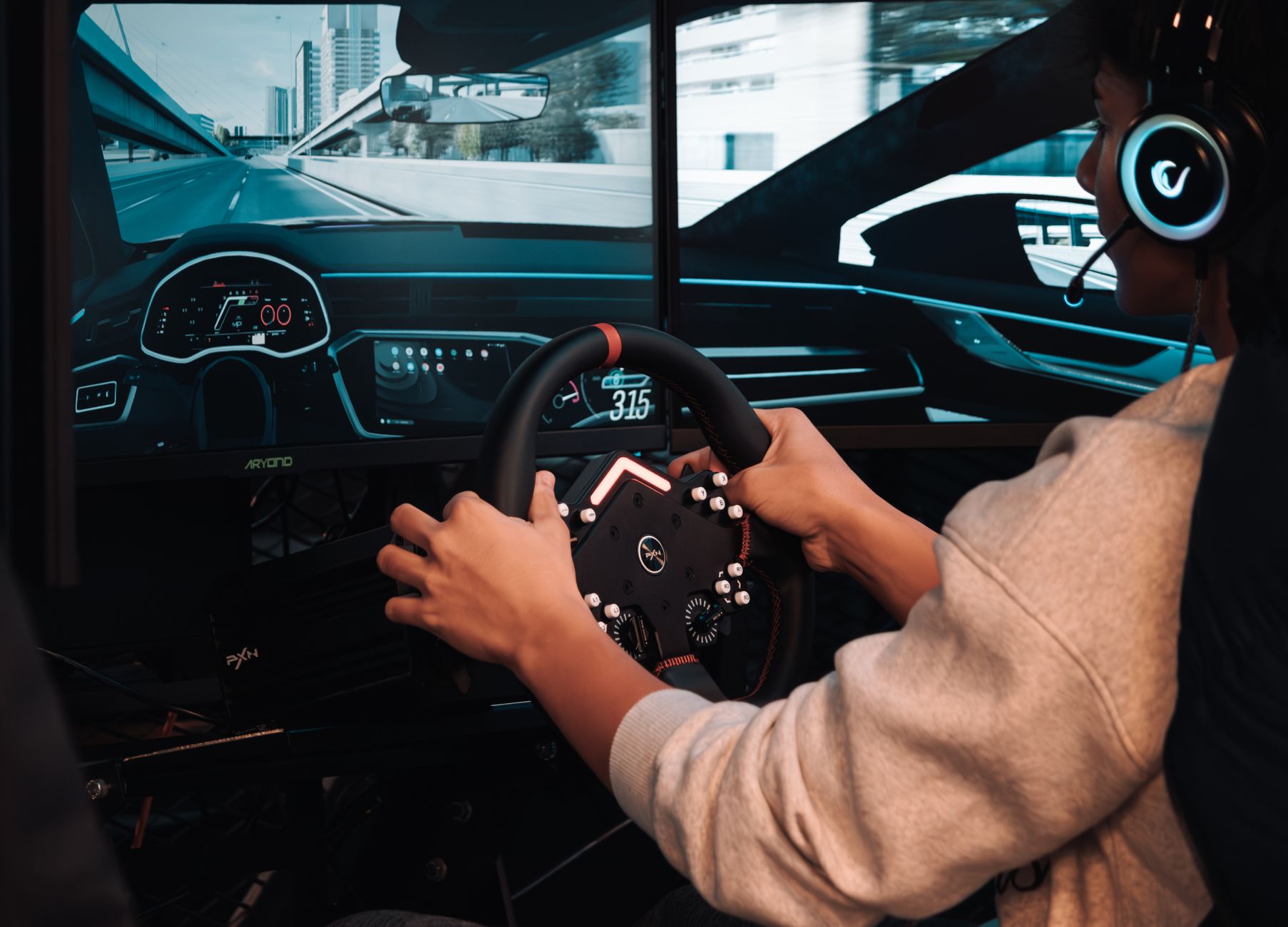
What is Ray Tracing in Gaming? Unlocking Visual Realism
ray tracing gaming

What is Ray Tracing in Gaming? Unlocking Visual Realism

Experience games like never before with cutting-edge lighting, reflections, and shadows.

Explore Ray Tracing

Key Takeaways

  • ✓ Ray tracing simulates light paths for hyper-realistic reflections, shadows, and global illumination.
  • ✓ It's a physically accurate rendering technique, mimicking how light behaves in the real world.
  • ✓ Requires powerful GPUs, primarily NVIDIA RTX and AMD Radeon RX 6000 series and newer.
  • ✓ Transforms game environments, adding depth, immersion, and visual fidelity previously impossible.

How It Works

1
Tracing Rays from the Camera

Instead of traditional rasterization which renders objects on screen, ray tracing starts by firing virtual light rays from the camera (your viewpoint) into the scene. These rays then interact with objects.

2
Light-Object Interaction

When a ray hits an object, it determines the object's properties (color, texture, reflectivity). Depending on these properties, new rays might be spawned, such as reflection rays or refraction rays.

3
Simulating Bounces and Sources

These new rays continue to bounce around the environment, interacting with other surfaces and light sources. This process accurately simulates how light would scatter, reflect, or refract in the real world, affecting shadows and overall illumination.

4
Compiling and Rendering the Scene

The information gathered from all these traced rays is then compiled to determine the final color and intensity of each pixel on your screen. This results in incredibly accurate and dynamic lighting effects, reflections, and shadows.

Understanding the Fundamentals of Real-Time Ray Tracing
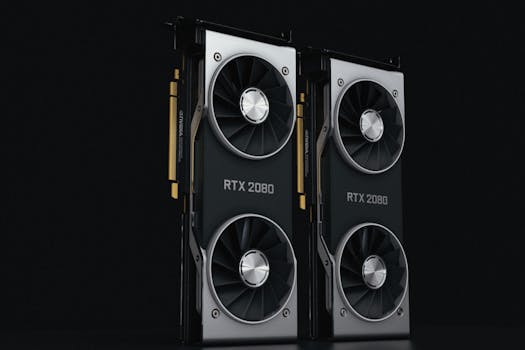
Close-up of two NVIDIA RTX 2080 graphics cards with dual fans, high-performance hardware. Photo: Nana Dua / Pexels
At its core, what is ray tracing in gaming? It's a rendering technique that simulates the physical behavior of light. Unlike traditional rasterization, which renders objects and then applies lighting effects, ray tracing works by tracing the path of light rays as they interact with virtual objects in a scene. Imagine a beam of light leaving a light source, bouncing off surfaces, being absorbed, reflected, or refracted, and eventually reaching your eye. Ray tracing attempts to replicate this complex physical process within a game engine, albeit in reverse, for efficiency. Instead of tracing every light ray from every source, it traces rays from the virtual camera (your viewpoint) into the scene. When a ray hits a surface, it then calculates how that surface reflects or refracts light, spawning secondary rays that seek out light sources or other reflective/refractive surfaces. This intricate calculation allows for unprecedented realism in reflections, shadows, and global illumination – the way light subtly bounces around an environment, illuminating areas not directly hit by a light source. The computational demands are immense, which is why real-time ray tracing in gaming has only become feasible with the advent of specialized hardware like NVIDIA's RTX cores and AMD's Ray Accelerators. These dedicated processing units are designed to accelerate the complex geometric calculations involved in ray-surface intersections and ray-bounding volume hierarchy traversals, making it possible to render these effects in milliseconds. Without this hardware, a single frame rendered with full ray tracing could take minutes or even hours, making it impractical for interactive gaming. The implementation of ray tracing isn't a one-size-fits-all solution; developers can choose to apply it to specific elements like reflections, shadows, or global illumination, or a combination thereof, balancing visual fidelity with performance. This flexibility allows for a tailored approach, ensuring that the most impactful visual improvements are prioritized, enhancing the overall immersion and visual spectacle of modern titles. The result is a gaming experience where light behaves as it would in the real world, adding depth, atmosphere, and believability to virtual environments, fundamentally changing how we perceive gaming graphics. This technology represents a significant leap forward from the approximations used in traditional rendering, offering a truly cinematic quality to interactive experiences.

The Transformative Impact on Gaming Graphics and Immersion

Detailed close-up of traditional Mahjong tiles lined up on a reflective surface. Photo: Mahmoud Yahyaoui / Pexels
The introduction of ray tracing has fundamentally transformed the landscape of gaming graphics, moving beyond static, pre-baked lighting and simplified reflection techniques. Its primary impact lies in delivering unparalleled visual realism. Before ray tracing, developers relied on a combination of techniques like screen space reflections (SSR), cubemaps, and baked lighting to simulate these effects. SSR, for instance, could only reflect what was already visible on screen, leading to incomplete or inaccurate reflections. Cubemaps offered static reflections of a scene from a specific point, often appearing flat or disconnected from dynamic changes. Baked lighting, while efficient, meant that light and shadow were static and couldn't react to dynamic events in the game world, such as a monster emerging from the shadows or a flashlight beam cutting through the darkness. Ray tracing obliterates these limitations. With ray-traced reflections, every surface, from a polished floor to a wet road, can accurately reflect its surroundings, including objects, characters, and dynamic light sources, even those off-screen. This creates a stunning sense of depth and interactivity. Ray-traced shadows are equally revolutionary; they are no longer just hard-edged blobs but possess accurate softness, transparency, and diffusion based on the light source's size, distance, and the objects they interact with. This realism extends to global illumination, where light doesn't just hit a surface and stop; it bounces, subtly illuminating adjacent areas and adding a naturalistic ambient light that dramatically enhances mood and atmosphere. Imagine a sunbeam filtering through a window, casting intricate shadows and then gently illuminating the far wall with a soft, diffused light – this is the power of ray-traced global illumination. This level of physical accuracy significantly boosts immersion. Players are no longer just looking at a game; they are stepping into a believable, dynamic world where light behaves as expected, enhancing storytelling and gameplay. The subtle nuances of light and shadow can reveal hidden details, create tension in horror games, or simply make a beautiful landscape feel more alive. The improved visual fidelity makes virtual worlds feel more tangible and responsive, blurring the lines between the digital and the real. This leap in graphical fidelity is not just about aesthetics; it's about creating more compelling and believable interactive experiences.

Hardware Requirements and Performance Considerations for Ray Tracing
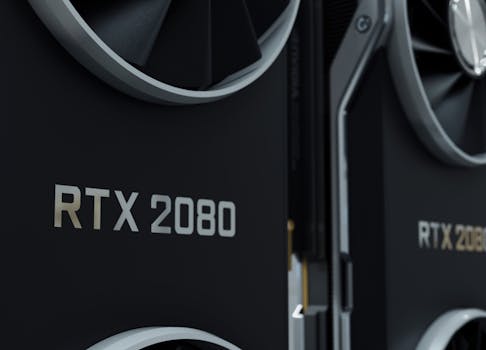
Close-up image of an RTX 2080 GPU, highlighting modern and sleek design. Photo: Nana Dua / Pexels
While the visual benefits of ray tracing are undeniable, its demanding nature means that specific hardware is required to experience it effectively. The primary components enabling real-time ray tracing in gaming are dedicated RT Cores (on NVIDIA GPUs) and Ray Accelerators (on AMD GPUs). These specialized hardware units are designed to rapidly process the complex calculations involved in ray-scene intersections, which are the backbone of ray tracing. Without these dedicated cores, a standard GPU would struggle immensely, leading to unplayable frame rates. Currently, NVIDIA's RTX series (starting from the RTX 20 series and continuing with 30 and 40 series) and AMD's Radeon RX 6000 series and newer are the primary contenders offering robust ray tracing capabilities. The performance you achieve will vary significantly based on your specific GPU model, the game's implementation of ray tracing, and your chosen resolution and graphical settings. Higher-end GPUs naturally offer a smoother experience with ray tracing enabled. However, even with dedicated hardware, enabling ray tracing often comes with a performance cost. Frame rates typically drop when ray tracing is active, sometimes significantly. To mitigate this performance hit, modern GPUs and game engines leverage upscaling technologies like NVIDIA's DLSS (Deep Learning Super Sampling) and AMD's FSR (FidelityFX Super Resolution). These technologies render the game at a lower internal resolution and then use AI or advanced algorithms to upscale it to your target resolution, often with surprisingly little loss in visual quality, thereby recouping many of the lost frames. DLSS, in particular, uses AI to reconstruct frames, often resulting in an image that looks as good as, or even better than, native resolution rendering while providing a substantial performance boost. When considering a gaming setup for ray tracing, it's crucial to balance your budget with your desired performance. A mid-range RTX 3060 or RX 6700 XT can offer a decent ray tracing experience at 1080p or 1440p with performance upscaling, while high-end cards like the RTX 4080 or RX 7900 XTX are needed for fluid 4K ray tracing. It's also important to remember that not all games implement ray tracing equally; some games use it subtly for shadows, while others go all out with reflections and global illumination, leading to varying performance impacts. Always check game benchmarks and optimize your settings for the best balance of visuals and frame rate. Ultimately, the future of gaming graphics is undeniably tied to advancements in ray tracing hardware and software optimization, making powerful GPUs a key investment for experiencing the cutting edge of visual fidelity.

Optimizing Your Ray Tracing Experience: Tips and Best Practices

To fully appreciate what is ray tracing in gaming without sacrificing too much performance, strategic optimization is key. It's not always about cranking every setting to 'Ultra' and expecting perfection; a nuanced approach can yield fantastic results. Here are some tips and best practices to get the most out of your ray-traced games: * **Prioritize Key Ray Tracing Effects:** Many games offer granular control over ray tracing settings (reflections, shadows, global illumination, ambient occlusion). If your GPU struggles with all of them, identify which effects are most impactful for you. Often, ray-traced global illumination and reflections provide the most noticeable visual uplift, while ray-traced shadows can sometimes be toned down without a huge fidelity loss. * **Leverage Upscaling Technologies (DLSS/FSR):** This is perhaps the single most important tip for maintaining high frame rates with ray tracing enabled. NVIDIA's DLSS (for RTX GPUs) and AMD's FSR (for various GPUs) render the game at a lower resolution and then intelligently upscale it. Experiment with different quality modes (Performance, Balanced, Quality) to find the sweet spot between visual clarity and frame rate. DLSS 3 Frame Generation, available on RTX 40 series cards, can further boost frame rates by generating entirely new frames using AI, significantly enhancing smoothness. * **Adjust Resolution and Refresh Rate:** If you're struggling to hit a stable frame rate, consider lowering your display resolution. Playing at 1440p with ray tracing and upscaling can often look better and perform much smoother than native 4K without these optimizations. Also, if your monitor has a high refresh rate, aim to maintain a frame rate that is a multiple or divisor of it (e.g., 60fps for a 120Hz monitor). * **Update Your Drivers Regularly:** GPU manufacturers constantly release driver updates that include performance optimizations and bug fixes for new games and technologies, including ray tracing. Keeping your graphics drivers up-to-date is crucial for optimal performance. * **Monitor Your Performance:** Use in-game FPS counters or tools like MSI Afterburner to monitor your frame rate, GPU utilization, and temperatures. This data will help you understand the impact of different settings changes and identify potential bottlenecks. * **Disable Unnecessary Background Apps:** Close any applications running in the background that might consume CPU or GPU resources, ensuring your system is fully dedicated to the game. * **Consider Your CPU:** While ray tracing is heavily GPU-bound, a weak CPU can still bottleneck your system, preventing your GPU from reaching its full potential. Ensure you have a reasonably modern and capable CPU to avoid this. By carefully adjusting these settings and utilizing modern upscaling technologies, you can enjoy the stunning visual fidelity of ray tracing without sacrificing a smooth and enjoyable gaming experience. It's all about finding the right balance for your specific hardware and preferences.

Comparison

FeatureRay TracingTraditional RasterizationBaked Lighting
Reflection AccuracyPhysically accurate, dynamicScreen-space limited, static cubemapsNone/Very basic
Shadow RealismDynamic, soft edges, accurate penumbrasHard edges, approximationsStatic, pre-calculated
Global IlluminationDynamic, realistic light bounceApproximated (SSAO, light probes)Pre-calculated, static
Computational CostHighModerateLow (runtime)
Hardware RequirementDedicated RT Cores/AcceleratorsStandard GPUStandard GPU
Dynamic Lighting

What Readers Say

"Understanding what is ray tracing in gaming completely transformed my perspective on game graphics. The reflections in Cyberpunk 2077 are mind-blowing, making the city feel incredibly alive and immersive."

Alex J. · Seattle, WA

"I was skeptical about the performance hit, but with DLSS, ray tracing in Control makes the environments pop like nothing else. It's a game-changer for visual fidelity."

Maria P. · Austin, TX

"The difference ray tracing makes to shadows and global illumination in Metro Exodus is incredible. It adds so much depth and atmosphere, achieving a realism that non-RT games can't match."

Ben S. · Orlando, FL

"While what is ray tracing in gaming definitely enhances visuals, I sometimes have to tweak settings to maintain my desired frame rate. It's not a 'set and forget' feature yet, but the results are worth it."

Chloe L. · Denver, CO

"For someone who appreciates graphical detail, ray tracing is a must-have. Even subtle reflections and improved lighting make a huge difference in games like Spider-Man: Miles Morales, truly elevating the experience."

David K. · Boston, MA

Frequently Asked Questions

What is ray tracing in gaming and how does it differ from traditional rendering?

Ray tracing is an advanced rendering technique that simulates the physical behavior of light, tracing individual light rays as they bounce around a scene. This differs from traditional rasterization, which renders objects first and then applies approximated lighting effects, leading to less realistic reflections, shadows, and global illumination. Ray tracing provides physically accurate light interactions for superior realism.

Does ray tracing significantly impact game performance?

Yes, enabling ray tracing can significantly impact game performance, often leading to lower frame rates due to its computationally intensive nature. However, modern GPUs with dedicated RT cores and upscaling technologies like DLSS or FSR help mitigate this by rendering at a lower resolution and intelligently reconstructing the image, allowing for a balance between visual quality and performance.

How do I enable ray tracing in my games?

To enable ray tracing, you first need a compatible GPU (NVIDIA RTX series or AMD Radeon RX 6000 series or newer) and a game that supports it. Once in a supported game, navigate to its graphics settings menu. You'll typically find an option to enable 'Ray Tracing' or specific ray-traced effects like 'RT Reflections' or 'RT Global Illumination'.

Is ray tracing worth the performance cost?

Whether ray tracing is worth the performance cost is subjective and depends on your hardware and priorities. For many, the enhanced realism in reflections, shadows, and global illumination provides a significantly more immersive and visually stunning experience. With upscaling technologies, the performance impact is often manageable, making it a worthwhile trade-off for those seeking cutting-edge graphics.

What's the difference between DLSS and FSR in the context of ray tracing?

DLSS (NVIDIA) and FSR (AMD) are both upscaling technologies designed to boost performance, especially with ray tracing. DLSS uses AI and NVIDIA's Tensor Cores to reconstruct frames from a lower resolution, often resulting in very high image quality. FSR is an open-source spatial upscaler that works on a broader range of GPUs, using advanced algorithms to reconstruct the image without requiring dedicated AI hardware, offering similar performance benefits but sometimes with slightly different visual characteristics.

Who should prioritize experiencing what is ray tracing in gaming?

Gamers who prioritize visual fidelity, immersion, and the most realistic graphical experiences should prioritize experiencing ray tracing. This includes enthusiasts with modern, powerful GPUs who enjoy seeing the cutting edge of game technology, and those who play games where environmental realism significantly enhances the gameplay or storytelling, such as atmospheric horror titles, open-world adventures, or visually stunning RPGs.

Are there any downsides or limitations to ray tracing technology?

The main limitations of ray tracing include its high computational demand, leading to significant performance drops if not optimized or paired with powerful hardware. It also requires dedicated hardware (RT cores/accelerators), making it inaccessible on older GPUs. Furthermore, its implementation can vary greatly between games, with some titles showing more impactful visual enhancements than others, and it sometimes introduces minor visual artifacts, especially with early or aggressive upscaling implementations.

What does the future hold for ray tracing in gaming?

The future of ray tracing in gaming is bright, with continuous advancements expected. We anticipate more widespread adoption across games, further hardware optimizations for better performance, and hybrid rendering approaches that combine ray tracing with traditional methods for efficiency. Full path tracing, an even more accurate and demanding form of ray tracing, is also on the horizon, promising even greater realism as hardware capabilities continue to evolve.

Now that you understand what is ray tracing in gaming and its profound impact, it's time to experience it for yourself. Upgrade your rig, dive into a ray-traced title, and witness the next generation of visual realism firsthand. The future of gaming graphics is here.

Topics: ray tracing gamingreal-time ray tracinggaming graphicsRTX technologyrealistic lighting
Leo List
Brampton weed
Adultwork EstrelaBet Vai de Bet R7 Bet Betão Galera Bet Rainbet Bet9ja Shop SportyBet BetKing Sisal Loto Foot Hollywoodbets YesPlay Odibets RushBet Jugabet BetWarrior BetCity MSport betPawa Fortebet