✓ 144Hz refresh rate offers significantly smoother visuals than 60Hz, crucial for competitive gaming.
✓ Budget 144Hz monitors often feature TN or VA panels, balancing performance and cost.
✓ Adaptive Sync (FreeSync/G-Sync Compatible) is vital for tear-free gaming, even on a budget.
✓ Screen size (24-27 inches) and resolution (1080p) are common sweet spots for budget 144Hz displays.
How It Works
1
Understand Your Gaming Needs
Identify the types of games you play most (fast-paced shooters, RPGs, etc.) and your current PC hardware capabilities. This helps narrow down suitable monitor specifications.
2
Prioritize Key Features
Focus on 144Hz refresh rate, low response time (1ms-5ms), and Adaptive Sync technology. Panel type (TN, VA, IPS) influences color and viewing angles, but performance comes first on a budget.
3
Set Your Budget & Research
Define your maximum spending limit for a monitor. Then, research models from reputable brands, checking reviews and comparing specifications against your prioritized features.
4
Check Connectivity & Ergonomics
Ensure the monitor has the right ports (DisplayPort is preferred for 144Hz) for your graphics card. Consider basic ergonomic adjustments like tilt for comfortable long-term use.
Why 144Hz is a Game-Changer for Budget Gamers
Photo: Edgar Almeida / Pexels
For years, high refresh rate monitors were a luxury, a premium feature reserved for elite gamers with deep pockets. Today, the landscape has shifted dramatically, making the best budget gaming monitor 144Hz an achievable reality for almost everyone. But why is 144Hz such a crucial upgrade, especially when you're watching your spending? The answer lies in the fundamental way your monitor displays information. A standard 60Hz monitor refreshes its image 60 times per second. While perfectly adequate for general computing and casual gaming, it introduces a noticeable lag and choppiness, particularly in fast-paced competitive titles. Every frame counts when you're engaged in a frantic firefight or a high-speed race, and a 60Hz display simply can't keep up with the rapid visual information your graphics card is producing.
Enter 144Hz. This refresh rate means your monitor updates its image 144 times per second, more than double that of a 60Hz panel. The immediate and most striking benefit is an incredibly smooth, fluid visual experience. Movements appear more natural, aiming feels more precise, and overall responsiveness is dramatically improved. This isn't just about aesthetics; it's a tangible competitive advantage. In games like first-person shooters, where split-second reactions are vital, a 144Hz monitor allows you to see enemy movements earlier and react faster. You'll notice less motion blur, making it easier to track targets and maintain situational awareness. The difference is so pronounced that many gamers consider it a more impactful upgrade than even a CPU or GPU bump, provided your current system can push frame rates consistently above 60 FPS.
Beyond competitive play, the enhanced smoothness of a 144Hz monitor also contributes to a more immersive and less fatiguing gaming session. Staring at a choppy, stuttering image for hours can strain your eyes and detract from the enjoyment. A 144Hz display, even a budget one, significantly reduces this visual fatigue, allowing you to play longer and more comfortably. It's not just for hardcore gamers; anyone who appreciates a fluid visual experience will benefit. The good news is that manufacturers have responded to demand, bringing down the cost of these high-performance panels to an unprecedented degree. Finding a reliable, feature-rich 144Hz monitor that fits a tight budget is no longer a pipe dream; it's a realistic goal. This article will guide you through the process of selecting the best budget gaming monitor 144Hz, ensuring you get the most bang for your buck without compromising on the core gaming experience.
Essential Features to Look for in an Affordable 144Hz Monitor
Photo: Yan Krukau / Pexels
When you're hunting for the best budget gaming monitor 144Hz, it's easy to get overwhelmed by the sheer volume of specifications and acronyms. To make an informed decision and ensure you're getting genuine value, focus on these core features. First and foremost, the 144Hz refresh rate is non-negotiable. This is the cornerstone of your budget gaming monitor, delivering the buttery-smooth visuals we discussed. Ensure that the monitor explicitly states 144Hz (or higher) and that your graphics card has the necessary DisplayPort 1.2+ or HDMI 2.0+ output to support it at your desired resolution.
Next, consider response time. This refers to how quickly pixels can change color. For gaming, a lower response time is always better, typically 1ms or 5ms GtG (Gray-to-Gray). While 1ms is often marketed as the gold standard, a 5ms GtG response time is perfectly acceptable for most budget gamers and will still provide a crisp, clear image with minimal ghosting in fast-paced games. Be wary of marketing terms like 'MPRT' (Moving Picture Response Time) as they measure something different and can be misleading compared to GtG ratings. A low response time paired with 144Hz ensures that you see sharp images without blurring, even during rapid camera movements.
Adaptive Sync technology, such as AMD FreeSync or NVIDIA G-Sync Compatible, is another critical feature. This technology synchronizes your monitor's refresh rate with your graphics card's frame rate, eliminating screen tearing and stuttering. Screen tearing occurs when your GPU renders frames faster or slower than your monitor's refresh rate, resulting in a horizontally split image. Adaptive Sync solves this, providing a consistently smooth visual experience regardless of minor frame rate fluctuations. Most budget 144Hz monitors come with FreeSync, which is compatible with both AMD and (often) NVIDIA GPUs (look for 'G-Sync Compatible' certification or user reports for NVIDIA cards). This technology is a massive quality-of-life improvement that vastly enhances the gaming experience, making it a must-have for any budget-conscious gamer.
Finally, think about panel type. The most common panel types you'll encounter in the budget 144Hz space are TN (Twisted Nematic), VA (Vertical Alignment), and increasingly, IPS (In-Plane Switching). TN panels are known for their extremely fast response times and low cost, but suffer from poor viewing angles and less vibrant colors. VA panels offer better contrast and deeper blacks than TN, with decent response times, but can sometimes exhibit 'black smearing' in dark scenes. IPS panels boast the best color accuracy and viewing angles but traditionally have higher response times and price tags. For a budget 144Hz monitor, a fast TN or a good VA panel often strikes the best balance of performance and cost. However, keep an eye out for budget IPS options, as their prices are becoming more competitive, offering a superior visual experience without a huge premium. Prioritizing these features will help you navigate the market and pinpoint the best budget gaming monitor 144Hz that truly meets your needs without unnecessary frills.
Optimizing Your Budget 144Hz Setup: Tips for Performance & Value
Photo: Minh Phuc / Pexels
Acquiring the best budget gaming monitor 144Hz is a fantastic first step, but truly optimizing your setup involves more than just plugging it in. To unlock its full potential and maximize your value, consider these crucial tips. Firstly, ensure you're using the correct cable. For 144Hz at 1080p or 1440p, you'll almost certainly need a DisplayPort 1.2 (or newer) cable. While some HDMI 2.0 ports can support 144Hz, DisplayPort is generally more reliable and is required for NVIDIA's G-Sync Compatible features. Using an older HDMI cable might limit you to 60Hz or 120Hz, negating the primary benefit of your new monitor. Always check your monitor's manual and your graphics card's specifications to confirm the optimal connection method.
Secondly, don't forget to enable 144Hz in your operating system settings. Many users plug in their new monitor and assume it's automatically running at its highest refresh rate, only to be disappointed. In Windows, right-click on your desktop, go to 'Display settings,' then 'Advanced display settings,' and finally 'Display adapter properties.' Under the 'Monitor' tab, you'll find a dropdown menu for 'Screen refresh rate.' Select 144Hz there. For NVIDIA users, you can also set this in the NVIDIA Control Panel under 'Change resolution,' ensuring you select the PC resolution option rather than the HD, SD, or Stereo options for proper refresh rate selection. AMD users can do similar within the Radeon Software. This simple step is often overlooked but is absolutely essential for experiencing the full benefit of your new high refresh rate monitor.
Third, calibrate your monitor for the best visual experience. Out of the box, budget monitors often have sub-optimal settings for brightness, contrast, and color temperature. While a professional calibration tool is ideal, you can significantly improve image quality using online calibration guides or your graphics card's control panel. Adjust brightness to a comfortable level, ensure contrast reveals details in both shadows and highlights, and fine-tune color temperature (often called 'gamma' or 'color vibrance') to suit your preferences. A well-calibrated budget monitor can often rival the visual quality of more expensive displays. Remember, gaming isn't just about frame rates; it's also about immersion, and accurate colors contribute immensely to that.
Finally, pair your budget 144Hz monitor with a capable graphics card. While you don't need a top-tier GPU to enjoy 144Hz, your system must be able to consistently push frame rates above 100 FPS in the games you play to truly leverage the monitor's capabilities. If your GPU struggles to hit even 60 FPS, a 144Hz monitor won't magically make your games smoother; it will merely display the low frame rates more frequently. Consider this synergy when making your purchasing decision. If your GPU is older, you might prioritize a 1080p 144Hz monitor over a 1440p one to ensure you can hit those high frame rates. This holistic approach ensures that your best budget gaming monitor 144Hz isn't just a component, but a central pillar of an optimized and enjoyable gaming setup.
Common Pitfalls to Avoid When Buying a Budget 144Hz Monitor
Navigating the budget gaming monitor market can feel like a minefield. While the promise of a cheap 144Hz display is enticing, there are several common pitfalls that buyers often fall into. Being aware of these can save you money, frustration, and ensure you truly get the best budget gaming monitor 144Hz for your needs.
**Mistake 1: Prioritizing Resolution Over Refresh Rate (or vice-versa).** Some budget options might offer 1440p or even 4K resolutions at a low price, but often at the cost of refresh rate (e.g., 60Hz). Conversely, some might offer 144Hz but with a very small screen size or poor panel quality. For competitive gaming, 144Hz at 1080p is generally the sweet spot for budget setups, as it's easier for your GPU to drive high frame rates. Don't sacrifice the core benefit of 144Hz for a resolution your GPU can't handle at high frame rates, or for a resolution that makes text too small on a small screen.
**Mistake 2: Ignoring Panel Type and Response Time Details.** As discussed, TN, VA, and IPS all have their pros and cons. A super cheap 144Hz monitor might use a very poor-quality TN panel with terrible viewing angles and color reproduction, making the overall experience less enjoyable despite the high refresh rate. Similarly, be wary of ambiguous response time claims (e.g., '1ms MPRT' vs. '1ms GtG'). Always look for GtG response times for a truer measure of pixel speed.
**Mistake 3: Overlooking Connectivity Options.** Ensure the monitor has the necessary ports for your graphics card (DisplayPort is key for 144Hz). Some older or extremely budget monitors might only have HDMI 1.4, which limits 144Hz to lower resolutions or chroma subsampling, degrading image quality. Always double-check port types and versions.
**Mistake 4: Neglecting Adaptive Sync Compatibility.** While most budget 144Hz monitors include FreeSync, not all are officially 'G-Sync Compatible' by NVIDIA. If you have an NVIDIA GPU, research if the specific FreeSync monitor you're considering works well with G-Sync. Many do, but some can exhibit flickering or other issues. Checking user reviews or specific compatibility lists can save you a headache.
**Mistake 5: Forgetting Ergonomics and Build Quality.** A budget monitor might save you money upfront, but if it has a flimsy stand with no adjustability beyond tilt, or cheap plastics, it can impact your long-term comfort and satisfaction. While full adjustability (height, swivel, pivot) might be rare at the very lowest price points, even basic tilt is important. Consider if you'll need a VESA mount for an aftermarket arm if the included stand is inadequate.
By being mindful of these common mistakes, you can make a more informed decision and ensure your best budget gaming monitor 144Hz truly enhances your gaming experience without any hidden compromises. Smart shopping means looking beyond the headline refresh rate and considering the complete package.
Comparison
Feature
Best Budget Option
Mid-Range Value
Premium Pick
Refresh Rate
144Hz
144-165Hz
144-240Hz+
Resolution
1080p
1080p/1440p
1440p/4K
Panel Type (Typical)
TN/VA
VA/IPS
Fast IPS
Response Time (GtG)
1ms-5ms
1ms-4ms
1ms
Adaptive Sync
FreeSync (G-Sync Compatible)
FreeSync Premium/Pro (G-Sync Compatible)
Native G-Sync/FreeSync Premium Pro
Connectivity
DP 1.2, HDMI 2.0
DP 1.4, HDMI 2.0
DP 1.4, HDMI 2.1, USB Hub
Ergonomics
Tilt Only
Tilt, Height Adjust
Full Adjustability
Price Range (USD)
$150-$250
$250-$400
$400+
What Readers Say
★★★★★
"I was skeptical about finding a good 144Hz monitor under $200, but this budget gaming monitor 144Hz completely blew me away. The smoothness in Valorant is incredible, and I've genuinely seen an improvement in my K/D ratio. Colors are decent, and it was super easy to set up."
Alex P. · Austin, TX
★★★★★
"As a casual gamer stepping into competitive play, this monitor was a revelation. The transition from 60Hz to 144Hz on this budget gaming monitor 144Hz is night and day. No tearing thanks to FreeSync, and it feels much more responsive without costing a fortune. Highly recommend for anyone on a budget."
Sarah J. · Orlando, FL
★★★★★
"This budget gaming monitor 144Hz transformed my setup. My old monitor felt sluggish, but now games like Apex Legends feel incredibly fluid. I even managed to hit Diamond rank after upgrading, which I attribute partly to the visual clarity and faster reaction times this monitor provides."
Mike R. · Seattle, WA
★★★★★
"While the stand is a bit basic, the performance of this budget gaming monitor 144Hz is exceptional for the price. The 144Hz refresh rate works flawlessly, and I haven't noticed any ghosting. For someone like me who mostly plays competitive titles and wants to save money, it's a solid choice."
Emily C. · Denver, CO
★★★★★
"I use this budget gaming monitor 144Hz for both gaming and light video editing. While it's not a professional-grade panel for color accuracy, the high refresh rate makes scrolling and general PC use feel so much snappier. It's a great all-around monitor for a tight budget."
David L. · Chicago, IL
Frequently Asked Questions
What is the most important feature for a budget gaming monitor 144Hz?
The most important feature is undoubtedly the 144Hz refresh rate itself, as it provides the core benefit of smooth gameplay. Closely following are low response time (1ms-5ms GtG) and Adaptive Sync technology (FreeSync/G-Sync Compatible) to eliminate tearing and stuttering. These three elements combined deliver a superior gaming experience without a high price tag.
Will a budget 144Hz monitor work with my current graphics card?
Most modern graphics cards from AMD (RX 400 series and newer) and NVIDIA (GTX 10 series and newer) support 144Hz refresh rates. Ensure your card has a DisplayPort 1.2+ or HDMI 2.0+ output. Your PC needs to be able to push frame rates consistently above 100 FPS in games to fully utilize the 144Hz refresh rate.
How do I enable 144Hz on my new budget gaming monitor?
After connecting your monitor with a DisplayPort or HDMI 2.0+ cable, you must manually enable 144Hz in your operating system. In Windows, right-click desktop > Display settings > Advanced display settings > Display adapter properties > Monitor tab > Screen refresh rate dropdown. Select 144Hz and apply.
Is a 1080p 144Hz monitor still good value in 2024?
Absolutely. For budget-conscious gamers, a 1080p 144Hz monitor offers incredible value. It's significantly easier for mid-range graphics cards to achieve high frame rates at 1080p, allowing you to fully enjoy the 144Hz smoothness. It remains a fantastic entry point into high refresh rate gaming and a competitive advantage.
What's the difference between TN, VA, and IPS panels for a budget 144Hz monitor?
TN panels are the cheapest and fastest, great for competitive play but have poor viewing angles and color. VA panels offer better contrast and deeper blacks, with decent speed, but can have 'black smearing.' IPS panels have the best colors and viewing angles but are typically more expensive and historically slower, though fast budget IPS options are emerging.
Who should buy a budget gaming monitor 144Hz?
Anyone looking to significantly upgrade their gaming experience from a standard 60Hz monitor without spending a fortune should consider a budget 144Hz monitor. It's ideal for competitive gamers, esports enthusiasts, or even casual players who simply want a smoother, more responsive visual experience in their favorite titles.
Are there any risks with buying a cheap 144Hz monitor?
The main risks include potential for poor build quality, limited ergonomic adjustments, and less vibrant color reproduction compared to premium models. Some very cheap monitors might also have less effective Adaptive Sync implementations or higher input lag. Always check reputable reviews before purchasing to mitigate these risks.
What's the future trend for affordable high refresh rate monitors?
The trend is towards even faster refresh rates (165Hz, 180Hz, 240Hz) becoming more common at lower price points, along with better panel technology (especially IPS) and improved Adaptive Sync performance. We'll likely see more budget monitors offering higher resolutions (1440p) combined with 144Hz+ refresh rates as GPU technology advances.
Ready to elevate your gaming without emptying your wallet? The best budget gaming monitor 144Hz is within reach. Explore our top recommendations and expert insights to find the perfect display that delivers smooth, responsive gameplay and gives you the competitive edge you deserve.
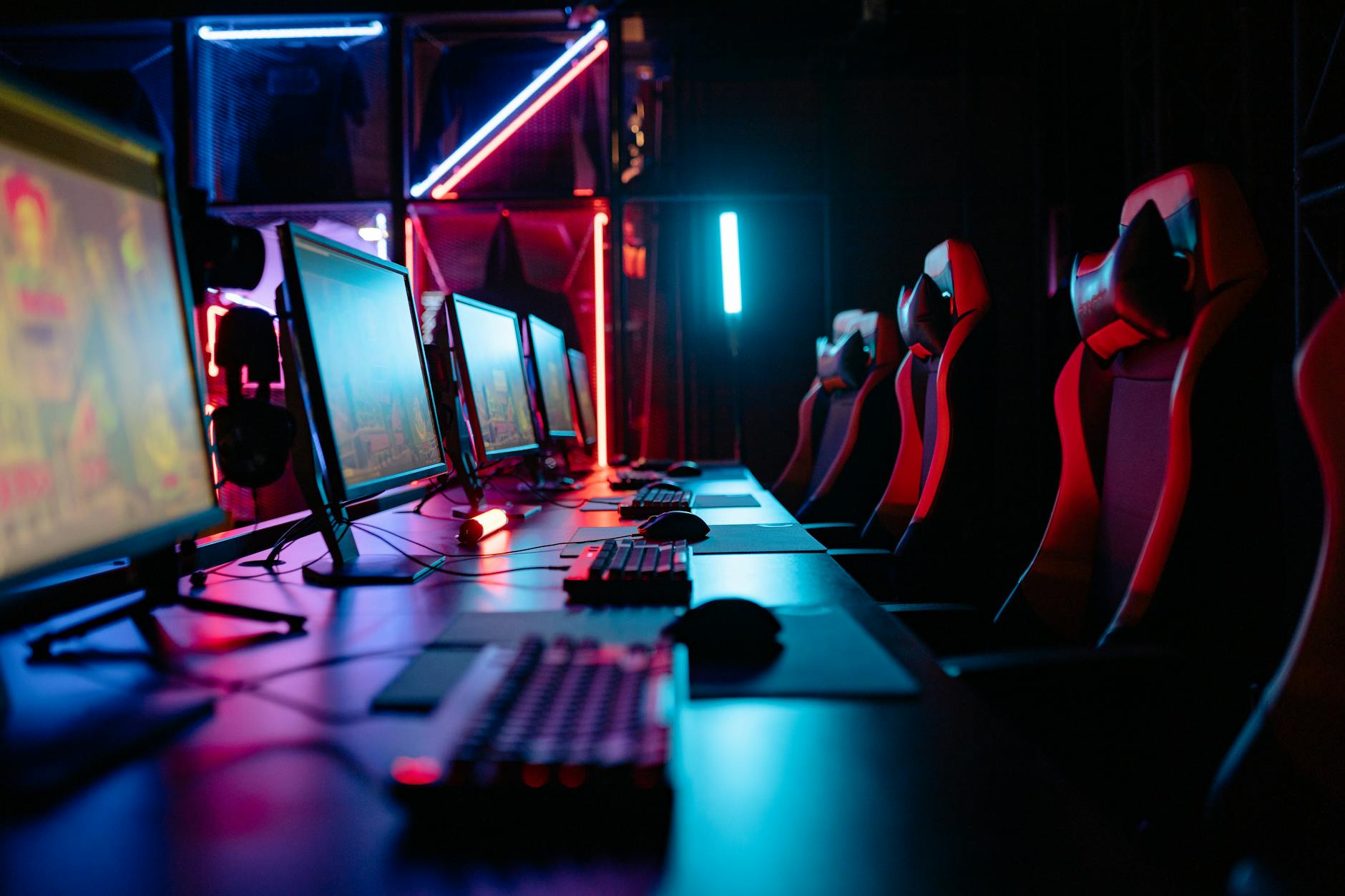
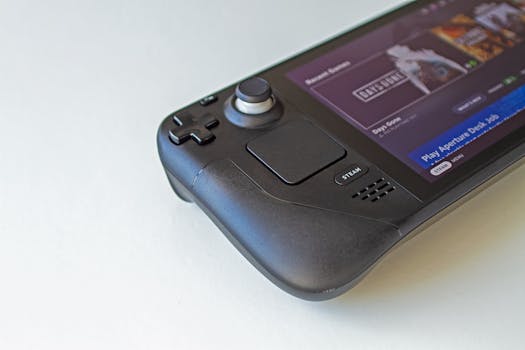 Photo: Edgar Almeida / Pexels
 Photo: Yan Krukau / Pexels
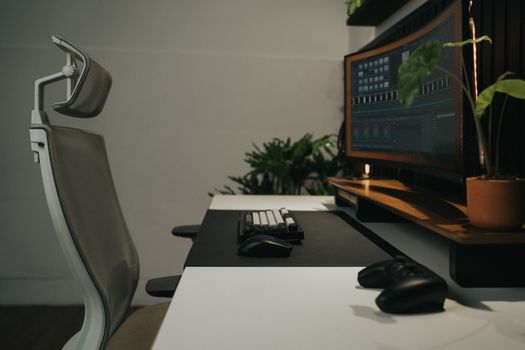 Photo: Minh Phuc / Pexels