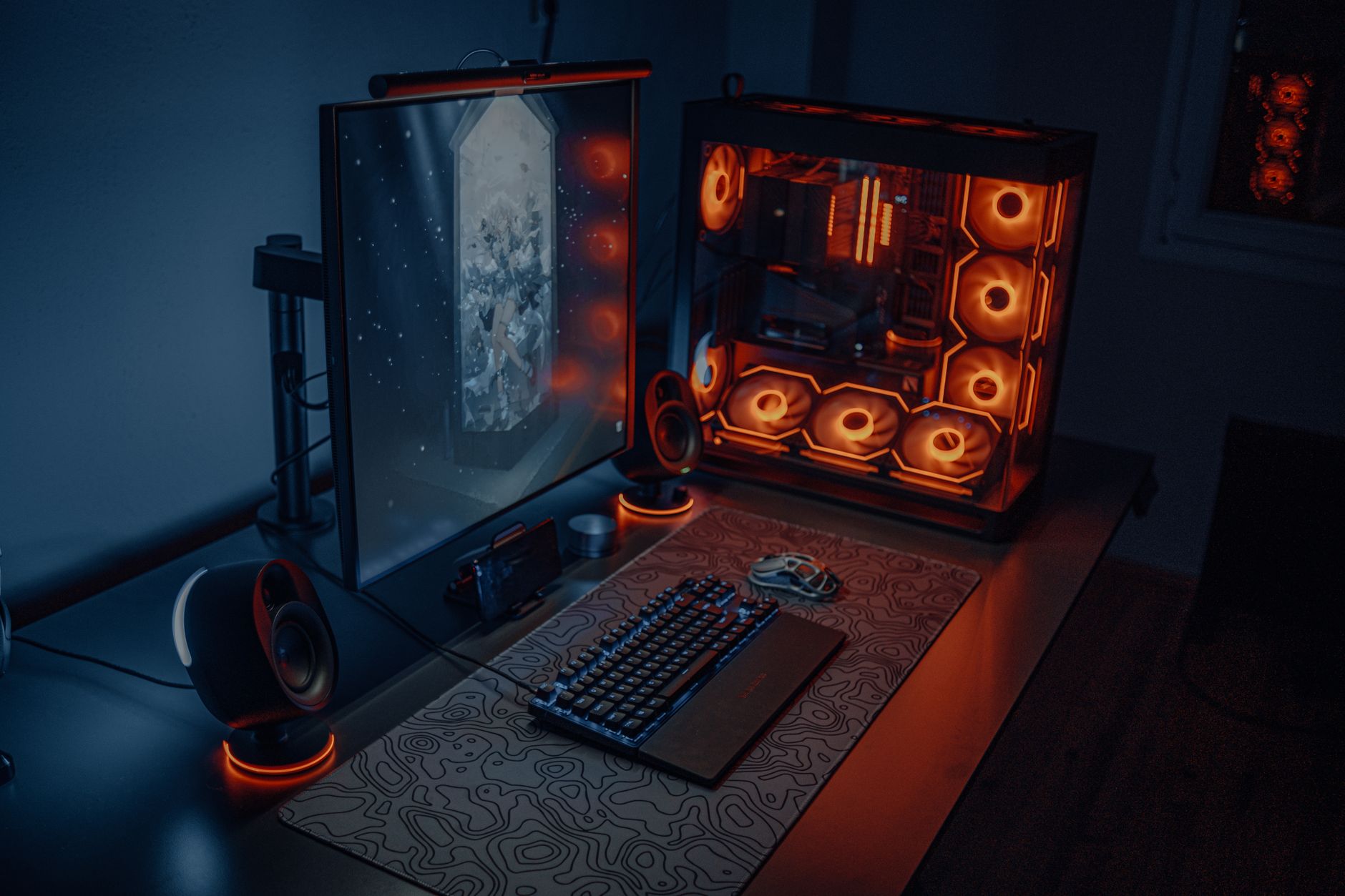
Best Budget Gaming Monitors 144Hz: Elevate Your Play!
best budget gaming monitors 144hz

Best Budget Gaming Monitors 144Hz: Elevate Your Play!

Experience fluid gameplay and competitive advantage without overspending on your next gaming monitor.

Find Your Perfect Monitor

Key Takeaways

  • ✓ 144Hz refresh rate significantly reduces motion blur and input lag compared to 60Hz.
  • ✓ Many budget 144Hz monitors now offer excellent image quality and adaptive sync technologies.
  • ✓ Panel type (TN, VA, IPS) impacts color accuracy, viewing angles, and response times.
  • ✓ Response time (1ms MPRT/GtG) is crucial for competitive gaming, minimizing ghosting.

How It Works

1
Identify Your Gaming Needs

Consider the types of games you play (fast-paced FPS vs. story-driven RPGs) and your current graphics card capabilities. This helps narrow down essential features.

2
Set Your Budget Sweet Spot

Determine how much you're willing to spend, keeping in mind that 'budget' can still offer incredible value. Prioritize features that matter most within your price range.

3
Compare Key Specifications

Look at refresh rate (144Hz), response time (1ms is ideal), panel type, resolution (1080p for budget), and adaptive sync (FreeSync/G-Sync Compatible). These are critical for performance.

4
Read Reviews and User Feedback

Consult expert reviews and real-world user experiences for insights into build quality, potential issues, and overall satisfaction. This validates your choices before purchase.

Unlocking Superior Gameplay: Why 144Hz Matters for Gamers

Group of gamers immersed in competitive esports at a cyber arena with neon lighting. Photo: Yan Krukau / Pexels
In the fast-paced world of competitive gaming, every millisecond counts. While a powerful graphics card and processor lay the foundation, the monitor is your window into that digital arena. For too long, gamers often settled for standard 60Hz displays, unaware of the profound difference a higher refresh rate could make. Enter the 144Hz monitor – a game-changer that has steadily become the gold standard for enthusiasts and competitive players alike. But what exactly does 144Hz mean for your gameplay, and why is it now more accessible than ever, even for those on a budget? At its core, a monitor's refresh rate dictates how many times per second the screen can draw a new image. A 60Hz monitor refreshes 60 times per second, while a 144Hz monitor refreshes 144 times per second. This nearly 2.5x increase in refresh cycles translates directly into a smoother, more fluid visual experience. Imagine tracking a rapidly moving enemy in an FPS game; on a 60Hz monitor, their movement might appear as a series of slightly disjointed frames. On a 144Hz display, that same movement becomes a continuous, buttery-smooth blur, making it significantly easier to track, aim, and react. This reduction in motion blur isn't just about aesthetics; it provides a tangible competitive advantage. You'll perceive enemy movements faster, allowing for quicker reaction times and more precise targeting. This is particularly crucial in genres like first-person shooters, fighting games, and racing simulations where split-second decisions dictate victory or defeat. Beyond raw smoothness, 144Hz monitors also drastically reduce input lag. Input lag is the delay between your action (like clicking your mouse) and that action being reflected on screen. While a monitor's response time (often 1ms) addresses pixel transition speed, the refresh rate contributes to the overall system responsiveness. A higher refresh rate means the monitor is ready to display new information more frequently, minimizing the perceived delay. This translates to a more direct and connected feel with your game, making your movements and actions feel incredibly responsive. Furthermore, many 144Hz monitors come equipped with adaptive sync technologies like AMD FreeSync and NVIDIA G-Sync Compatible. These technologies synchronize the monitor's refresh rate with your graphics card's frame rate, eliminating screen tearing and stuttering. Tearing occurs when the GPU sends a new frame before the monitor has finished displaying the previous one, resulting in a horizontally split image. Stuttering happens when the frame rate drops below the refresh rate. Adaptive sync ensures a seamless, tear-free, and stutter-free gaming experience, regardless of frame rate fluctuations. This combination of high refresh rate, low input lag, and adaptive sync creates an incredibly immersive and responsive gaming environment, making 144Hz an indispensable feature for any serious gamer. The best part? This premium experience is no longer exclusive to high-end setups; the market for budget gaming monitors has blossomed, making 144Hz performance incredibly affordable.

Navigating the Market: What to Look for in Budget 144Hz Monitors
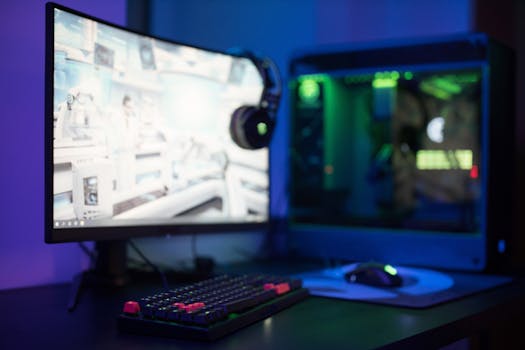
High-tech gaming setup featuring a curved monitor, RGB keyboard, and vibrant lighting. Photo: Ron Lach / Pexels
Finding the best budget gaming monitors 144Hz requires a discerning eye, as not all displays are created equal, even within the same price bracket. While the 144Hz refresh rate is a non-negotiable, several other specifications and features significantly impact your gaming experience and overall value. Understanding these will empower you to make an informed decision. First and foremost, consider the panel type: TN (Twisted Nematic), VA (Vertical Alignment), and IPS (In-Plane Switching). TN panels were traditionally the go-to for budget gaming due to their incredibly fast response times (often 1ms GtG – Grey-to-Grey). However, they typically suffer from poor viewing angles and less vibrant color reproduction. VA panels offer a good compromise, boasting excellent contrast ratios and deeper blacks, which are fantastic for immersive single-player games, though their response times can sometimes be slightly slower than TN. IPS panels, once considered premium, are now increasingly common in the budget segment. They provide the best color accuracy and widest viewing angles, making them ideal for content creation or enjoying visually rich games. While early IPS panels had slower response times, modern IPS gaming monitors often achieve 1ms MPRT (Moving Picture Response Time) or GtG, making them highly competitive. Next, pay close attention to response time. While 1ms GtG is the gold standard for competitive play, 4ms GtG is still perfectly acceptable for most gamers. Be wary of marketing terms like '1ms MPRT' as MPRT (Moving Picture Response Time) is a measure of motion blur, not pixel transition speed. While valuable for perceived smoothness, GtG is a better indicator of actual pixel switching speed. For budget monitors, ensure it explicitly states 1ms GtG if competitive gaming is your priority. Resolution is another critical factor. For budget 144Hz monitors, 1080p (Full HD) is the sweet spot. Driving 144 frames per second at 1440p or 4K requires significantly more powerful and expensive graphics hardware, which would defeat the purpose of a 'budget' setup. 1080p at 144Hz provides a fantastic balance of visual fidelity and high frame rates that even mid-range GPUs can achieve. Look for monitors with good brightness (typically 250-350 nits) and a decent contrast ratio (1000:1 for IPS/TN, 3000:1+ for VA) for vibrant images. Finally, don't overlook connectivity and ergonomic features. Ensure the monitor has the necessary ports (DisplayPort is essential for 144Hz, HDMI 2.0 can also support it) to connect to your PC. While budget monitors might skimp on extensive ergonomic adjustments, look for at least tilt functionality. A VESA mount compatibility is a bonus if you plan to use a monitor arm. By carefully evaluating these aspects, you can pinpoint the best budget gaming monitors 144Hz that deliver outstanding performance without emptying your wallet.

Top Contenders: Best Budget 144Hz Gaming Monitors for Every Gamer

Young woman gaming at a PC high-tech setup, wearing headphones. Photo: Matheus Bertelli / Pexels
The market for budget 144Hz gaming monitors is fiercely competitive, with manufacturers constantly pushing the boundaries of performance and affordability. This means more choices for you, but also the challenge of sifting through numerous options. We've identified some top contenders that consistently deliver excellent value, covering various panel types and feature sets to suit different preferences. These models represent the best budget gaming monitors 144hz available today, offering a blend of speed, visual quality, and reliable performance. For those prioritizing raw speed and competitive edge, monitors featuring TN panels often remain a strong choice. While their color reproduction might not be as vibrant as IPS or VA, their near-instantaneous 1ms GtG response times make them ideal for fast-twitch games where every millisecond counts. Models like the Acer XFA240 or AOC G2490VX often fall into this category, providing reliable 144Hz performance with minimal ghosting. They are typically among the most affordable options, making them a fantastic entry point for budget-conscious gamers looking to experience high refresh rates. The trade-off, as mentioned, is usually in viewing angles and color depth, but for a dedicated gaming setup where you're seated directly in front of the screen, these limitations are often negligible. If immersive visuals and wider viewing angles are more important to you, but you still demand competitive performance, IPS panel monitors have become incredibly accessible. Brands like AOC, ASUS (TUF Gaming series), and LG have introduced excellent IPS 144Hz options that boast vibrant colors, crisp images, and surprisingly fast response times (often 1ms MPRT or 4ms GtG, with some achieving 1ms GtG). The AOC 24G2 or LG 24GN650-B are prime examples, offering a more premium visual experience without a premium price tag. These monitors are perfect for gamers who enjoy a mix of competitive shooters and visually rich single-player adventures, or those who occasionally use their monitor for general productivity or media consumption. The improved color accuracy makes games like Cyberpunk 2077 or Red Dead Redemption 2 truly pop, enhancing the overall immersion. For gamers who crave deep blacks and exceptional contrast, especially for atmospheric games or movies, VA panel monitors are the way to go. Curving VA panels are also quite common in this segment, offering an even more enveloping experience. Monitors such as the Samsung Odyssey G3 or MSI Optix G24C series excel here, providing rich contrast that makes dark scenes incredibly detailed and bright highlights stand out. While some VA panels can exhibit slightly slower response times or 'black smearing' in very specific scenarios, modern implementations have largely mitigated these issues, making them excellent all-rounders. Their high native contrast ratios are often several times higher than IPS or TN panels, delivering a visual punch that's hard to beat for cinematic gaming. Many also come with adaptive sync technology, ensuring smooth, tear-free gameplay across all panel types. When selecting from these best budget gaming monitors 144hz, consider your primary gaming genres and prioritize the panel type that aligns best with your visual and performance needs. Finding the right gaming monitor is a personal journey, and these options offer a great starting point.

Maximizing Your Monitor: Tips, Settings, and Common Mistakes to Avoid
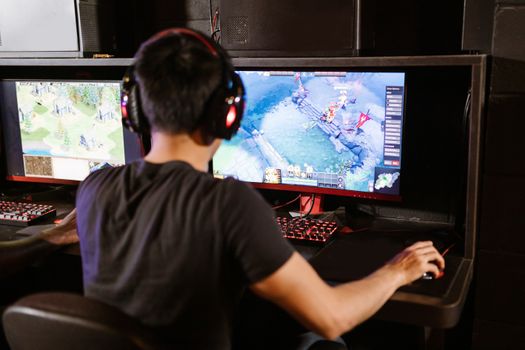
Adult male gamer immersed in PC gaming on dual monitors with headphones indoors. Photo: RDNE Stock project / Pexels
Acquiring one of the best budget gaming monitors 144Hz is just the first step; optimizing its performance and avoiding common pitfalls will ensure you get the absolute most out of your investment. Even the best hardware can underperform if not configured correctly. **Tips for Maximizing Performance:** * **Use the Right Cable:** Always use a DisplayPort cable (or HDMI 2.0/2.1 if your monitor and GPU support it) to connect your monitor to your graphics card. Older HDMI versions (1.4) or DVI may not support 144Hz at 1080p resolution. Ensure the cable is high-quality to prevent signal degradation. * **Enable 144Hz in OS Settings:** After connecting, your monitor might default to 60Hz. Go to your operating system's display settings (Windows: Right-click desktop > Display settings > Advanced display settings > Display adapter properties for Display 1 > Monitor tab > Screen refresh rate) and select 144Hz. * **Activate Adaptive Sync:** If your monitor supports FreeSync (AMD) or G-Sync Compatible (NVIDIA), enable it in your monitor's OSD (On-Screen Display) menu first, then activate it in your graphics card control panel (AMD Radeon Software or NVIDIA Control Panel). This eliminates screen tearing. * **Calibrate Colors (If Needed):** While budget monitors aren't color-accurate out of the box, you can often improve them. Use Windows' built-in color calibration tool or look for community-shared ICC profiles specific to your monitor model. Even minor adjustments can make a big visual difference. * **Adjust Response Time/Overdrive:** Most gaming monitors have an 'Overdrive' or 'Response Time' setting in their OSD. Experiment with different levels. Too low, and you'll see ghosting; too high, and you might experience 'inverse ghosting' or 'overshoot' (a faint trail of pixels ahead of moving objects). Find the sweet spot that minimizes both. **Common Mistakes to Avoid:** * **Not Checking Refresh Rate in OS:** This is the most common mistake. Many users connect a 144Hz monitor but never actually enable the higher refresh rate in their operating system, leaving them stuck at 60Hz and wondering why their new monitor doesn't feel faster. * **Using the Wrong Port/Cable:** As mentioned, using an outdated HDMI cable or a non-DisplayPort connection can cap your refresh rate at 60Hz or 120Hz, preventing you from reaching the full 144Hz. * **Ignoring Adaptive Sync:** If your monitor and GPU support FreeSync or G-Sync Compatible, not enabling it means you're missing out on tear-free and stutter-free gameplay, which is a significant quality-of-life improvement. * **Overlooking Monitor OSD Settings:** Beyond refresh rate, your monitor's OSD has crucial settings like brightness, contrast, color temperature, and overdrive. Not exploring and optimizing these can lead to a less than ideal visual experience. * **Expecting High-End Features from Budget Models:** While budget 144Hz monitors offer incredible value, don't expect premium features like HDR certification, advanced ergonomic stands, or perfect factory calibration. Manage your expectations to avoid disappointment. By following these tips and avoiding these common mistakes, you'll ensure that your best budget gaming monitors 144Hz delivers the smooth, responsive, and immersive gaming experience you purchased it for.

Comparison

FeatureBest Option (IPS)Alternative 1 (VA)Alternative 2 (TN)
Panel TypeIPSVATN
Refresh Rate144Hz144Hz144Hz
Response Time1ms GtG / 1ms MPRT1ms MPRT / 4ms GtG1ms GtG
Resolution1080p1080p1080p
Adaptive SyncFreeSync PremiumFreeSync PremiumFreeSync
Color AccuracyExcellentGoodFair
Contrast Ratio1000:13000:1+1000:1
Viewing AnglesWideGoodNarrow
Typical Price$150 - $200$160 - $220$130 - $180

What Readers Say

"I never thought I'd get such smooth gameplay for this price. My best budget gaming monitors 144hz purchase has completely transformed my competitive FPS experience. No more tearing, just pure fluidity!"

Alex K. · Austin, TX

"Upgrading from 60Hz to one of these 144Hz monitors was a revelation. Games feel so much more responsive and immersive now. It's truly the best bang for your buck in gaming tech."

Sarah L. · Orlando, FL

"My K/D ratio in Valorant actually improved after getting my new 144Hz monitor. The clarity in fast-moving scenes is incredible, and I can track enemies so much better. Highly recommend for serious gamers on a budget."

Mark D. · Seattle, WA

"The colors aren't quite as vibrant as my old IPS monitor, but the 144Hz refresh rate for this price is unbeatable. For gaming, it's fantastic, and that's what matters most to me."

Jessica M. · Denver, CO

"As a casual gamer who also does some light video editing, my new 144Hz monitor strikes a perfect balance. The high refresh rate makes gaming a joy, and the IPS panel means colors are accurate enough for my creative work."

Chris B. · Boston, MA

Frequently Asked Questions

What is the most important feature to look for in a budget 144Hz gaming monitor?

Beyond the 144Hz refresh rate itself, the most important features are a low response time (1ms GtG is ideal, 4ms GtG is acceptable) and adaptive sync technology (FreeSync or G-Sync Compatible). These ensure smooth, tear-free, and responsive gameplay, which are the primary benefits of a high refresh rate monitor.

Will my PC be able to run games at 144FPS to take advantage of a 144Hz monitor?

To fully utilize a 144Hz monitor, your graphics card needs to be able to render games at or close to 144 frames per second (FPS). While modern mid-range GPUs can achieve this in many popular esports titles (CS:GO, Valorant, Overwatch) at 1080p, graphically intensive AAA games might require lower settings or a more powerful GPU to hit those high frame rates. Even if you don't always hit 144 FPS, adaptive sync will still provide a smoother experience than a 60Hz monitor.

How do I ensure my 144Hz monitor is actually running at 144Hz?

First, ensure you're using a DisplayPort cable (or HDMI 2.0/2.1) connected to your graphics card. Then, navigate to your operating system's display settings. In Windows, right-click on your desktop, go to 'Display settings' > 'Advanced display settings' > 'Display adapter properties for Display 1' (or whichever number corresponds to your new monitor) > 'Monitor' tab, and select 144Hz from the 'Screen refresh rate' dropdown menu. You can verify in games by checking in-game settings or using FPS counters.

Are curved 144Hz monitors worth it on a budget?

Curved monitors can offer a more immersive experience, especially with larger screens, by attempting to match the curvature of the human eye. On a budget, you'll typically find curved VA panels, which also offer excellent contrast. Whether it's 'worth it' is subjective; some users love the immersion, while others find it unnecessary or even distracting on smaller screens (24-27 inches). It often comes down to personal preference and whether the curve adds to your specific gaming style, without significantly increasing the price.

How do budget 144Hz monitors compare to older, more expensive high-refresh-rate monitors?

Budget 144Hz monitors today often outperform older, more expensive models. Advancements in panel technology, manufacturing efficiency, and fierce market competition mean that features like 1ms response times, good color reproduction (especially with IPS panels), and robust adaptive sync support are now standard in the budget segment. Older high-refresh-rate monitors might lack these modern refinements or have inferior image quality compared to current budget options, making new budget models a superior choice for value.

Who should consider buying the best budget gaming monitors 144hz?

Anyone looking to significantly upgrade their gaming experience from a standard 60Hz monitor without spending a fortune should consider a budget 144Hz monitor. This includes competitive gamers in esports titles, casual gamers who want smoother visuals, and even general users who appreciate a more fluid desktop experience. It's an ideal choice for those with mid-range gaming PCs that can push higher frame rates at 1080p.

Are there any health concerns with using a 144Hz monitor?

No, there are generally no health concerns associated with using a 144Hz monitor. In fact, the higher refresh rate can often be easier on the eyes than a 60Hz display, as the smoother motion reduces flicker and motion blur, potentially leading to less eye strain during extended gaming sessions. Always ensure proper viewing distance and take regular breaks to maintain eye health, regardless of your monitor's refresh rate.

What future trends should I expect in budget gaming monitors?

Future trends in budget gaming monitors include increasingly faster refresh rates (e.g., 165Hz, 180Hz, or even 240Hz becoming more common at 1080p), improved HDR support (though true HDR still remains premium), wider color gamuts, and more advanced ergonomic stands. We'll also likely see further refinement of panel technologies, with IPS panels continuing to offer a strong balance of speed and visual quality, and VA panels improving response times while retaining excellent contrast. USB-C connectivity might also become more prevalent.

Ready to transform your gaming experience? Explore our top picks for the best budget gaming monitors 144Hz and discover how smooth, responsive gameplay is within your reach. Don't let your monitor be the bottleneck – upgrade today and gain the competitive edge you've been looking for.

Topics: best budget gaming monitors 144hzcheap 144hz monitoraffordable gaming displayhigh refresh rate monitorgaming monitor deals
Leo List

IE Escorts NO Escorts US Escorts NZ Escorts AU Escorts
Brampton weed
Adultwork EstrelaBet Vai de Bet R7 Bet Betão Galera Bet Rainbet Bet9ja Shop SportyBet BetKing Sisal Loto Foot Hollywoodbets YesPlay Odibets RushBet Jugabet BetWarrior BetCity MSport betPawa Fortebet