✓ USB microphones provide plug-and-play convenience, while XLR microphones offer superior flexibility and upgrade paths.
✓ Polar patterns (cardioid, omnidirectional, bidirectional) dictate how a microphone captures sound from different directions.
How It Works
1
Assess Your Streaming Environment
Before buying, evaluate your room's acoustics, ambient noise levels, and available desk space. This determines the microphone type and polar pattern best suited for you.
2
Choose Connection Type: USB vs. XLR
Decide between the simplicity of USB for direct connection or the professional-grade audio quality and versatility of XLR, which requires an audio interface.
3
Select Microphone Type & Features
Consider condenser for detailed sound or dynamic for noise rejection. Look for features like headphone jacks, gain control, and mute buttons for convenience.
4
Test and Fine-Tune Your Audio
Once acquired, set up your microphone, adjust settings in your streaming software, and perform test recordings. Experiment with mic placement for optimal sound capture.
Why Your Audio Quality Matters for Streaming Success
Photo: https://kaboompics.com/ / Pexels
In the highly competitive world of online streaming, visual fidelity often takes center stage, with streamers investing heavily in high-end cameras, powerful PCs, and captivating overlays. However, an often-underestimated component that can make or break a viewer's experience is audio quality. Imagine watching your favorite streamer, engrossed in their gameplay, only to be jarred by muffled speech, distracting background noise, or intermittent crackling. It's a quick way to lose an audience, regardless of how engaging your content or how skilled your gameplay. This is precisely why investing in the best gaming microphone for streaming isn't just an upgrade; it's a fundamental necessity for anyone serious about building and maintaining a successful channel.
Crystal-clear audio does more than just make your voice audible; it enhances presence, builds connection, and fosters immersion. When viewers can hear you clearly and consistently, they feel more engaged, as if they're right there with you in the game or conversation. Poor audio, on the other hand, creates a barrier, forcing viewers to strain to understand or, worse, causing them to click away in frustration. Think about it from a psychological perspective: a clear, well-modulated voice conveys professionalism, confidence, and attention to detail. It tells your audience that you care about their experience, making them more likely to stick around, subscribe, and become loyal members of your community. Conversely, a tinny, distorted, or echoey voice can inadvertently communicate a lack of seriousness or effort, even if that's not your intention. The human ear is remarkably sensitive to audio imperfections, and these can quickly become a significant deterrent.
Beyond basic audibility, a high-quality microphone allows your personality to shine through. Nuances in your tone, inflections, and emotional responses to in-game events are captured faithfully, adding depth and authenticity to your commentary. This is particularly crucial for genres like storytelling, role-playing, or interactive chat streams where verbal communication is paramount. Furthermore, effective noise suppression, a common feature in better microphones, ensures that only your voice is heard, eliminating distractions like keyboard clicks, mouse movements, fan hums, or even distant street noise. This creates a cleaner, more focused listening experience for your audience, allowing them to concentrate solely on your content. The difference between a generic headset microphone and a dedicated streaming microphone is often monumental, transforming your audio from acceptable to exceptional. It’s the difference between being heard and being truly listened to. For more insights on general gaming setups, check out our guide on optimizing your gaming experience.
Finally, considering the long-term growth of your channel, superior audio quality is an investment that pays dividends. It sets you apart from the multitude of streamers using subpar equipment, contributing to a more professional brand image. As your channel grows, potential sponsors and collaborators will also notice and appreciate the high production value, making your channel more attractive for partnerships. In an ecosystem where content is king, quality audio is the crown jewel that ensures your voice, and by extension your message, resonates clearly and powerfully with every single viewer. It’s not just about what you say, but how clearly you are heard saying it. Don't let your voice be the weak link in your streaming setup; prioritize finding the best gaming microphone for streaming to unlock your full potential.
Understanding Microphone Types: Condenser vs. Dynamic for Streaming
Photo: Clement Lepetit / Pexels
When embarking on the quest for the best gaming microphone for streaming, one of the most fundamental decisions you'll face is choosing between a condenser and a dynamic microphone. Both types serve the same basic function – converting sound waves into electrical signals – but they do so using different technologies, resulting in distinct characteristics that make them suitable for various environments and use cases. Understanding these differences is crucial to selecting the mic that best fits your specific streaming setup and acoustic conditions.
**Condenser Microphones:** These microphones are renowned for their sensitivity, wide frequency response, and ability to capture intricate details in sound. They work by using a lightweight diaphragm that vibrates in response to sound waves, altering the capacitance between the diaphragm and a nearby backplate. This change in capacitance is then converted into an electrical signal. Because of their sensitivity, condenser mics are excellent at picking up subtle nuances in your voice, making them a popular choice for vocalists, studio recordings, and, indeed, many streamers. They typically offer a bright, clear, and natural sound profile that can make your voice sound rich and professional. However, this sensitivity is a double-edged sword: condenser microphones are also highly susceptible to picking up ambient noise. If your streaming space is not acoustically treated, you might find your condenser mic capturing everything from keyboard clicks and mouse movements to the hum of your PC fan, air conditioning, or even distant street noise. They often require phantom power (usually 48V), which is supplied by an audio interface or mixer, making them less 'plug-and-play' than some dynamic options.
**Dynamic Microphones:** In contrast, dynamic microphones operate on the principle of electromagnetic induction. They use a coil of wire attached to a diaphragm, which moves within a magnetic field when sound waves hit it. This movement generates an electrical current. Dynamic mics are generally more robust, less sensitive, and better at rejecting off-axis sounds. This inherent characteristic makes them excellent at isolating your voice and minimizing background noise, making them a fantastic choice for streamers who operate in less-than-ideal acoustic environments – think a shared living space, a room with hard surfaces and echoes, or simply a setup where you can't control ambient sounds. While they might not capture the same level of high-frequency detail as some condensers, modern dynamic microphones offer excellent vocal clarity and warmth, making them perfectly suitable for streaming. They are also typically more durable and don't require phantom power, making them simpler to set up for many users. Their ruggedness also makes them a favorite for live performances and podcasting where portability and resilience are key. Many professional broadcasters and podcasters swear by dynamic mics for their ability to deliver consistent, focused vocal performance.
When choosing between the two, consider your environment first. If you have a quiet, acoustically treated room, a condenser mic might provide that extra layer of vocal crispness. If your room is noisy or you want to minimize keyboard sounds and other distractions, a dynamic mic will likely be your best bet. Some streamers even opt for a hybrid approach, using software solutions or gatekeeping to manage noise with a condenser, but for ease of use and immediate noise reduction, dynamic mics often win out in typical gaming setups. The best gaming microphone for streaming ultimately aligns with your specific needs, not just a general recommendation.
Connectivity and Features: USB, XLR, and Essential Controls
Photo: Yan Krukau / Pexels
Beyond the fundamental choice between condenser and dynamic, the connectivity type and integrated features of your microphone significantly impact its ease of use, versatility, and potential for future upgrades. For streamers, the two primary connection types are USB and XLR, each offering distinct advantages and disadvantages that cater to different levels of experience and technical setups. Understanding these will help you pinpoint the best gaming microphone for streaming that integrates seamlessly into your workflow.
**USB Microphones:** These are the epitome of convenience. A USB microphone connects directly to your computer via a standard USB port, making them incredibly plug-and-play. They contain all the necessary components – microphone capsule, preamplifier, and analog-to-digital converter – within a single unit. This means you don't need any additional equipment like audio interfaces or mixers to get started. For new streamers, casual gamers, or those with limited desk space and a desire for simplicity, a good USB microphone is often the ideal choice. Many popular streaming microphones fall into this category, offering excellent sound quality that is more than sufficient for most streaming applications. They often come with built-in headphone jacks for zero-latency monitoring, gain control knobs, and mute buttons, providing essential on-the-fly adjustments. The main limitation of USB microphones is their lack of upgradeability and flexibility. You're typically stuck with the internal preamplifier and converter, and you can't easily integrate multiple microphones or external audio sources without more complex software routing or dedicated USB hubs with specific audio capabilities. Despite this, for many, the ease of setup and quality offered by modern USB mics makes them a compelling option for a dedicated gaming microphone for streaming.
**XLR Microphones:** For streamers seeking professional-grade audio quality, maximum flexibility, and a clear upgrade path, XLR microphones are the way to go. These microphones connect to an audio interface or mixer via a three-pin XLR cable. The audio interface then converts the analog signal from the microphone into a digital signal that your computer can understand, often providing phantom power for condenser mics and offering dedicated gain control. This setup offers several key advantages: superior preamplifiers and analog-to-digital converters in dedicated audio interfaces can result in cleaner, richer sound. You gain the ability to easily connect multiple microphones (for co-streaming or guest interviews), instruments, or other audio sources to a single interface. Furthermore, an audio interface often includes dedicated software for fine-tuning sound, applying effects like compression or EQ, and routing audio precisely. While the initial investment is higher due to the need for an interface, the long-term benefits in terms of audio quality, control, and expandability are significant. Many top-tier professional streamers and podcasters opt for XLR setups to achieve the highest possible audio fidelity. Consider your long-term goals: if you plan to grow your stream into a more professional venture or experiment with different audio setups, an XLR microphone is the more future-proof choice. Learn more about professional audio setups on our page dedicated to advanced gaming gear.
**Essential On-Board Controls:** Regardless of connectivity, look for microphones with convenient on-board controls. A **headphone jack with zero-latency monitoring** is invaluable, allowing you to hear your own voice in real-time without delay, which helps you manage your speaking volume and avoid shouting or whispering. A **gain control knob** lets you adjust the microphone's input sensitivity directly, preventing clipping (distortion) and ensuring your voice is at an optimal level. A dedicated **mute button** is also a must-have, allowing you to quickly silence your mic for coughs, sneezes, or private conversations without fumbling with software settings. Some microphones also include **polar pattern selection switches** (for multi-pattern mics) and **high-pass filters** to reduce low-frequency rumble. These features enhance usability and give you immediate control over your audio, crucial for a dynamic streaming environment.
Top Picks for the Best Gaming Microphone for Streaming
Photo: Yan Krukau / Pexels
Navigating the vast market of microphones can be daunting, but several standout models consistently receive high praise from streamers and audio professionals alike. This section highlights some of the best gaming microphone for streaming options, categorized by their typical use case and connectivity, to help you make an informed decision. Remember, the 'best' mic is ultimately the one that meets your specific needs, budget, and acoustic environment.
**1. Blue Yeti X (USB Condenser):** The Blue Yeti X is a successor to the legendary Blue Yeti and remains a perennial favorite for good reason. It's a versatile USB condenser microphone offering four distinct polar patterns (cardioid, omnidirectional, bidirectional, and stereo), making it adaptable to various streaming scenarios – from solo commentary to interviews with a guest. Its built-in LED meter provides real-time visual feedback on your voice level, helping you avoid clipping, and the multi-function smart knob allows for easy control over gain, headphone volume, and mute. The Yeti X delivers excellent sound quality, capturing crisp and clear vocals perfect for gaming and voiceover. Its robust build quality and plug-and-play simplicity make it an ideal choice for beginners and experienced streamers who prefer a straightforward setup without compromising on audio fidelity.
**2. Rode NT-USB+ (USB Condenser):** Rode is synonymous with professional audio, and their NT-USB+ brings that pedigree to the USB microphone market. This condenser mic delivers exceptional clarity and warmth, rivaling many entry-level XLR microphones. It boasts a studio-grade preamplifier and an ultra-low-noise design, ensuring pristine audio capture. The NT-USB+ comes with a high-quality pop filter and a desktop tripod, so you're ready to stream right out of the box. Its direct monitoring headphone output is crucial for real-time audio feedback. While it only offers a cardioid polar pattern, this is the most commonly used pattern for streaming as it focuses on capturing sound directly in front of the mic while rejecting sounds from the sides and rear. If you're looking for professional-level sound in a convenient USB package, the NT-USB+ is a strong contender for the best gaming microphone for streaming.
**3. Shure MV7 (Hybrid USB/XLR Dynamic):** The Shure MV7 is a game-changer, offering the best of both worlds: the simplicity of USB and the professional capabilities of XLR. Inspired by Shure's legendary SM7B, the MV7 is a dynamic microphone, meaning it excels at rejecting background noise – a massive advantage for streamers in untreated rooms. Its USB connection provides access to Shure's MOTIV app, which offers powerful digital signal processing (DSP) features like auto-level mode, a high-pass filter, and a limiter, allowing you to fine-tune your sound without external hardware. When connected via XLR, it provides a clean, broadcast-quality signal for more advanced setups. The MV7's touch panel for mute and gain control, along with its excellent sound isolation, makes it an incredibly versatile and forgiving microphone, particularly for gamers who want to sound professional without needing a perfectly silent environment.
**4. Rode Procaster (XLR Dynamic):** For those ready to commit to an XLR setup and prioritize robust noise rejection, the Rode Procaster is an outstanding dynamic microphone. Built like a tank, it's designed for broadcast environments, which translates perfectly to streaming. The Procaster has a tight cardioid polar pattern and an internal pop filter, effectively minimizing plosives and ambient noise. Its frequency response is tailored for speech, delivering a rich, full-bodied vocal sound that cuts through game audio beautifully. While it requires an audio interface with sufficient gain (like a Focusrite Scarlett or GoXLR), the investment pays off with unparalleled clarity and noise rejection. This mic is a workhorse that will elevate your audio to professional broadcast levels, making it a top choice for streamers aiming for the highest production quality.
**5. HyperX QuadCast S (USB Condenser):** The HyperX QuadCast S stands out not just for its vibrant RGB lighting but also for its impressive audio performance and user-friendly features. This USB condenser microphone offers four polar patterns (stereo, omnidirectional, cardioid, bidirectional), allowing for flexibility in capturing sound. It features a convenient tap-to-mute sensor with an LED indicator, a built-in pop filter, and a gain control dial on the bottom. The integrated anti-vibration shock mount helps reduce unwanted rumbles and bumps. The QuadCast S delivers clear, articulate sound, and its ease of use, combined with its eye-catching design, makes it a popular choice for gamers who want a high-performing mic that also looks great on camera. It strikes a good balance between audio quality, features, and aesthetic appeal, firmly placing it among the best gaming microphone for streaming options.
Optimizing Your Microphone Setup: Tips for Crystal-Clear Stream Audio
Acquiring the best gaming microphone for streaming is only half the battle; optimizing its placement and settings is equally crucial for achieving crystal-clear audio. Even the most expensive microphone can sound subpar if not set up correctly. Here are essential tips to ensure your voice always sounds its best, minimizing distractions and maximizing engagement with your audience.
**1. Microphone Placement is Paramount:** This is arguably the most critical factor.
* **Distance:** Position the microphone close to your mouth, typically 4-8 inches away. This 'sweet spot' maximizes your voice's presence and helps reject background noise. Too far, and your voice will sound distant and echoey; too close, and you risk plosives (harsh 'p' and 'b' sounds) and mouth noises.
* **Angle:** For cardioid mics (most common for streaming), speak directly into the front of the capsule. Many microphones are 'side-address,' meaning you speak into the side, not the top. Consult your mic's manual. For dynamic mics, speaking directly into the top can also work well.
* **Pop Filter/Windscreen:** Always use a pop filter or foam windscreen. These inexpensive accessories are invaluable for preventing harsh plosive sounds from hitting the microphone capsule directly, which causes unpleasant 'pops' in your audio.
* **Shock Mount:** A shock mount isolates the microphone from vibrations transmitted through your desk (e.g., keyboard thumps, desk bumps). Many quality mics include one, or they can be purchased separately. This is essential for clean audio.
**2. Manage Your Gain (Input Level):** Gain determines how sensitive your microphone is.
* **Set it Right:** Adjust the gain so that your voice, when speaking at your normal streaming volume, peaks around -10dB to -6dB on your audio meter in OBS or Streamlabs. This leaves headroom to prevent clipping (distortion) if you get excited or speak louder, while still being loud enough for your audience. Never let your audio consistently hit 0dB.
* **Avoid Clipping:** Clipping sounds harsh and digital and cannot be fixed in post-production or by your viewers. It's better to be slightly quieter and boost in software than to clip.
**3. Acoustic Treatment (Even Minimal):** While professional studio treatment might be out of reach, even small steps can make a big difference.
* **Soft Surfaces:** Introduce soft furnishings like rugs, curtains, blankets, or tapestries to absorb sound reflections and reduce echo. Even placing a thick blanket behind your monitor or around your setup can help.
* **Avoid Hard, Flat Surfaces:** Sound bounces off these, creating echo. Try to break up large flat surfaces in your room.
* **Close Doors/Windows:** Minimize external noise sources.
**4. Software Settings (OBS/Streamlabs):** Your streaming software offers powerful tools to refine your audio.
* **Noise Gate:** This filter mutes your microphone input when the sound level drops below a set threshold. It's excellent for cutting out background hums or keyboard noise when you're not speaking. Be careful not to set it too aggressively, or it will cut off the beginning or end of your words.
* **Compressor:** A compressor reduces the dynamic range of your audio, making loud parts quieter and quiet parts louder. This creates a more consistent vocal level, preventing sudden loud outbursts from blasting your viewers and ensuring softer speech is still audible. Start with gentle settings and adjust to taste.
* **Noise Suppression:** Filters like NVIDIA Broadcast or built-in OBS options use AI or algorithms to actively remove background noise. These can be very effective, but sometimes introduce minor artifacts, so use them judiciously.
* **EQ (Equalization):** For advanced users, EQ can shape the tonal quality of your voice, making it sound warmer, clearer, or cutting out unwanted frequencies. Experiment with caution.
**5. Monitor Your Own Audio:** Use headphones with zero-latency monitoring (if your mic or interface supports it) to hear exactly what your viewers hear. This allows you to catch issues like clipping, background noise, or incorrect levels in real-time and make immediate adjustments. Consistent monitoring is key to delivering a polished audio experience, making your chosen best gaming microphone for streaming truly shine.
Comparison
Feature
Shure MV7 (Best Overall)
Blue Yeti X (Versatile USB)
Rode Procaster (Pro XLR)
Connectivity
USB & XLR
USB
XLR
Microphone Type
Dynamic
Condenser
Dynamic
Polar Patterns
Cardioid
Cardioid, Omni, Bi, Stereo
Cardioid
Noise Rejection
Excellent
Good
Outstanding
Ease of Use
High (USB mode)
Very High
Moderate (requires interface)
On-Board Controls
Touch panel (gain, mute)
Multi-function knob (gain, HP vol, mute)
None (controlled by interface)
Software Control
Shure MOTIV App
Blue VO!CE (G Hub)
N/A
Requires Phantom Power
No (XLR mode)
Yes (internal)
No
Price Range (approx.)
$250-$280
$140-$170
$230-$260
What Readers Say
★★★★★
"Upgrading to the Shure MV7 was the best decision for my Twitch stream. The hybrid USB/XLR option gives me so much flexibility, and the noise rejection is incredible. My viewers immediately noticed the clarity – it's truly the best gaming microphone for streaming if you have a noisy environment."
Alex 'StreamKing' Chen · Los Angeles, CA
★★★★★
"I started with a basic headset, but the Blue Yeti X transformed my audio. The multiple polar patterns are fantastic for different stream types, and the sound quality is crisp. Setting it up was a breeze, which is a huge plus for someone like me who isn't a tech expert."
Sarah 'GameWhisperer' Lee · Austin, TX
★★★★★
"My Rode Procaster, paired with a good interface, makes my voice sound like a professional radio host. The background noise is completely gone, and my community constantly compliments the broadcast quality. It's a significant investment, but the results are undeniable for a serious streamer."
David 'PixelPundit' Jones · New York, NY
★★★★★
"The HyperX QuadCast S is a solid choice. The audio is clear, and the RGB adds a nice touch to my setup. Sometimes I wish it had better noise rejection for my noisy apartment, but for the price and convenience, it's a great all-around gaming microphone for streaming."
Emily 'CasualGamer' Smith · Denver, CO
★★★★★
"As a voice actor who also streams, the Rode NT-USB+ is phenomenal. It captures the nuances of my voice beautifully, and the built-in pop filter is effective. It feels like a studio mic in a USB package, perfect for both my professional work and gaming sessions."
Mark 'ContentCreator' Davis · Chicago, IL
Frequently Asked Questions
What is the single most important factor when choosing the best gaming microphone for streaming?
The most important factor is your streaming environment. If you have a quiet, acoustically treated room, a sensitive condenser mic can shine. If your room is noisy with background distractions (keyboard, fans, family), a dynamic microphone with good noise rejection will be far more effective at isolating your voice and providing clear audio to your audience.
Do I need an XLR microphone for professional streaming, or is USB good enough?
While XLR microphones offer superior flexibility, upgrade paths, and often slightly better audio quality through dedicated interfaces, modern USB microphones like the Rode NT-USB+ or Blue Yeti X are more than 'good enough' for professional-sounding streams. Many top streamers use high-quality USB mics. The choice depends on your budget, technical comfort, and future expansion plans.
How do I prevent keyboard clicks and mouse noises from being picked up by my microphone?
To minimize keyboard and mouse noise, use a dynamic microphone, position your mic closer to your mouth (4-8 inches), use a shock mount to absorb desk vibrations, and utilize software filters like a noise gate and noise suppression in your streaming software (OBS/Streamlabs). You can also try using quieter switches on your keyboard.
What's a reasonable budget for the best gaming microphone for streaming?
A reasonable budget for a high-quality gaming microphone for streaming typically ranges from $100 to $300. In this range, you can find excellent USB options like the Blue Yeti X or Rode NT-USB+, or entry-level to mid-range XLR mics like the Shure MV7 or Rode Procaster (though an XLR setup will also require an audio interface, adding to the total cost).
Is a gaming headset microphone ever a good alternative to a dedicated streaming mic?
For casual gaming with friends, a gaming headset microphone is perfectly fine. However, for serious streaming where audience engagement and audio quality are paramount, a dedicated streaming microphone is almost always superior. Headset mics typically have smaller capsules, limited frequency response, and poor noise rejection compared to even entry-level dedicated mics, resulting in noticeably lower quality audio.
Who should prioritize a dynamic microphone over a condenser for streaming?
Streamers who operate in environments with significant ambient noise, such as a busy household, a room with poor acoustics (echo), or those who frequently use mechanical keyboards and want to minimize their sound, should prioritize a dynamic microphone. Their inherent ability to reject off-axis sound makes them excellent for isolating your voice.
Are there any health risks associated with using microphones for long streaming sessions?
No direct health risks are associated with using microphones themselves. However, prolonged use of headphones for monitoring can contribute to hearing fatigue or potential damage if listening at excessively high volumes. Always practice safe listening levels and take breaks. Ensure your microphone setup is ergonomic to prevent strain from poor posture.
What future trends should I consider when buying a gaming microphone for streaming?
Future trends include continued advancements in AI-powered noise reduction software (like NVIDIA Broadcast) that can dramatically clean up any microphone's audio, more hybrid USB/XLR options offering greater versatility, and increased integration of smart features directly into microphones (e.g., advanced DSP, touch controls). Consider mics that offer software control for future-proofing.
Elevate your streaming game by investing in the best gaming microphone for streaming. Your audience deserves crystal-clear audio, and with the right mic, you can transform your channel, build stronger connections, and unlock your full potential as a content creator. Don't let subpar sound hold you back – make the upgrade today and let your voice be heard with unparalleled clarity.

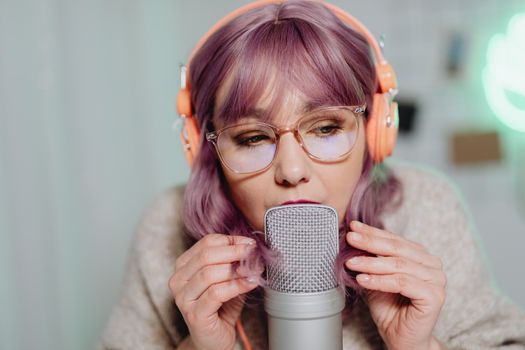 Photo: https://kaboompics.com/ / Pexels
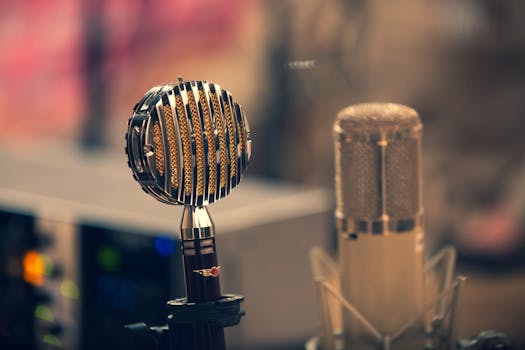 Photo: Clement Lepetit / Pexels
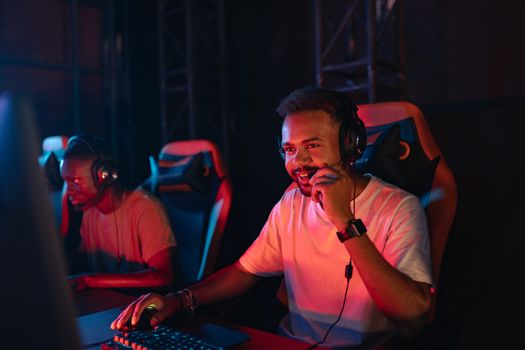 Photo: Yan Krukau / Pexels
 Photo: Yan Krukau / Pexels