Unleash Your Potential: Best Gaming Monitors 144Hz 1ms
Elevate your gameplay with lightning-fast refresh rates and instant response times for a truly immersive experience.
Find Your Perfect MonitorKey Takeaways
- ✓ 144Hz refresh rate provides significantly smoother motion than 60Hz or 75Hz.
- ✓ 1ms response time virtually eliminates ghosting and motion blur in fast-paced games.
- ✓ These specifications are crucial for competitive multiplayer gaming.
- ✓ Panel type (TN, VA, IPS) influences color accuracy, viewing angles, and response time characteristics.
How It Works
A 144Hz monitor refreshes the image on the screen 144 times per second. This translates to incredibly fluid motion, allowing you to see enemies and react faster than on lower refresh rate displays.
A 1ms response time refers to how quickly a pixel can change from one color to another. This minimizes motion blur and ghosting, ensuring sharp, clear images even during rapid movements.
Many 144Hz 1ms monitors incorporate adaptive sync technologies like FreeSync or G-Sync. These technologies synchronize the monitor's refresh rate with your GPU's frame rate, eliminating screen tearing and stuttering for a seamless visual experience.
The combination of high refresh rate and low response time provides a significant edge in competitive gaming. You gain a clearer view of fast-moving targets, allowing for quicker target acquisition and more precise aiming.
Understanding the Core: Why 144Hz and 1ms Matter for Gamers
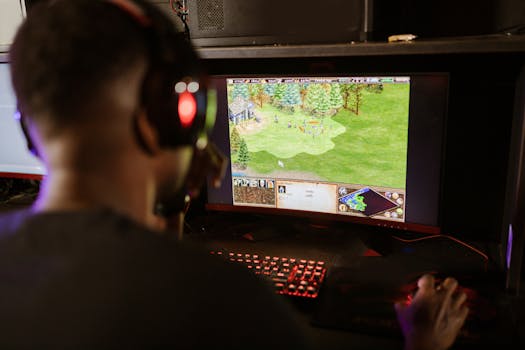 Photo: RDNE Stock project / Pexels
First, the refresh rate, measured in Hertz (Hz), dictates how many times per second your monitor updates the image on the screen. A standard office monitor typically operates at 60Hz, meaning it displays 60 frames per second. While adequate for everyday tasks, this rate introduces a noticeable lag and choppiness in fast-moving games. A 144Hz monitor, on the other hand, refreshes 144 times per second. This near-instantaneous update drastically reduces input lag and produces incredibly smooth motion. Imagine tracking a fast-moving target in a game like Valorant or Call of Duty; on a 144Hz display, their movement appears continuous and fluid, allowing for far more precise aiming and tracking. You'll perceive enemy movements earlier and react faster, gaining a crucial competitive edge. This smoothness isn't just about winning; it also significantly reduces eye strain during extended gaming sessions, making the experience more comfortable and enjoyable.
Second, the response time, measured in milliseconds (ms), refers to how quickly a pixel can transition from one color to another. A 1ms response time is the gold standard for gaming monitors. When pixels take too long to change, you encounter phenomena like 'ghosting' or 'motion blur,' where trails are left behind moving objects. This can make fast-paced scenes look smudged and indistinct, hindering your ability to accurately identify and react to targets. With a 1ms response time, pixels change almost instantaneously, ensuring that every frame is rendered with crisp clarity. This is particularly vital in games where split-second decisions and precise visual information are paramount. Whether it's dodging an incoming projectile, flicking to an enemy's head, or navigating complex environments at high speed, a 1ms response time ensures you see everything as it happens, without any visual artifacts to obscure your vision.
Together, a 144Hz refresh rate and a 1ms response time create a synergistic effect that transforms the gaming experience. You're not just seeing more frames; you're seeing clearer, more responsive frames. This combination minimizes the delay between your input and the on-screen action, making your movements feel more direct and your reactions more immediate. It's an investment in your performance and enjoyment, allowing you to fully appreciate the fluid mechanics and visual fidelity that modern games offer. Without these key specifications, you're simply not getting the full picture, literally and figuratively, of what your gaming PC is capable of producing.
Navigating the Market: Key Features Beyond Hz and ms
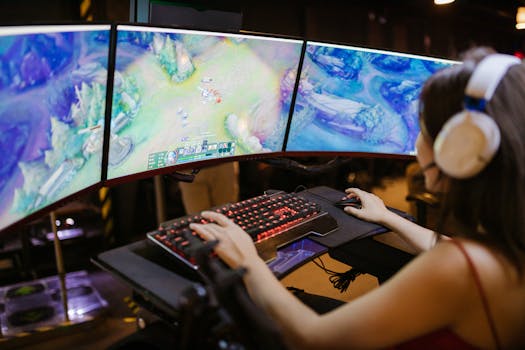 Photo: RDNE Stock project / Pexels
The panel type is one of the most critical factors. The three main types are TN (Twisted Nematic), IPS (In-Plane Switching), and VA (Vertical Alignment). TN panels are historically known for their incredibly fast response times, often achieving 1ms with ease. However, their primary drawback is poorer color reproduction and narrower viewing angles, meaning colors can shift if you're not looking at the screen head-on. IPS panels, conversely, are celebrated for their superior color accuracy and wide viewing angles, making them excellent for visually rich games and content creation. Historically, IPS panels struggled to match TN's response times, but modern IPS displays now frequently offer 1ms (GtG) response times, making them a popular choice for gamers who demand both speed and visual fidelity. VA panels offer a middle ground, providing excellent contrast ratios (leading to deeper blacks) and good color reproduction, often surpassing TN. Their response times can be slightly slower than the fastest TN or IPS panels, sometimes exhibiting 'black smearing' in dark scenes, but many newer VA panels are highly competitive. Your choice here depends on your priorities: pure speed (TN), vibrant visuals and wide angles (IPS), or deep contrast (VA).
Resolution is another pivotal consideration. While 1080p (Full HD) is still common, especially for maximizing frame rates, 1440p (QHD) has become the sweet spot for many gamers. It offers a significant jump in visual clarity over 1080p without being as demanding on your GPU as 4K. If your graphics card can handle it, 1440p at 144Hz provides an incredibly immersive and sharp experience. 4K (UHD) monitors offer unparalleled detail, but driving 4K at 144Hz with a 1ms response time requires a top-tier, often very expensive, graphics card.
Adaptive Sync technologies, primarily NVIDIA's G-Sync and AMD's FreeSync, are game-changers. These technologies synchronize the monitor's refresh rate with your GPU's frame rate, eliminating screen tearing and reducing stuttering. G-Sync modules are proprietary hardware built into the monitor, often leading to a higher price tag but offering robust performance. FreeSync is an open standard and is more widely available across a broader range of monitors, typically at more affordable prices. Many newer FreeSync monitors are also 'G-Sync Compatible,' meaning they work well with NVIDIA GPUs. Ensuring your chosen monitor has one of these technologies is essential for the smoothest possible gameplay.
Finally, don't overlook ergonomics and connectivity. A monitor with adjustable height, tilt, swivel, and pivot allows you to find the most comfortable viewing position, crucial for long gaming sessions. VESA mount compatibility offers even more flexibility. For connectivity, ensure the monitor has the necessary ports (DisplayPort 1.4 is highly recommended for 144Hz at higher resolutions, HDMI 2.0 or 2.1 for consoles and some PCs) to support its advertised refresh rates and resolutions. USB hubs built into the monitor can also be a convenient addition for peripherals. By considering these factors alongside the core 144Hz/1ms specifications, you can confidently select a monitor that perfectly complements your gaming setup and enhances every moment of your play.
Top Contenders: Best Gaming Monitors 144Hz 1ms on the Market
 Photo: Yan Krukau / Pexels
For those prioritizing raw speed and competitive advantage, particularly in esports titles, TN panel monitors still hold a strong position for their guaranteed 1ms response times and often lower price points. Models like the **Acer XF243Y Pbmiiprx** or the **BenQ ZOWIE XL2546K** (though often higher refresh, their 1ms TN heritage is strong) are excellent examples. While their color reproduction isn't on par with IPS, their responsiveness is unmatched, making every frame count. These are ideal for professional or aspiring esports players where every millisecond matters more than cinematic visuals.
The sweet spot for many gamers, balancing vibrant visuals with blistering speed, are IPS panel monitors. Monitors such as the **LG 27GL83A-B** or the **Dell S2721DGF** have consistently been lauded for their fantastic 1440p resolution, 144Hz refresh rate, and true 1ms GtG (gray-to-gray) response times. They offer excellent color accuracy, wide viewing angles, and support for adaptive sync technologies (often G-Sync Compatible FreeSync), making them incredibly versatile. They are perfect for gamers who play a mix of competitive and story-driven, graphically intensive games, wanting the best of both worlds. The jump from 1080p to 1440p on a 27-inch screen provides a significantly sharper image without being overly demanding on mid-to-high-end GPUs.
For gamers who crave deep blacks and immersive contrast, VA panel monitors present a compelling option. While historically slower, modern VA panels like the **Samsung Odyssey G5** (various sizes) or certain **MSI Optix** models offer 144Hz and 1ms (MPRT - Moving Picture Response Time, which is different from GtG but still very fast) response times. Their curved designs often enhance immersion, particularly for single-player games and simulations. The trade-off might be a slight increase in response time compared to the fastest IPS or TN, and some users report 'black smearing' in very dark scenes, but the visual depth they offer can be breathtaking. These are best for gamers who enjoy cinematic experiences and want their games to pop with rich contrast.
When considering a purchase, always check professional reviews that include objective testing for input lag, response time (especially distinguishing between GtG and MPRT), and panel uniformity. User reviews can also provide valuable real-world insights into build quality and potential issues. Remember that while a monitor might be advertised as 1ms, the actual performance can vary between panel types and manufacturers. Prioritize monitors with strong reputations for low input lag and effective overdrive settings that don't introduce excessive inverse ghosting. Investing in the right monitor is a pivotal step in completing your ultimate gaming setup, ensuring every frame is a step towards victory or deeper immersion.
Common Mistakes and Essential Tips When Choosing Your Monitor
 Photo: RDNE Stock project / Pexels
Comparison
| Feature | LG 27GL83A-B (IPS) | Acer XF243Y Pbmiiprx (TN) | Samsung Odyssey G5 (VA) |
|---|---|---|---|
| Screen Size | 27 inches | 23.8 inches | 27 or 32 inches |
| Resolution | 2560x1440 (QHD) | 1920x1080 (FHD) | 2560x1440 (QHD) |
| Refresh Rate | 144Hz | 165Hz (OC) | 144Hz |
| Response Time | 1ms GtG | 1ms VRB | 1ms MPRT |
| Panel Type | IPS | TN | VA (Curved) |
| Adaptive Sync | FreeSync Premium (G-Sync Compatible) | FreeSync Premium | FreeSync Premium |
| Color Accuracy | Excellent | Good | Very Good |
| Contrast Ratio | Good | Average | Excellent |
| Viewing Angles | Wide | Narrow | Good |
| HDR Support | HDR10 (Basic) | No | HDR10 (Basic) |
| Ergonomics | Height, Tilt, Swivel, Pivot | Height, Tilt, Swivel, Pivot | Tilt only |
| Price (Avg.) | $300-350 | $200-250 | $250-350 |
What Readers Say
"Upgrading to a 144Hz 1ms monitor was a game-changer for my competitive FPS play. I noticed an immediate improvement in my ability to track targets and my K/D ratio has definitely climbed. No more ghosting, just pure, fluid action."
Alex 'Phantom' Chen · Los Angeles, CA"This monitor has transformed my gaming experience. The 144Hz refresh rate combined with 1ms response time makes everything incredibly smooth, from fast-paced racing games to open-world RPGs. Colors are vibrant too!"
Sarah J. · Austin, TX"After years on a 60Hz screen, getting one of the best gaming monitors 144Hz 1ms felt like taking off blurry glasses. My reaction times in Warzone are noticeably better, and I can actually see enemies before they get me. Highly recommend for serious gamers."
Mike 'GamerDad' Davis · Orlando, FL"While the performance is exceptional for gaming, the stand could be a bit sturdier. However, the visual fluidity and lack of input lag more than make up for it. It's a fantastic monitor for the price, truly delivering on its promises."
Jessica L. · Seattle, WA"I use my 144Hz 1ms monitor for both gaming and casual browsing, and the difference is stark. Even just scrolling through web pages feels smoother. For any game, especially competitive ones, it's an absolute must-have."
David R. · Chicago, ILFrequently Asked Questions
Is a 144Hz 1ms monitor really necessary for gaming?
For competitive multiplayer gaming, absolutely. The higher refresh rate provides smoother visuals, allowing for quicker target acquisition and reaction times. The 1ms response time eliminates motion blur and ghosting, ensuring a crystal-clear image during fast-paced action. While casual gamers might not notice as dramatic a difference, it significantly enhances the overall immersion and responsiveness for everyone.
Will my PC be able to run games at 144 frames per second (FPS)?
This depends entirely on your graphics card (GPU) and the games you play. To fully utilize a 144Hz monitor, your PC needs to be able to render games at or above 144 FPS. If your GPU struggles to reach high frame rates, you might not experience the full benefit. Check benchmarks for your specific GPU and games to gauge expected performance.
How do I ensure my monitor is running at 144Hz?
After connecting your monitor, you'll need to manually set the refresh rate in your operating system's display settings. For Windows, right-click on the desktop > Display settings > Advanced display settings > Display adapter properties for Display 1 > Monitor tab, then select 144Hz from the 'Screen refresh rate' dropdown. Ensure you're using a DisplayPort cable, as HDMI might be limited to lower refresh rates on some older monitors.
Are 144Hz 1ms monitors expensive?
The price range for 144Hz 1ms monitors varies significantly based on resolution, panel type, screen size, and additional features like adaptive sync. While entry-level 1080p models can be found for around $150-$250, 1440p or larger IPS models with advanced features typically range from $300-$500, with premium 4K options going even higher. There's a monitor for almost every budget.
What's the difference between 1ms GtG and 1ms MPRT?
GtG (Gray-to-Gray) measures how quickly a pixel can change from one shade of gray to another, which is a more accurate representation of actual pixel response time. MPRT (Moving Picture Response Time) measures how long a pixel is visibly on screen, often achieved through backlight strobing (which can cause flicker). While both aim to reduce motion blur, 1ms GtG generally indicates superior pixel responsiveness without needing additional techniques.
Who should prioritize a 144Hz 1ms monitor?
Anyone serious about competitive gaming, especially in genres like FPS, MOBAs, or fighting games, will see significant benefits. It's also highly recommended for gamers with powerful PCs who want to experience games at their smoothest and most responsive. Even casual gamers will appreciate the improved fluidity and reduced eye strain.
Can a 144Hz 1ms monitor cause eye strain?
On the contrary, a higher refresh rate can actually reduce eye strain for many users because the motion appears smoother and less jarring. However, individual sensitivity varies. Ensure proper lighting, take breaks, and adjust brightness/contrast to comfortable levels. Some users might be sensitive to backlight strobing used for MPRT, which can be disabled.
What are the future trends for gaming monitors?
Future trends include higher refresh rates (240Hz, 360Hz, and beyond), higher resolutions combined with these high refresh rates (e.g., 4K 144Hz becoming more accessible), the continued rise of OLED panels for unparalleled contrast and response times, and advancements in HDR (High Dynamic Range) technology for more vibrant and realistic visuals. Mini-LED backlighting is also improving local dimming for LCD panels.
Ready to transform your gaming experience? Explore our top recommendations for the best gaming monitors 144Hz 1ms and unlock your true potential on the virtual battlefield. Don't just play the game, dominate it.