Find the Best Gaming Mouse for Esports: Your Competitive Edge
best gaming mouse for esports

Find the Best Gaming Mouse for Esports: Your Competitive Edge

Elevate your gameplay, precision, and reaction times with the ultimate esports gaming mouse tailored for victory.

Dominate Your Game

Key Takeaways

  • ✓ Sensor performance (DPI/CPI, IPS, Acceleration) is paramount for esports.
  • ✓ Weight significantly impacts flick shots and sustained comfort.
  • ✓ Wired mice offer zero latency, while wireless tech is catching up rapidly.
  • ✓ Ergonomics and grip style are crucial for personal comfort and control.

How It Works

1
Understand Your Grip Style

Identify if you use palm, claw, or fingertip grip. This dictates the ideal mouse shape and size for optimal comfort and control during intense sessions.

2
Prioritize Sensor Quality

Look for mice with high-performance optical sensors (e.g., PixArt PMW3360 series or newer). These offer flawless tracking, high IPS, and zero acceleration, critical for competitive play.

3
Consider Weight and Balance

Esports mice are generally lighter (under 80g often preferred). Experiment with different weights to find what allows for precise micro-adjustments and swift movements without fatigue.

4
Evaluate Connectivity and Features

Decide between wired for guaranteed zero latency or high-performance wireless for freedom of movement. Check for durable switches, customizable buttons, and quality mouse feet.

Understanding the Core Components of an Esports Gaming Mouse

Young man intensely focused on a gaming session at night, highlighting the competitive esports atmosphere. Photo: Yan Krukau / Pexels
In the cutthroat world of esports, every millisecond counts, and your gear can be the decisive factor between victory and defeat. When searching for the best gaming mouse for esports, it's not about flashy RGB or an exorbitant price tag; it's about precision, reliability, and ergonomic design tailored for peak performance. The core components of an esports-grade mouse are meticulously engineered to provide an unparalleled competitive edge. Firstly, the sensor is the heart of the mouse. Professional players demand flawless tracking, meaning the sensor must accurately translate every physical movement of the mouse into on-screen cursor movement without any interpolation, prediction, or acceleration. High-end optical sensors, such as those from the PixArt PMW3360 series or their modern successors (e.g., Hero, Focus+, BAMF), are the industry standard for their consistent performance across various surfaces and speeds. They boast high Inches Per Second (IPS) ratings, indicating how fast you can move the mouse before it loses tracking, and high DPI (Dots Per Inch) or CPI (Counts Per Inch) settings, allowing for fine-tuning sensitivity to match individual playstyles. However, raw DPI numbers are less important than the sensor's overall fidelity. Beyond the sensor, the switches beneath the main click buttons are critical. Omron switches are a common choice, known for their tactile feedback and durability, often rated for tens of millions of clicks. The consistency of these clicks ensures that every action registers reliably, preventing misfires or missed shots during intense engagements. Mouse feet, often made from PTFE (Teflon), are another often-overlooked element. High-quality, pure PTFE feet provide a smooth, low-friction glide across your mouse pad, allowing for effortless micro-adjustments and large sweeping movements. The size and placement of these feet also contribute to the overall glide experience. Furthermore, the weight of the mouse plays a significant role in esports performance. Many professional players prefer lightweight mice (often under 80 grams) as they reduce fatigue during long gaming sessions and enable quicker, more effortless flick shots and rapid repositioning. However, some players prefer a slightly heavier mouse for more controlled, stable tracking. It's a personal preference that can significantly impact gameplay. Finally, the scroll wheel and side buttons, while seemingly minor, must be responsive and well-placed for quick access to in-game functions like weapon switching or utility deployment. Customizability through software also allows players to remap buttons and adjust macros, further optimizing their setup. Choosing the best gaming mouse for esports means understanding how these individual components synergize to create a superior input device that becomes an extension of your will. For more insights on optimizing your gaming setup, explore our guide on essential gaming peripherals.

Wired vs. Wireless: Debunking Latency Myths in Esports Mice
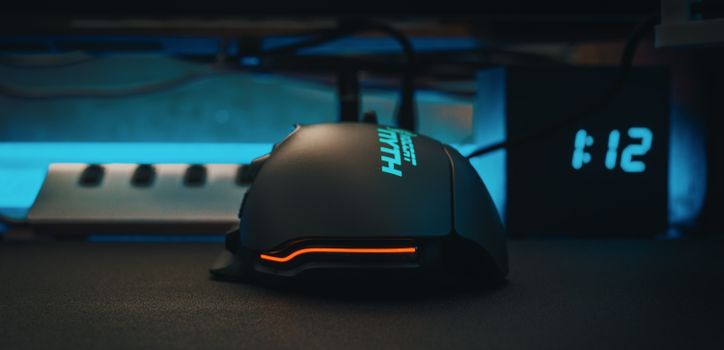
Modern computer mouse for users of massively multiplayer online role playing game placed on table against electronic clock Photo: FOX ^.ᆽ.^= ∫ / Pexels
For years, the conventional wisdom in esports dictated that wired mice were the only viable option due to concerns about latency and signal interference with wireless alternatives. However, technological advancements have dramatically reshaped this landscape, making high-performance wireless gaming mice not just competitive, but often preferred by top-tier professionals. When evaluating the best gaming mouse for esports, the choice between wired and wireless is now more nuanced than ever. Historically, wired mice offered a direct, uninterrupted connection to the PC, guaranteeing virtually zero input lag. This direct data transfer path eliminated any potential for wireless interference or battery-related performance dips, providing a consistent and reliable experience. Many competitive players still opt for wired mice for this very reason, valuing the absolute certainty of connection above all else. The perceived downside, the cable, can be managed with a mouse bungee, which elevates the cable and reduces drag, mimicking a semi-wireless feel. However, modern wireless technology, particularly proprietary 2.4GHz connections from leading brands, has achieved latency figures that are virtually indistinguishable from their wired counterparts to the human perception. Companies like Logitech with their Lightspeed, Razer with their HyperSpeed, and SteelSeries with their Quantum 2.0 Wireless have invested heavily in developing ultra-low-latency wireless protocols. These technologies often boast polling rates of 1000Hz (meaning the mouse reports its position to the PC 1000 times per second), matching wired performance. Furthermore, these advanced wireless systems are designed to minimize interference, ensuring a stable connection even in crowded wireless environments. The primary advantage of a wireless esports mouse is the unparalleled freedom of movement. Without a cable to snag, drag, or limit range, players can execute large, sweeping movements more fluidly, which is particularly beneficial in games requiring rapid mouse repositioning. The absence of cable drag also contributes to a more consistent glide and reduces arm fatigue over extended play sessions. Battery life has also seen significant improvements, with many wireless esports mice offering tens, if not hundreds, of hours of gameplay on a single charge, often with rapid charging capabilities or compatibility with charging mats. While the initial investment for a high-performance wireless esports mouse might be slightly higher, the benefits of unhindered movement and competitive-grade performance often justify the cost for serious competitors. The 'latency myth' has largely been debunked, allowing players to choose based on personal preference for freedom versus absolute, unwavering connection security.

Ergonomics and Grip Style: Tailoring the Best Gaming Mouse for Your Hand
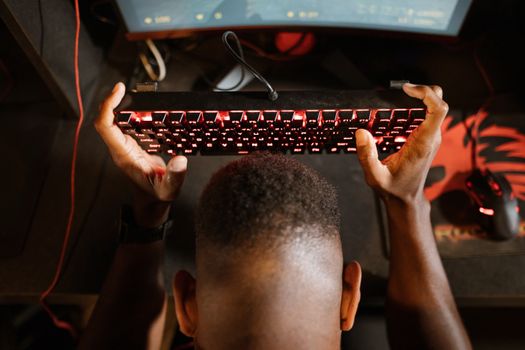
Gamer expresses frustration with video game by holding up keyboard. Overhead shot of gaming setup. Photo: RDNE Stock project / Pexels
The search for the best gaming mouse for esports is intensely personal, and nowhere is this more evident than in the realm of ergonomics and grip style. A mouse that feels like an extension of your hand can dramatically improve comfort, reduce fatigue, and ultimately enhance your precision and reaction time. Ignoring these factors can lead to discomfort, repetitive strain injuries, and inconsistent performance. There are three primary grip styles: palm, claw, and fingertip, and understanding which one you use is the first step in finding your perfect match. The palm grip is the most common, where your entire palm rests on the mouse's body, and your fingers lie flat. Players using this grip often prefer larger, more contoured mice that fill the hand, providing maximum support and stability. These mice typically offer a relaxed grip, ideal for controlled tracking and comfortable long sessions. The claw grip involves arching your palm, with only the base of your palm and your fingertips making contact with the mouse. Your fingers are more curled, creating a 'claw' shape. This grip allows for quicker micro-adjustments with the fingertips and wrist, often favored by players who need rapid, precise movements. Mice for claw grippers are often medium-sized, with a pronounced hump towards the back to support the palm arch, but still allow for fingertip maneuverability. The fingertip grip is the least common and involves only the fingertips making contact with the mouse. The palm doesn't touch the mouse at all, allowing for maximum freedom of movement using only the fingers. Players with this grip often prefer smaller, lighter mice with minimal curvature, enabling them to lift and reposition the mouse with extreme speed and precision. The shape of the mouse – whether ambidextrous (symmetrical) or ergonomic (right-handed biased) – also plays a crucial role. Ambidextrous mice are suitable for all grip styles, especially fingertip and claw, offering balance and flexibility. Ergonomic mice, designed specifically for right-handed users, often feature a sculpted shape that perfectly cradles the hand in a palm or claw grip, providing superior comfort and support for those who don't need the ambidextrous flexibility. The texture and material of the mouse surface also contribute to grip. Some mice feature rubberized side grips for enhanced control, while others opt for smooth, matte plastics. Ultimately, the best gaming mouse for esports is one that disappears in your hand, allowing you to focus entirely on the game without any conscious thought about your input device. Trying out different shapes and sizes is paramount; what works for one pro might not work for you. For further optimization of your gaming environment, consider reading about advanced gaming monitor settings.

Optimizing Your Setup: Tips for Maximizing Esports Mouse Performance

Acquiring the best gaming mouse for esports is only half the battle; optimizing your entire setup is crucial to unlock its full potential. Even the most advanced mouse can underperform if not paired with the right environment and settings. Here are essential tips to ensure your esports mouse delivers peak performance: * **Invest in a Quality Mouse Pad:** This is non-negotiable. A good mouse pad provides a consistent surface for your sensor, allowing for accurate tracking. Hard pads offer fast glide, while cloth pads provide more control. Many pros use large, consistent cloth pads that cover most of their desk, allowing for wide, sweeping movements without lifting the mouse. Ensure it's clean and free of debris. * **Master Your DPI/CPI and Sensitivity:** Higher DPI does not automatically mean better. Most esports professionals use relatively low DPI settings (400-1600 DPI) combined with lower in-game sensitivity. This allows for more precise aiming by requiring larger physical movements, which are easier to control than tiny, twitchy movements at high sensitivity. Experiment to find your sweet spot – a setting where you can comfortably do a 180-degree turn in-game with one fluid motion across your mouse pad. * **Disable Mouse Acceleration (Enhance Pointer Precision):** This is perhaps the most critical setting for competitive gaming. Mouse acceleration, often enabled by default in operating systems (Windows 'Enhance Pointer Precision'), means your cursor moves further when you move the mouse faster, and less when you move it slower. This introduces inconsistency and makes muscle memory impossible to build. Disable it in both your operating system settings and any mouse software. * **Customize Button Bindings:** Utilize your mouse's programmable buttons for in-game actions like grenades, melee, or utility. This keeps your left hand free for movement and allows for quicker execution of critical commands. * **Maintain Your Mouse:** Keep your mouse sensor clean using a cotton swab and compressed air. Dust and debris can impair tracking. Periodically check mouse feet for wear and tear; replace them if they start to fray or lose their smooth glide. Clean your mouse pad regularly. * **Update Firmware and Software:** Always keep your mouse's firmware and accompanying software up to date. Manufacturers often release updates that improve sensor performance, battery life, or fix bugs. Use the software to customize DPI stages, polling rate (set to 1000Hz for esports), and RGB lighting if desired (though many pros disable RGB to save weight and battery). By diligently applying these optimization tips, you'll ensure that your best gaming mouse for esports isn't just a powerful tool, but a perfectly tuned instrument ready to execute your every command with flawless precision.

Comparison

FeatureLogitech G Pro X Superlight 2Razer DeathAdder V3 ProSteelSeries Aerox 3 Wireless
SensorHERO 25KFocus Pro 30KTrueMove Air
Weight60g63g68g
ConnectivityLIGHTSPEED WirelessHyperSpeed WirelessQuantum 2.0 Wireless
Battery Life95 Hours90 Hours200 Hours
SwitchesLightforce Hybrid Optical-MechanicalOptical Gen-3Golden Micro IP54
Max DPI25,60030,00018,000
Polling RateUp to 2000HzUp to 8000Hz1000Hz
ErgonomicsSymmetricalRight-Handed ErgonomicSymmetrical (Perforated)

What Readers Say

"The Logitech G Pro X Superlight 2 is hands down the best gaming mouse for esports I've ever used. Its feather-light design and flawless sensor dramatically improved my flick shots and overall consistency in Valorant."

Alex 'Phantom' Chen · Los Angeles, CA

"As a competitive Overwatch player, precision is everything. The Razer DeathAdder V3 Pro's ergonomic shape and incredibly responsive sensor have given me a noticeable edge, especially in high-stress situations. It truly feels like an extension of my hand."

Sarah 'Valkyrie' Jensen · Austin, TX

"Switching to a lightweight wireless mouse transformed my CS:GO game. My aim feels smoother, and I've significantly reduced wrist fatigue during long practice sessions. This mouse is a game-changer for anyone serious about esports."

Mike 'Blitz' Rodriguez · Orlando, FL

"While the SteelSeries Aerox 3 Wireless is fantastic for its battery life and lightweight design, the perforated shell took a little getting used to. However, its performance in Apex Legends is undeniable, offering super-fast tracking and reliable clicks."

Emily 'Nova' Carter · Seattle, WA

"I used to think all mice were the same, but the difference an esports-focused mouse makes is incredible. My K/D ratio improved significantly after upgrading to a top-tier model, proving that the right gear truly matters in competitive play."

David 'Goliath' Lee · New York, NY

Frequently Asked Questions

What is the most important feature for a best gaming mouse for esports?

The most crucial feature is a high-performance optical sensor with flawless tracking, zero acceleration, and high IPS. This ensures every movement is translated accurately, providing the precision needed for competitive play. Other key factors include low weight, durable switches, and comfortable ergonomics matching your grip style.

Are wireless mice good enough for esports now?

Absolutely. Modern wireless gaming mice from top brands utilize proprietary 2.4GHz wireless technology that offers latency indistinguishable from wired mice. They provide freedom of movement without cable drag, making them a preferred choice for many esports professionals today.

How do I choose the right size and shape for my esports mouse?

Choosing the right size and shape depends on your hand size and grip style (palm, claw, or fingertip). Experiment with different mice to see what feels most natural and comfortable, allowing for precise control without fatigue during extended gaming sessions. Many manufacturers provide dimensions to help you compare.

What is the typical price range for a best gaming mouse for esports?

A high-quality esports gaming mouse typically ranges from $70 to $180. While there are cheaper options, they often compromise on sensor quality, build materials, or advanced features. Investing in a mouse within this range usually guarantees a competitive-grade product.

How does DPI affect esports performance compared to in-game sensitivity?

DPI (Dots Per Inch) is the mouse's hardware sensitivity, while in-game sensitivity is a software multiplier. For esports, it's generally recommended to use a moderate DPI (e.g., 400-1600) and adjust your in-game sensitivity to achieve your desired effective sensitivity. This provides a balance of precision and range of motion, avoiding pixel skipping or overly twitchy movements.

Who should invest in a best gaming mouse for esports?

Anyone serious about competitive gaming, whether aspiring pro, high-ranked amateur, or simply someone who wants to maximize their performance and enjoyment in fast-paced online titles, should invest in a dedicated esports gaming mouse. It's a foundational tool for precision and consistency.

Can using the wrong mouse hurt my performance or health?

Yes, using a mouse that doesn't fit your hand or grip style can lead to discomfort, reduced precision, and even repetitive strain injuries (RSI) over time. An ill-fitting mouse can also hinder your ability to make precise movements, leading to inconsistent aiming and slower reaction times in competitive scenarios.

What future trends are expected in esports gaming mice?

Future trends include even lighter designs, higher polling rates (beyond 8000Hz) for ultra-low latency, further improvements in battery efficiency for wireless models, and potentially more personalized ergonomic options or AI-driven sensor adjustments based on user playstyle. Customization and performance will continue to be key drivers.

Choosing the best gaming mouse for esports is a critical step in elevating your competitive play. By understanding the nuances of sensor technology, ergonomics, and connectivity, you can select a device that truly amplifies your skills. Invest wisely, train diligently, and watch your performance soar to new heights.

Topics: best gaming mouse for esportsesports mousepro gaming mousecompetitive gaming micegaming mouse performance
Leo List
Brampton weed
Adultwork EstrelaBet Vai de Bet R7 Bet Betão Galera Bet Rainbet Bet9ja Shop SportyBet BetKing Sisal Loto Foot Hollywoodbets YesPlay Odibets RushBet Jugabet BetWarrior BetCity MSport betPawa Fortebet