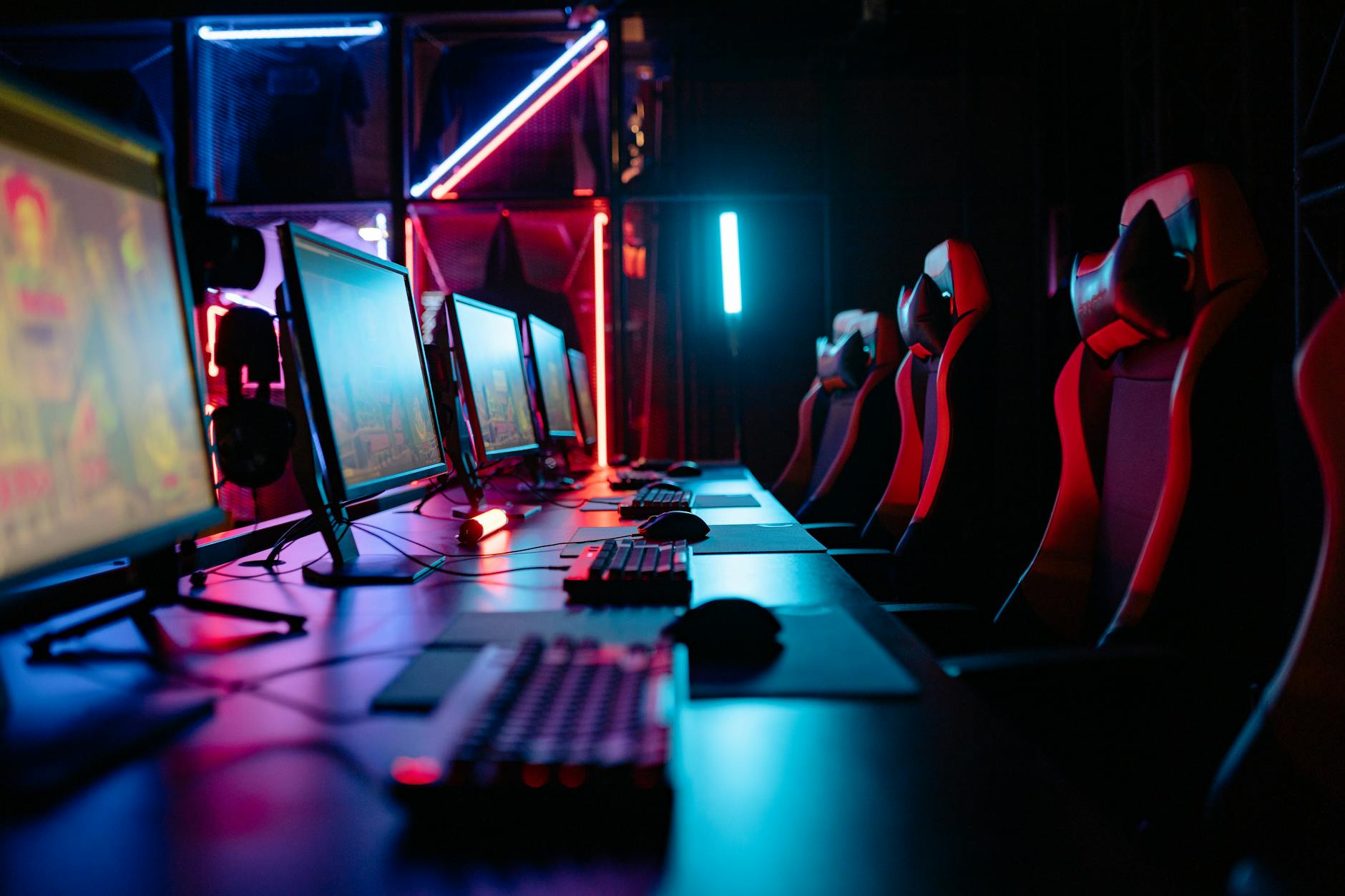
Dominate with a Gaming Monitor 144Hz 1ms: The Ultimate Edge
gaming monitor 144hz 1ms

Dominate with a Gaming Monitor 144Hz 1ms: The Ultimate Edge

Experience lightning-fast visuals and instant response times for a truly immersive and competitive gaming experience.

Find Your Perfect Monitor

Key Takeaways

  • ✓ 144Hz refresh rate provides significantly smoother motion than standard 60Hz displays.
  • ✓ 1ms response time virtually eliminates ghosting and motion blur, crucial for fast-paced games.
  • ✓ These monitors offer a tangible competitive advantage in esports and online multiplayer titles.
  • ✓ Compatibility with your graphics card and system specs is vital to fully utilize their capabilities.

How It Works

1
Higher Refresh Rate Explained

A 144Hz monitor refreshes the image on your screen 144 times per second, allowing for more frames to be displayed. This results in incredibly fluid and detailed motion, making fast-moving objects clearer and easier to track.

2
Understanding 1ms Response Time

Response time measures how quickly a pixel can change from one color to another. A 1ms GtG (Grey-to-Grey) response time minimizes input lag and nearly eliminates visual artifacts like ghosting and streaking, ensuring sharp images even during rapid action.

3
The Synergy for Gamers

When combined, 144Hz and 1ms create a display environment where every movement is rendered with extreme precision and speed. This synergy provides a crucial advantage, allowing players to react faster and aim more accurately than opponents using slower monitors.

4
Optimizing Your Setup

To fully benefit from a 144Hz 1ms gaming monitor, ensure your graphics card can consistently output high frame rates (144 FPS or more) in your preferred games. Proper cable connections (DisplayPort or HDMI 2.0+) are also essential to support the high bandwidth required.

Why a Gaming Monitor 144Hz 1ms is Your Competitive Edge
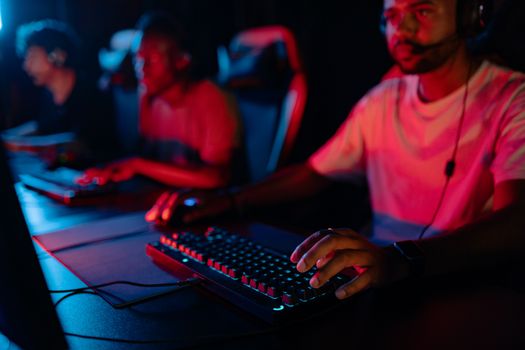
Diverse group of gamers focused on a competitive esports match in a dimly lit arena. Photo: Yan Krukau / Pexels
In the relentless world of competitive gaming, every millisecond counts. A gaming monitor 144Hz 1ms isn't just a luxury; it's a fundamental tool that can elevate your gameplay from good to truly exceptional. The core benefit stems from two critical specifications: refresh rate and response time. Let's break down why these numbers are paramount for any serious gamer. Firstly, the 144Hz refresh rate dictates how many times per second your monitor updates the image on its screen. Standard monitors typically operate at 60Hz, meaning they display 60 frames per second (FPS). A 144Hz monitor, by contrast, can display up to 144 frames per second. This dramatic increase in frame delivery translates directly into smoother, more fluid motion. Imagine tracking an enemy in a fast-paced shooter – on a 60Hz monitor, their movement might appear as a series of slightly disjointed images, making precise aiming difficult. On a 144Hz display, their movement is a continuous, seamless flow, allowing your eyes and brain to process their trajectory with far greater accuracy. This fluidity reduces motion blur, making it easier to spot opponents, follow their movements, and react decisively. It's the difference between seeing a blurred streak and seeing the clear outline of your target. Secondly, the 1ms response time is equally crucial. Response time measures the speed at which individual pixels can change color. A 1ms Grey-to-Grey (GtG) response time is considered exceptional, meaning pixels can shift from one shade of grey to another in just one millisecond. Why is this important? Slow response times lead to visual artifacts such as 'ghosting' or 'smearing,' where trails appear behind moving objects. This happens because pixels aren't changing fast enough to keep up with the action on screen, leaving residual images. For a competitive gamer, ghosting can obscure targets, blur crucial details, and hinder reaction times. A 1ms response time virtually eliminates these issues, ensuring that every frame is rendered crisply and cleanly, without any distracting visual lag. This clarity is indispensable for games where split-second decisions and pinpoint accuracy are the difference between victory and defeat. The combined power of a high refresh rate and ultra-low response time creates a visual experience that not only feels incredibly responsive but also provides a tangible competitive advantage. You'll see enemies sooner, track them more effectively, and execute maneuvers with greater precision, making a gaming monitor 144Hz 1ms an essential upgrade for serious players. It's an investment in your performance, allowing you to unlock your full potential in the digital arena. For more on optimizing your setup, check out our guide on building a high-performance gaming PC.

Understanding Panel Types and Their Impact on Your 144Hz 1ms Experience
Modern home office with a stylish desk setup, featuring a monitor displaying green foliage. Photo: Pew Nguyen / Pexels
When selecting a gaming monitor 144Hz 1ms, understanding the different panel technologies is just as vital as the refresh rate and response time themselves. Each panel type — TN, IPS, and VA — brings its own set of advantages and disadvantages that can significantly impact your gaming experience. While all three can technically achieve 144Hz and 1ms (or very close), their inherent characteristics will define the overall visual quality. **TN (Twisted Nematic) Panels:** Historically, TN panels were the go-to for competitive gamers due to their unparalleled response times. They are typically the easiest and most affordable to achieve true 1ms GtG response times. This makes them excellent for fast-paced, competitive shooters where every millisecond counts and visual fidelity takes a backseat to raw speed. However, TN panels have significant drawbacks in terms of image quality. Their color reproduction is often less vibrant and accurate compared to other panel types, and their viewing angles are notoriously poor. If you're not sitting directly in front of the monitor, colors can appear washed out or distorted. For a gamer prioritizing pure speed and minimal input lag above all else, a TN 144Hz 1ms monitor is still a strong contender. **IPS (In-Plane Switching) Panels:** IPS panels are celebrated for their superior color accuracy and wide viewing angles. They produce rich, vibrant colors and consistent image quality, even when viewed from extreme angles. This makes them ideal for gamers who enjoy visually stunning single-player experiences, content creation, or simply appreciate a beautiful image. In the past, IPS panels struggled to match the response times of TN panels, often hovering around 4-5ms. However, recent advancements in IPS technology have led to the development of 'fast IPS' or 'gaming IPS' panels that can achieve 1ms GtG response times while retaining their excellent color reproduction and viewing angles. These monitors often come at a higher price point but offer a fantastic balance of speed and visual fidelity, making them a popular choice for gamers who want the best of both worlds. **VA (Vertical Alignment) Panels:** VA panels sit somewhat in the middle ground between TN and IPS. Their primary advantage is their exceptional contrast ratios, which result in deeper blacks and brighter whites, providing a more immersive visual experience, especially in darker scenes. This makes them particularly well-suited for atmospheric games, RPGs, or watching movies. VA panels generally offer better color reproduction and viewing angles than TN panels, though not quite as good as IPS. While many VA panels can achieve 144Hz, reaching a true 1ms GtG response time can be more challenging for them, often exhibiting more noticeable ghosting, particularly in dark transitions, compared to their TN and fast IPS counterparts. Some newer VA panels have improved significantly, but careful research into specific models is advised if a 1ms response time is a strict requirement. Ultimately, the best panel type for your 144Hz 1ms gaming monitor depends on your priorities. If competitive advantage and raw speed are paramount, a TN panel might still be your pick. If you crave vibrant colors, wide viewing angles, and don't mind paying a premium, a fast IPS panel is an excellent choice. If deep blacks and high contrast are your priority, and you can tolerate a slight compromise on response time, VA could be a good fit. Always check reviews and look for real-world tests to ensure the advertised 1ms response time is genuinely effective across different scenarios.

Essential Features and Connectivity for Your Ultimate Gaming Monitor 144Hz 1ms
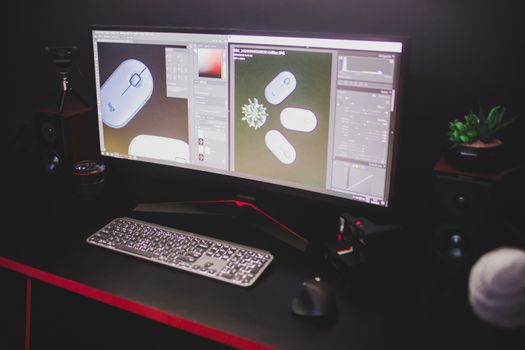
A sleek computer setup with dual monitors, keyboard, and mouse in a dark room. Photo: Matheus Bertelli / Pexels
Beyond the core 144Hz refresh rate and 1ms response time, a truly great gaming monitor 144Hz 1ms comes packed with additional features and robust connectivity options that enhance both performance and user experience. Understanding these can help you differentiate between good and exceptional displays, ensuring you get the most out of your investment and optimize your setup for peak gaming performance. **Adaptive Sync Technologies (FreeSync & G-Sync):** This is arguably one of the most critical features after refresh rate and response time. Screen tearing and stuttering occur when your graphics card's frame rate doesn't synchronize with your monitor's refresh rate. Adaptive Sync technologies like AMD FreeSync and NVIDIA G-Sync eliminate these issues by dynamically matching the monitor's refresh rate to the GPU's frame rate. This results in incredibly smooth, tear-free gameplay, even when frame rates fluctuate. While G-Sync typically requires a dedicated hardware module in the monitor and is often more expensive, FreeSync is an open standard and more widely adopted across a broader range of monitors. Many FreeSync monitors are now 'G-Sync Compatible,' meaning they can work with NVIDIA GPUs to provide a similar experience, though it's always best to check official compatibility lists. **Resolution and Screen Size:** While 144Hz and 1ms are key for speed, resolution defines the clarity and detail of your games. Common resolutions for 144Hz 1ms monitors include 1080p (Full HD), 1440p (QHD/2K), and occasionally 4K (UHD). 1080p is excellent for maximizing frame rates, making it easier for your GPU to hit 144 FPS consistently, especially in competitive titles. 1440p offers a significant jump in visual fidelity without being as demanding as 4K, often considered the sweet spot for many gamers. 4K at 144Hz with 1ms is the pinnacle but requires an extremely powerful and expensive graphics card to drive it effectively. Screen size is a matter of personal preference, but for competitive gaming, many prefer 24-27 inches for easier viewing of the entire screen. Larger screens (32 inches and above) can be more immersive but may require more head movement, which can be a disadvantage in fast-paced games. **HDR (High Dynamic Range):** HDR technology significantly expands the range of colors and contrast a monitor can display, leading to more vibrant images with greater detail in both highlights and shadows. While true, high-quality HDR requires specific panel capabilities and high peak brightness (often VESA DisplayHDR 600 or higher), even entry-level HDR (like DisplayHDR 400) can offer a noticeable improvement over standard dynamic range (SDR). For an immersive single-player experience, HDR can be a game-changer, bringing worlds to life with stunning realism. **Connectivity Ports:** To fully utilize your 144Hz 1ms monitor, you need the right ports. DisplayPort (DP) 1.2 or newer is generally the preferred connection for high refresh rates and resolutions, especially if you're also using Adaptive Sync. HDMI 2.0 or newer can also support 144Hz at 1080p and 1440p, but DP often has more bandwidth headroom for higher resolutions and specific Adaptive Sync implementations. Ensure your chosen monitor has enough ports to connect your PC, console, or other devices. Additional features like USB hubs, headphone jacks, and ergonomic stands (with height, tilt, swivel, and pivot adjustments) are quality-of-life improvements that enhance usability and comfort during long gaming sessions. Don't overlook these details, as they contribute significantly to the overall value and experience of your gaming setup.

Optimizing Your Setup and Avoiding Common Pitfalls with 144Hz 1ms Monitors

Young woman gaming at a PC high-tech setup, wearing headphones. Photo: Matheus Bertelli / Pexels
Acquiring a powerful gaming monitor 144Hz 1ms is only half the battle; properly setting it up and optimizing your system are crucial to unlock its full potential. Many gamers invest in these high-performance displays but fail to configure them correctly, leaving valuable frames and responsiveness on the table. Here are key optimization steps and common pitfalls to avoid: **Optimization Steps:** * **Verify Refresh Rate Settings:** This is the most common oversight. After connecting your new monitor, Windows often defaults to 60Hz. You must manually change it. Navigate to Display Settings > Advanced Display Settings > Display Adapter Properties for Display [Your Monitor Name] > Monitor tab, and select 144Hz from the 'Screen refresh rate' dropdown. For NVIDIA users, also check the NVIDIA Control Panel under 'Change Resolution' to ensure 144Hz is selected. * **Enable Adaptive Sync:** If your monitor and GPU support it, ensure FreeSync (AMD) or G-Sync (NVIDIA) is enabled. For AMD cards, enable FreeSync in Radeon Software. For NVIDIA cards, go to NVIDIA Control Panel > Display > Set up G-Sync, and enable it for your monitor. This eliminates screen tearing and stuttering, providing a smoother experience. * **Use the Correct Cable:** Always use a DisplayPort (DP) 1.2 or higher, or HDMI 2.0 or higher cable. Older cables like DVI or HDMI 1.4 typically cannot support 144Hz at resolutions above 1080p, and sometimes not even at 1080p. The cable often comes with the monitor, but ensure it's the right specification. * **Graphics Driver Update:** Keep your graphics drivers up to date. Manufacturers frequently release optimizations that can improve performance and compatibility with new monitors. * **In-Game Settings:** Even with a 144Hz monitor, your games might default to a lower frame rate cap. Check individual game settings and ensure V-Sync is off (if using Adaptive Sync) and that the frame rate limit is set to 144 FPS or higher, or uncapped. **Common Pitfalls to Avoid:** * **Underpowered GPU:** A 144Hz monitor is only as good as the frames your graphics card can push. If your GPU can't consistently hit 144 FPS in your desired games, you won't fully benefit from the high refresh rate. Consider upgrading your GPU if you frequently fall below this threshold. * **Incorrect Port Usage:** Some monitors have specific DisplayPort or HDMI ports that support the full 144Hz. Refer to your monitor's manual to ensure you're using the correct port. * **Ignoring Color Calibration:** While speed is key, poor color accuracy can detract from the experience. Consider basic monitor calibration tools or software to optimize color, brightness, and contrast to your liking. While not directly performance-related, it significantly enhances visual enjoyment. * **Desk Ergonomics:** Long gaming sessions demand a comfortable setup. Ensure your monitor is at eye level, about an arm's length away, to prevent neck and eye strain. An adjustable stand is highly recommended. By following these optimization tips and avoiding common mistakes, you can ensure your gaming monitor 144Hz 1ms delivers the ultimate, buttery-smooth, and responsive gaming experience it's designed for.

Comparison

FeatureCompetitive Gamer's Choice (Fast IPS)Budget Speedster (TN)Immersive Visuals (VA)
Refresh Rate144Hz (or higher)144Hz (or higher)144Hz (or higher)
Response Time1ms GtG1ms GtG1ms MPRT (often, GtG higher)
Color AccuracyExcellentGood/FairVery Good
Viewing AnglesExcellentPoorGood
Contrast RatioGoodFairExcellent (Deep Blacks)
Price PointHigherLowerMid-Range
Adaptive SyncYes (FreeSync/G-Sync Compatible)YesYes

What Readers Say

"Upgrading to my gaming monitor 144Hz 1ms was a game-changer for my competitive Valorant play. The clarity and responsiveness are incredible; I can genuinely feel the difference in my reaction times and target tracking. No more ghosting, just pure, fluid action."

Alex 'Apex' Chen · Los Angeles, CA

"I was hesitant about the cost, but this gaming monitor 144Hz 1ms exceeded all expectations. From fast-paced shooters to open-world RPGs, everything looks and feels so much smoother. It's a truly immersive experience that makes me feel more connected to the game."

Samantha 'PixelPro' Davis · Austin, TX

"After tuning my settings, my gaming monitor 144Hz 1ms consistently delivers 144+ FPS in most titles. The G-Sync compatibility works flawlessly, eliminating any tearing, and the 1ms response time means zero input lag. My K/D ratio has definitely seen an improvement!"

Mark 'HardwareGuru' Johnson · Seattle, WA

"While I'm not a pro gamer, the difference from my old 60Hz monitor is astounding. The 144Hz 1ms makes everything on my PC feel snappier, not just games. Colors are vibrant, and the build quality is solid, though I wish it had a few more USB ports."

Emily 'CasualGamer' White · Denver, CO

"As a streamer, I need a monitor that performs under pressure and looks great for my audience. This gaming monitor 144Hz 1ms delivers both. The smooth gameplay translates directly into a better viewing experience for my followers, and I can game for hours without eye strain."

David 'StreamMaster' Lee · New York, NY

Frequently Asked Questions

Is a 144Hz 1ms gaming monitor worth it for casual gamers?

While competitive gamers see the most direct advantage, even casual gamers will notice a significant improvement in fluidity and responsiveness compared to a 60Hz monitor. Everything from web browsing to single-player adventures feels smoother and more enjoyable. If your budget allows, it's a worthwhile upgrade for any PC user.

Do I need a powerful graphics card to use a 144Hz 1ms monitor?

To fully utilize a 144Hz monitor, your graphics card needs to be able to render games at or above 144 frames per second (FPS). If your GPU consistently pushes fewer frames, you won't experience the full benefit of the high refresh rate. For 1080p resolution, mid-range GPUs are often sufficient, but for 1440p or 4K at 144Hz, a high-end GPU is essential.

How do I ensure my monitor is running at 144Hz?

After connecting your monitor, you must manually set the refresh rate in your operating system. For Windows, go to Display Settings > Advanced Display Settings > Display Adapter Properties for Display [Your Monitor Name] > Monitor tab, and select 144Hz. Also, ensure your in-game settings are not capping your frame rate below 144Hz.

What's the difference between 1ms GtG and 1ms MPRT?

GtG (Grey-to-Grey) measures how long it takes a pixel to change from one shade of grey to another, representing actual pixel transition speed. MPRT (Moving Picture Response Time) is a measure of perceived motion blur, often achieved through backlight strobing, which can reduce brightness. GtG is generally a more accurate indicator of raw pixel speed for competitive gaming.

Can I connect my gaming console to a 144Hz 1ms monitor?

Yes, current-gen consoles (PS5, Xbox Series X/S) support 120Hz refresh rates, which these monitors can handle. Older consoles typically output at 60Hz. Ensure your monitor has an HDMI 2.0 or 2.1 port, and use a compatible HDMI cable to unlock the higher refresh rates with your console.

Who benefits most from a gaming monitor 144Hz 1ms?

Competitive esports players in titles like CS:GO, Valorant, Apex Legends, and Call of Duty benefit immensely due to the enhanced fluidity and reduced input lag. Anyone who plays fast-paced games where quick reactions and precise aiming are critical will find this monitor type provides a significant advantage.

Are there any health concerns with high refresh rate monitors?

No, quite the opposite. Higher refresh rates generally reduce eye strain and fatigue because the image is updated more frequently, leading to less flickering and smoother motion. This can make long gaming sessions more comfortable. However, ensure proper ergonomic setup to prevent physical strain.

What's the next step beyond 144Hz 1ms?

The next evolution includes monitors with even higher refresh rates like 240Hz, 360Hz, or even 540Hz, often coupled with sub-1ms response times. These are designed for the absolute pinnacle of competitive play, pushing the boundaries of human perception. OLED gaming monitors are also emerging, offering incredible contrast and near-instant response times.

Elevate your gaming to an entirely new level. Invest in a gaming monitor 144Hz 1ms today and experience the unparalleled speed, fluidity, and responsiveness that will give you the ultimate competitive edge. Don't just play the game; dominate it.

Topics: gaming monitor 144hz 1mshigh refresh rate monitorlow response time displaycompetitive gaming monitorbest gaming display
Leo List

DK Escorts LU Escorts AT Escorts SE Escorts FI Escorts CH Escorts DE Escorts HR Escorts IE Escorts GR Escorts CZ Escorts NO Escorts BE Escorts FR Escorts SI Escorts IL Escorts NL Escorts PL Escorts HU Escorts ES Escorts IT Escorts PT Escorts SK Escorts RO Escorts ZA Escorts UY Escorts US Escorts UK Escorts NZ Escorts AU Escorts
Brampton weed
Adultwork EstrelaBet Vai de Bet R7 Bet Betão Galera Bet Rainbet Bet9ja Shop SportyBet BetKing Sisal Loto Foot Hollywoodbets YesPlay Odibets RushBet Jugabet BetWarrior BetCity MSport betPawa Fortebet